
 MONA OS 2.0
 Partner with MONA


 Tự động hoá doanh nghiệp
 Cẩm nang SEO
 Digital Marketing
 Kinh nghiệm thiết kế website
 Hạ Tầng Server
 Giáo dục


 VI
 EN















Message us on
Zalo Official


 ProductsNew

 ProductsProducts
 Mới ra mắtKHA AI 2027App tự edit video, tự đăng mọi mạng xã hội, 2 phút mỗi ngày










 Website designLooks good and wins customers over.
SEO servicesBrings in customers searching for exactly what you sell.
 Tư vấn digital marketingKéo khách từ nhiều kênh, đo bằng số thật.
Corporate video productionVideos introducing your company, factory and team.
 NewAI video productionCompany story films made with AI.
 Custom software developmentCRM, ERP and HRM built for your business.
 Viết AI Agent theo yêu cầuĐặt riêng một trợ lý AI cho đúng việc của mình.
 Tư vấn chuyển đổi AIĐưa AI vào vận hành của cả công ty.
NewMONA LMSManagement for centers and schools.
MONA SkillHubInternal training for company staff.
 NHTQ systemEnd-to-end China–Vietnam shipping operations.
MONA JMSManagement for gold, diamond and pawn shops.
 MONA E-LearningA website with every feature you need to sell courses.
 How to sell online courses (course)More than 30 free lessons on selling courses on autopilot.
 MONA Cloudmonacloud.vnServers to get your apps and websites running.
 MONA Basemonabase.vnPostgres database, sign-in and file storage.
 MONA Mailmonamail.vnSend OTP, order and invoice emails from your software.
 MONA Paymonapay.vnAccept bank transfers via VietQR and notify your software when the money arrives.
 MONA eInvoiceComing soonIssue e-invoices that meet tax standards.
Gấu CườiTrả lời khách 24/7 trên web, Fanpage, Zalo và thu lead cho sale.
 Gấu TeleSalesGọi điện tư vấn, chăm khách như tổng đài viên thật.
Dê CườiTư vấn và chốt đơn cho shop ngay trong khung chat.
Gấu WebmasterNhắn nhóm Zalo là website được sửa xong.
 Gấu Pháp ChếSoạn hợp đồng, rà điều khoản trong vài phút.
 Gấu Báo GiáLên báo giá đúng mẫu và gửi khách ngay.
 AI chăm sóc khách hàngTheo dõi và giữ chân khách hàng cũ.
 Gấu Tuyển DụngLọc hồ sơ, hẹn lịch, phỏng vấn ứng viên.
 Mới ra mắt
KHA AI 2027
Xây kênh chuyên gia 2 phút mỗi ngày
Quay bằng điện thoại, AI tự edit video, tự đăng lên 16 nền tảng và tự trả lời bình luận, tin nhắn.
946.101lượt xem trên kênh CEO MONA sau 47 ngày
 Anh Khánh HùngCEO MONA đang dùng mỗi ngày
Xem app làm được gì
 AI
Gấu Cười MONA ĐANG TỰ XÀITrả lời khách 24/7 trên website, Zalo OA, Messenger và thu lead về cho sale.
Dê CườiChốt đơn bán lẻ và sàn: Shopee, TikTok Shop, web. Chăm cả khách sỉ, đại lý.
Gấu WebmasterCập nhật nội dung, tối ưu SEO website mỗi ngày.
Gấu TeleSalesGọi điện tư vấn, chăm khách như tổng đài viên thật.
Gấu Tuyển DụngLọc hồ sơ, hẹn lịch, phỏng vấn ứng viên tự động.
AI chăm sóc khách hàngGiữ khách cũ, cứu lead đã rớt cho phòng kinh doanh.
Gấu Pháp ChếSoạn hợp đồng, rà điều khoản trong vài phút.
Gấu Báo GiáLên báo giá đúng mẫu, gửi khách ngay khi có yêu cầu.
 Chuyển đổi AI toàn phầnGiải pháp tổng cho doanh nghiệp, 3 lớp triển khai.
 Viết AI Agent theo yêu cầuĐặt riêng một con AI gánh đúng nghiệp vụ của bạn.
 Custom softwareCRM, ERP and HRM with built-in AI automation.
 SEO & AEO thời đại AIĐược Google lẫn AI trích dẫn, không chỉ xếp hạng.
 Kiến thức AI cho doanh nghiệpBài phân tích, hướng dẫn ứng dụng AI vào vận hành.
 Free AI courses
 AI tools at work
App mới · KHA AI 2027
Xây kênh 2 phút mỗi ngày
AI tự edit video, tự đăng mọi mạng xã hội
Free consultation, 8am–10pm every day

15 June, 2026

ChatGPT has become an essential tool for businesses that want to move faster in 2026. But **using ChatGPT effectively** takes more than typing a few simple commands. You need a clear strategy and some advanced techniques to really get the most out of it for marketing, SEO or operations. In this article, we share hands-on experience that helps you turn ChatGPT from an ordinary assistant into a creative brain that generates revenue and automates your processes. We will go deep into professional prompting techniques and optimization tips. You can visit the ChatGPT homepage to get started.
Most of us start with ChatGPT by asking simple questions. You need an idea, an answer, a short paragraph. But in 2026, if that is where you stop, you are wasting 90% of the potential of a technology that can change how your business operates and markets itself.
The secret is not asking smarter questions. It is changing your mindset completely and treating ChatGPT as a digital team member that needs proper training.
The 2026 version of ChatGPT can remember and learn from previous conversations. It understands context, business goals and even the brand voice you want to build across your media channels.
At MONA, our team no longer just “asks” ChatGPT. We “train” it every day. Every project website design or campaign full-scope SEO has its own “AI assistant,” fed with data about the customer, the product and the goals so it can make the most relevant suggestions.
When you treat ChatGPT as an assistant, everything changes. You won’t just ask it to “write an ad.” Instead, you give it a role, supply data about your target customers and ask it to produce 10 ad versions for 3 different audience groups.
That is the real power. It gives you answers, and it also helps us get work done at speed and at scale. The three tips ahead will help you train a capable AI assistant step by step.
Many people use ChatGPT and get shallow, generic answers. The problem isn’t the tool. It lies in our prompts. Instead of asking a bare question, give it a specific role. This is a tip the MONA team uses regularly to get better results.
It forces the AI to think within an expert’s framework. The results are far deeper and more practical.
The more detailed the role, the sharper the answer. Don’t stop at “marketing expert.” Give ChatGPT a full profile. The clearer, the better. An effective role needs these elements:
A few lines of description is all it takes. The difference shows right away.
After assigning the role, give very specific instructions. A vague goal leads to rambling results. AI can’t read our minds. It needs a detailed job description. Tell it exactly what final deliverable you want.
For example, instead of saying “write a marketing article,” ask: “build a 3-month content plan for a fanpage, 3 posts a week, focused on attracting potential customers for a cosmetics websites“.
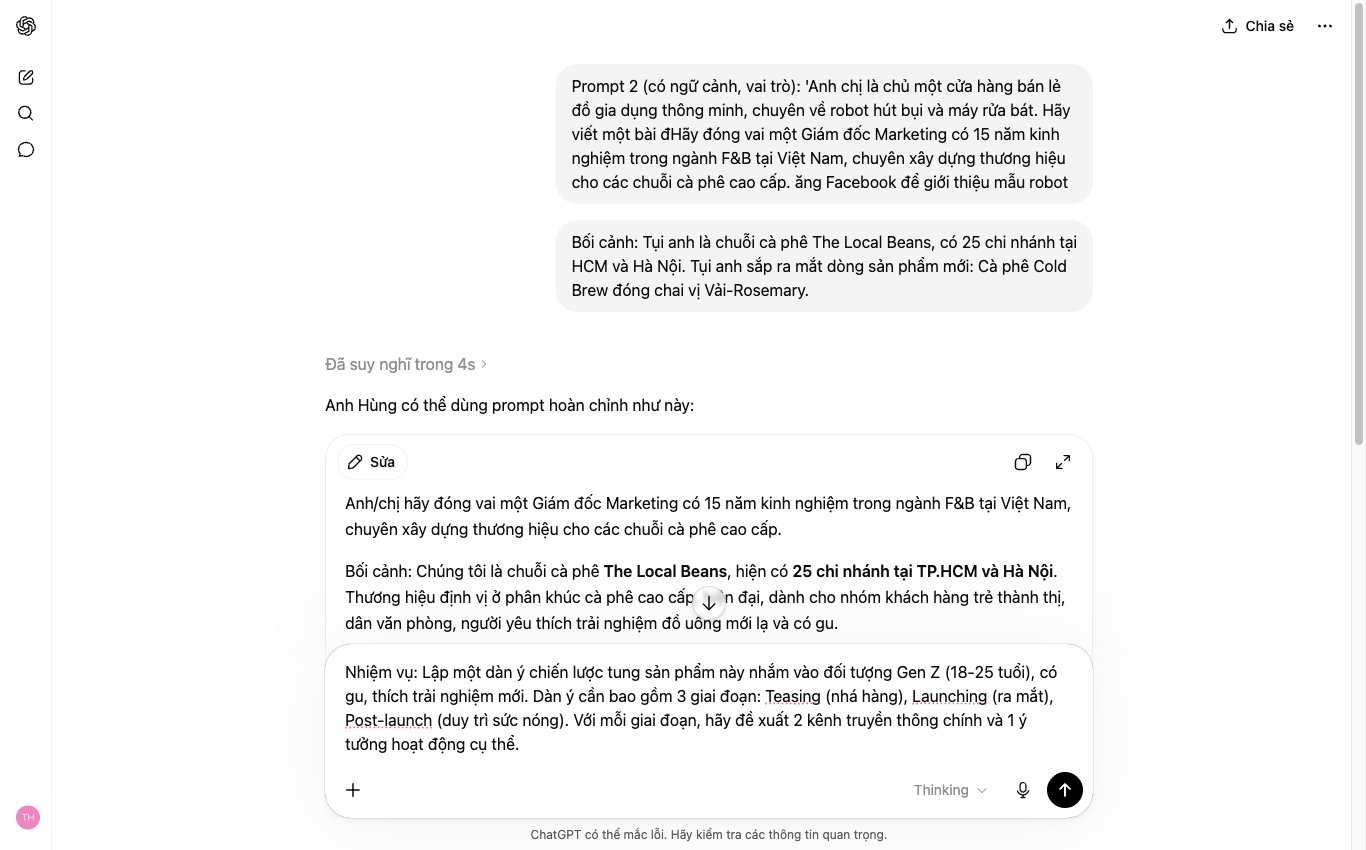
We will combine both elements above into one complete prompt. See the difference for yourself. It is very clear.
Sample prompt:
“Act as a Marketing Director with 12 years of experience in the F&B industry in Vietnam, specializing in brand building for mid-range coffee chains.
Goal: Create a 30-day marketing plan to launch a new product (roasted oolong milk tea). The plan should cover online channels (Facebook, Instagram, TikTok) and in-store activities. The target audience is office workers aged 22-30. The budget is 150 million VND.
Present the result as a table, clearly broken down by week and by channel, with the proposed performance metrics (KPIs) proposed.”
With this prompt, ChatGPT will produce a detailed planthat is highly actionable. It is no longer lifeless bullet points. It is a real working outline.
Many people use ChatGPT and get results that are only “okay.” The content still needs a lot of manual editing. It wastes time. The “Internal critique” technique solves this for good by forcing the AI to upgrade its own work .
This is how we at MONA train AI to write content for projects SEO and social media. It works very well.
First, tell ChatGPT to create a draft as usual. The more detail you give at this step, the closer the first result will be to what you want. Nothing complicated. We just need a foundation to start from.
For example, you could ask:
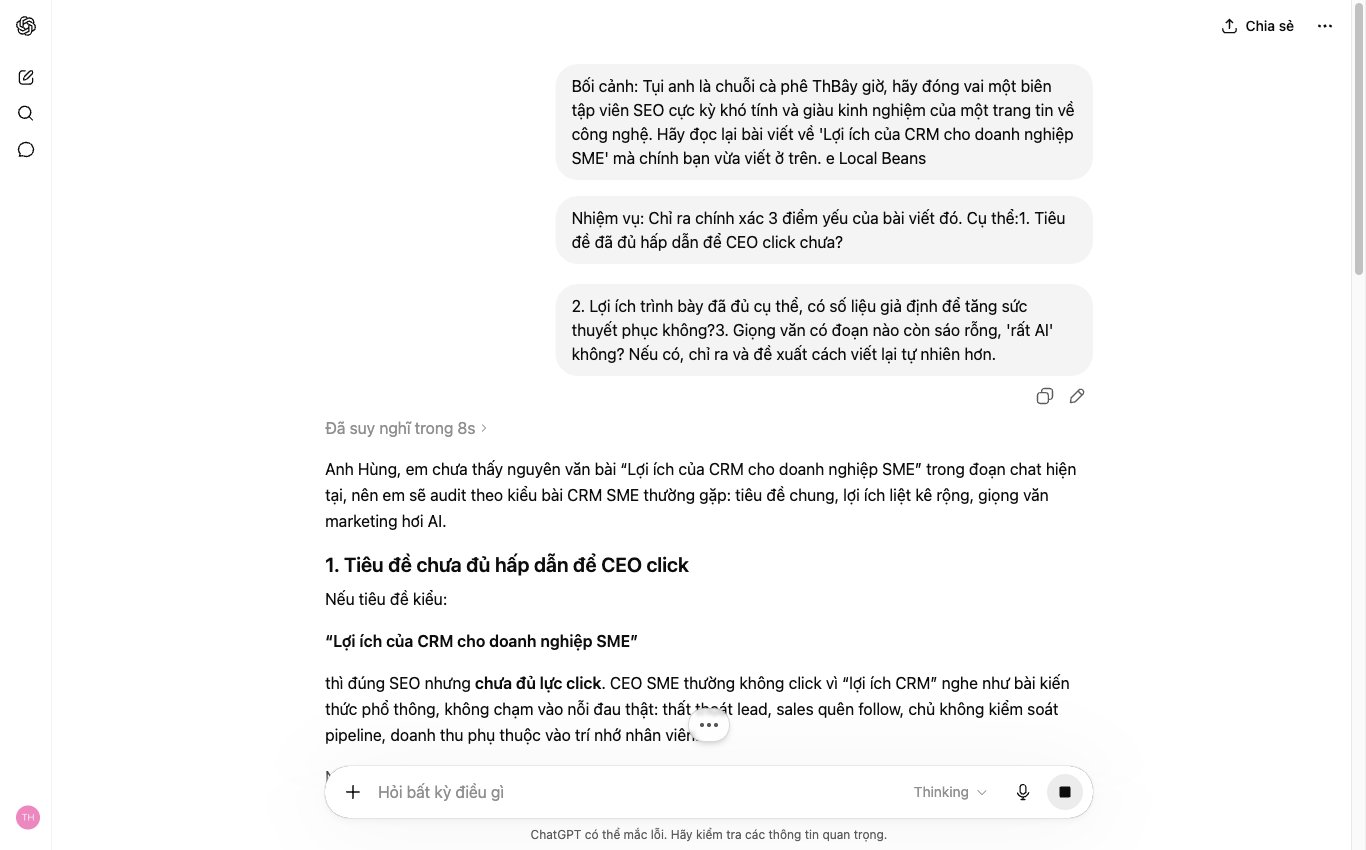
This is the core step. Instead of editing it yourself, ask ChatGPT to play a tough critic and evaluate the content it just wrote. One simple prompt is enough.
You can use this template:
ChatGPT will return a detailed analysis. It points out weak wording or poorly organized structure. Extremely objective.
Once you have the list of weaknesses, the rest is simple. Just give one final instruction so ChatGPT fixes its own mistakes. One command is enough.
For example, you could say:
The final result is almost always much better than the first draft. This process saves a lot of time compared with hunting for errors yourself and rewriting the prompt again and again. It helps you get consistently high-quality content for business websites in the market.
One of the The biggest time-waster when using AI is getting back a messy block of text. Then you have to sit down and reformat it by hand. Align the margins, draw the table, add the bullet points. It takes a lot of effort. The specialists at MONA don’t do it that way. We tell ChatGPT to return results in the exact format we need from the start.
This saves dozens of minutes every day. It is simple, and the effect is clear.
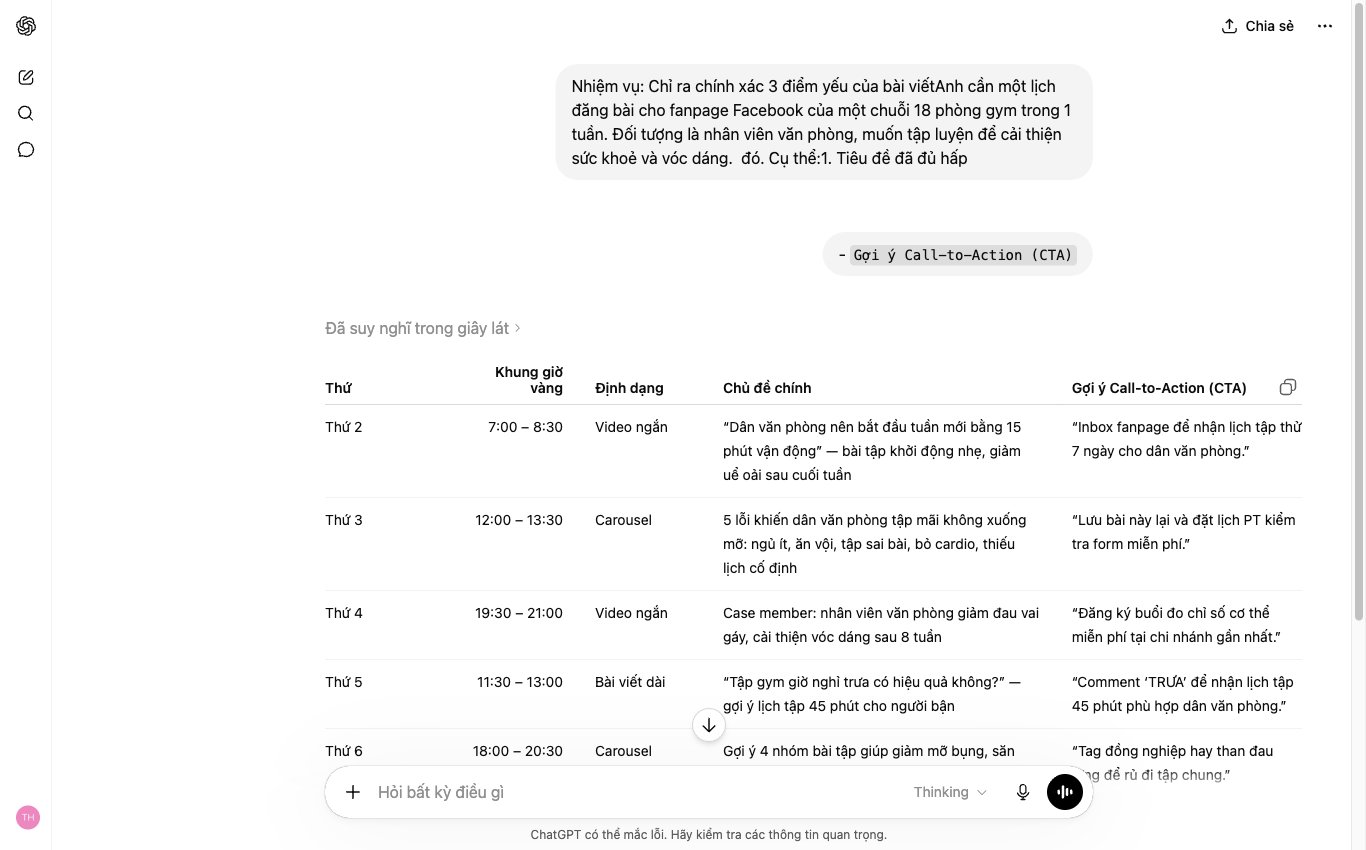
When you need to weigh several options, ask the AI to present them as a table. For example, when you need to compare advertising platforms for a e-commerce websites new
Don’t ask in general terms. Be very specific.
Sample prompt:
The result is a clean table. Easy to compare. You can copy it straight into Google Sheets or an email without editing.
For work processes, a checklist is the most effective format. It makes sure no step is missed, especially for repetitive tasks like SEO on-page or posting to social media.
Sample prompt:
You get a clear list of tasks. Just follow it. New team members can also pick up the process easily.
This tip is a bit more advanced but extremely useful for marketing and web teams. You can ask ChatGPT to write small snippets of code or export data in standard formats such as JSON or HTML.
This helps a lot, especially when you need schema for SEO or a simple piece of HTML for email marketing.
Sample prompt:
Instead of asking a developer for small jobs like this, your team can handle them on their own. It saves time and speeds up delivery.
One of the biggest difficulties of using ChatGPT for complex work is that it tends to “forget.” You hand over a stream of information, and by step five it has forgotten the requirement from step one. This happens because the AI’s memory is limited within each session. We need to actively manage the conversation like a project, not just a Q&A.
At MONA, we train our staff to treat each conversation with AI as a project meeting. Someone has to lead it, there are summaries, and each phase has a clear goal. This keeps the AI on the overall goal even when the project runs for hundreds of exchanges.
After every 5-7 important exchanges, or when you start a new working day, use a summary prompt. It works like a recap at the start of a meeting so everyone is looking in the same direction. It “pins” the core information and decisions in the AI’s short-term memory.
You can use this simple template: “Summarize the main points we agreed on: 1. The goal of the article is [goal]. 2. The audience is [audience]. 3. The tone should be [descriptive adjectives]. Now continue with my next request.” This keeps every later result consistent with the original direction, which is an important factor in SEO services for professional services.
Instead of giving one big, vague request like “Write me a marketing plan for the new product,” break it into specific tasks. Act like a project manager assigning work to staff. Each request is one small, clear step that you can check.
For example, to produce a marketing plan, we can follow this chain of prompts:
This lets the AI focus all its processing power on each small task and produce deeper, higher-quality results. It is also the method we use when outlining the structure of an SEO-friendly website, going from market research to the sitemap structure and only then to the detailed content.
Never discuss two unrelated projects in the same conversation. It adds “noise” to the context and confuses the AI. Create a separate “thread” for each job: one thread for writing SEO articles, one for planning video scripts, another for brainstorming fanpage ideas.
In the ChatGPT interface, you can rename conversations to keep them easy to manage. For example: “[Project X] – July SEO article series,” “[Product Y] – Unboxing video script.” This kind of organization helps the AI work effectively, and it also makes it easy for you to find and reuse information when you need it.
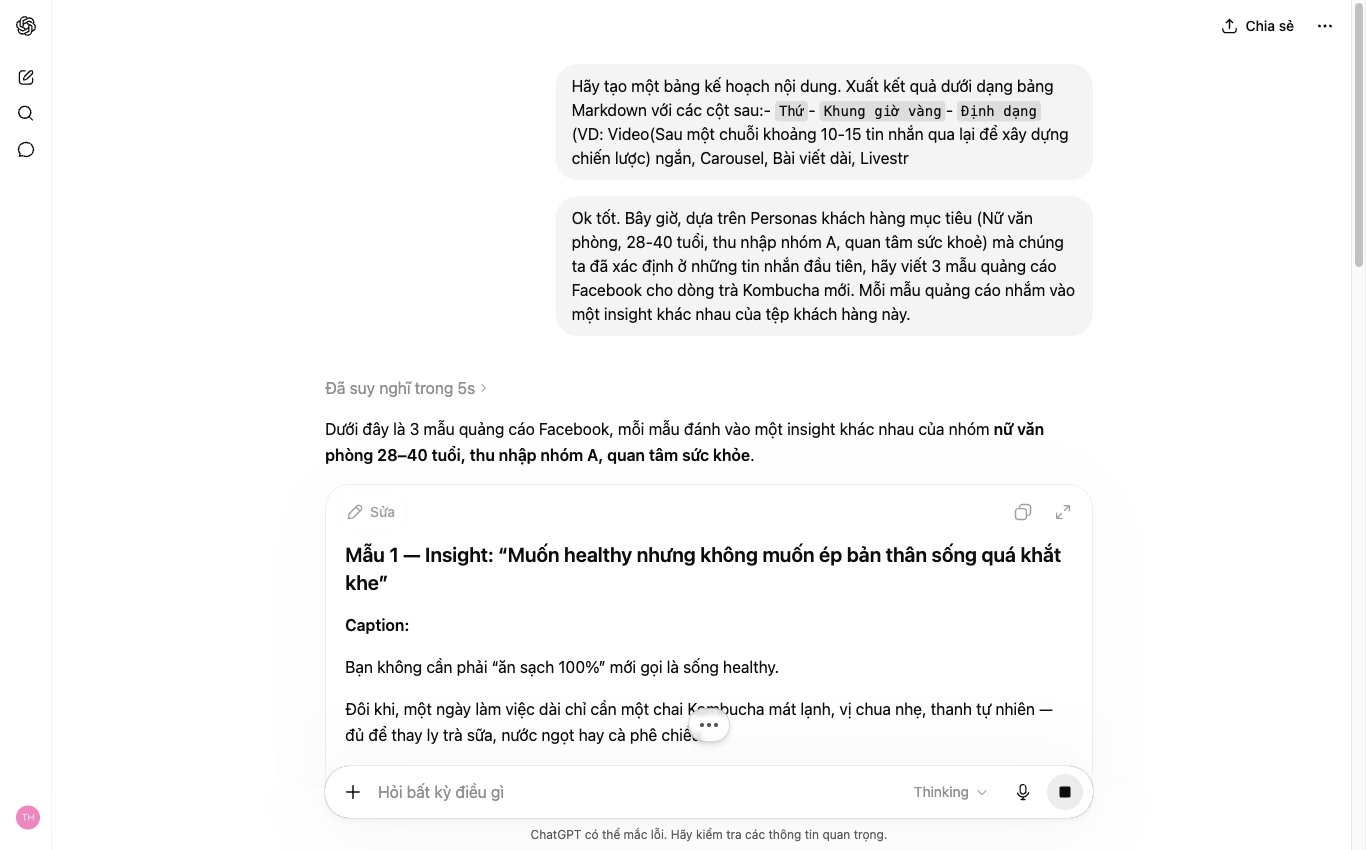
The ChatGPT tips MONA just shared will certainly help your team work faster. We use them every day too. The results are clear.
But that is a story about individuals. At the business level, we run into a different limit. An invisible wall. When every employee uses their own separate AI tool, data gets fragmented. Processes break. And depending on the skills of a few people is very risky.
One thing you need to see clearly. ChatGPT is very powerful, but it is designed for individual users. Marketing data sits in employee A’s account. Sales scripts sit in employee B’s account. There is no connection. There is no continuity.
When a staff member leaves, that intellectual property can walk out the door with them. Keeping output quality consistent across the whole company is almost impossible. That is the price of using disconnected tools.
A business owner’s problem is not just speed. It is stability and the ability to scale. Instead of letting everyone swim alone with their own AI tools, MONA helps you build a centralized automation system, custom-built for your own business model.
A system like this connects departments, from SEO, marketing to sales and customer care. Customer data flows smoothly. Repetitive tasks are 100% automated. Everything sits in one closed loop that you fully control.
With over 10 years of experience and , MONA has worked on 14,000+ projects. We website design, and we also build digital operating machines. When you are ready to go beyond the limits of standalone tools, talk with MONA.

CEO & Founder · The MONA
Founder of The MONA, who built a services company of 60+ staff with 14,000+ projects delivered. Khánh Hùng shares how he thinks about building systems that run themselves, automating a business, and the real lessons from delivering projects at MONA.
 290




Professional website
design services
Own a website with a beautiful, 100% exclusive design and a lifetime warranty, with the ability
to expand features flexibly as your business grows, starting today!






 MONA will never sell your information or send you spam


 MONA will never sell your information or send you spam
