
 MONA OS 2.0


 Tự động hoá doanh nghiệp
 Cẩm nang SEO
 Digital Marketing
 Kinh nghiệm thiết kế website
 Hạ Tầng Server
 Giáo dục


 VI
VI
 EN
EN



















![Full-package professional website design price list in detail [2026]](https://mona.media/wp-content/uploads/2026/09/bang-gia-thiet-ke-website-featured-mona.jpg)


Message us on
Zalo Official


 ProductsNew

 ProductsProducts
 Mới ra mắtKHA AI 2027App tự edit video, tự đăng mọi mạng xã hội, 2 phút mỗi ngày










 Website designLooks good and wins customers over.
SEO servicesBrings in customers searching for exactly what you sell.
Website designLooks good and wins customers over.
SEO servicesBrings in customers searching for exactly what you sell.
 Tư vấn digital marketingKéo khách từ nhiều kênh, đo bằng số thật.
Corporate video productionVideos introducing your company, factory and team.
Tư vấn digital marketingKéo khách từ nhiều kênh, đo bằng số thật.
Corporate video productionVideos introducing your company, factory and team.
 NewAI video productionCompany story films made with AI.
 Custom software developmentCRM, ERP and HRM built for your business.
 Viết AI Agent theo yêu cầuĐặt riêng một trợ lý AI cho đúng việc của mình.
 Tư vấn chuyển đổi AIĐưa AI vào vận hành của cả công ty.
NewMONA LMSManagement for centers and schools.
MONA SkillHubInternal training for company staff.
Tư vấn chuyển đổi AIĐưa AI vào vận hành của cả công ty.
NewMONA LMSManagement for centers and schools.
MONA SkillHubInternal training for company staff.
 NHTQ systemEnd-to-end China–Vietnam shipping operations.
MONA JMSManagement for gold, diamond and pawn shops.
NHTQ systemEnd-to-end China–Vietnam shipping operations.
MONA JMSManagement for gold, diamond and pawn shops.
 MONA E-LearningA website with every feature you need to sell courses.
 How to sell online courses (course)More than 30 free lessons on selling courses on autopilot.
 MONA Cloudmonacloud.vnServers to get your apps and websites running.
 MONA Basemonabase.vnPostgres database, sign-in and file storage.
 MONA Mailmonamail.vnSend OTP, order and invoice emails from your software.
 MONA Paymonapay.vnAccept bank transfers via VietQR and notify your software when the money arrives.
 MONA eInvoiceComing soonIssue e-invoices that meet tax standards.
Gấu CườiTrả lời khách 24/7 trên web, Fanpage, Zalo và thu lead cho sale.
MONA eInvoiceComing soonIssue e-invoices that meet tax standards.
Gấu CườiTrả lời khách 24/7 trên web, Fanpage, Zalo và thu lead cho sale.
 Gấu TeleSalesGọi điện tư vấn, chăm khách như tổng đài viên thật.
Dê CườiTư vấn và chốt đơn cho shop ngay trong khung chat.
Gấu WebmasterNhắn nhóm Zalo là website được sửa xong.
Gấu TeleSalesGọi điện tư vấn, chăm khách như tổng đài viên thật.
Dê CườiTư vấn và chốt đơn cho shop ngay trong khung chat.
Gấu WebmasterNhắn nhóm Zalo là website được sửa xong.
 Gấu Pháp ChếSoạn hợp đồng, rà điều khoản trong vài phút.
 Gấu Báo GiáLên báo giá đúng mẫu và gửi khách ngay.
 AI chăm sóc khách hàngTheo dõi và giữ chân khách hàng cũ.
 Gấu Tuyển DụngLọc hồ sơ, hẹn lịch, phỏng vấn ứng viên.
 Mới ra mắt
KHA AI 2027
Xây kênh chuyên gia 2 phút mỗi ngày
Quay bằng điện thoại, AI tự edit video, tự đăng lên 16 nền tảng và tự trả lời bình luận, tin nhắn.
348.391lượt xem trên kênh CEO MONA sau 20 ngày
Mới ra mắt
KHA AI 2027
Xây kênh chuyên gia 2 phút mỗi ngày
Quay bằng điện thoại, AI tự edit video, tự đăng lên 16 nền tảng và tự trả lời bình luận, tin nhắn.
348.391lượt xem trên kênh CEO MONA sau 20 ngày
 Anh Khánh HùngCEO MONA đang dùng mỗi ngày
Xem app làm được gì
Anh Khánh HùngCEO MONA đang dùng mỗi ngày
Xem app làm được gì
 AI
Gấu Cười MONA ĐANG TỰ XÀITrả lời khách 24/7 trên website, Zalo OA, Messenger và thu lead về cho sale.
Dê CườiChốt đơn bán lẻ và sàn: Shopee, TikTok Shop, web. Chăm cả khách sỉ, đại lý.
Gấu WebmasterCập nhật nội dung, tối ưu SEO website mỗi ngày.
Gấu TeleSalesGọi điện tư vấn, chăm khách như tổng đài viên thật.
Gấu Tuyển DụngLọc hồ sơ, hẹn lịch, phỏng vấn ứng viên tự động.
AI chăm sóc khách hàngGiữ khách cũ, cứu lead đã rớt cho phòng kinh doanh.
Gấu Pháp ChếSoạn hợp đồng, rà điều khoản trong vài phút.
Gấu Báo GiáLên báo giá đúng mẫu, gửi khách ngay khi có yêu cầu.
AI
Gấu Cười MONA ĐANG TỰ XÀITrả lời khách 24/7 trên website, Zalo OA, Messenger và thu lead về cho sale.
Dê CườiChốt đơn bán lẻ và sàn: Shopee, TikTok Shop, web. Chăm cả khách sỉ, đại lý.
Gấu WebmasterCập nhật nội dung, tối ưu SEO website mỗi ngày.
Gấu TeleSalesGọi điện tư vấn, chăm khách như tổng đài viên thật.
Gấu Tuyển DụngLọc hồ sơ, hẹn lịch, phỏng vấn ứng viên tự động.
AI chăm sóc khách hàngGiữ khách cũ, cứu lead đã rớt cho phòng kinh doanh.
Gấu Pháp ChếSoạn hợp đồng, rà điều khoản trong vài phút.
Gấu Báo GiáLên báo giá đúng mẫu, gửi khách ngay khi có yêu cầu.
 Chuyển đổi AI toàn phầnGiải pháp tổng cho doanh nghiệp, 3 lớp triển khai.
 Viết AI Agent theo yêu cầuĐặt riêng một con AI gánh đúng nghiệp vụ của bạn.
 Custom softwareCRM, ERP and HRM with built-in AI automation.
 SEO & AEO thời đại AIĐược Google lẫn AI trích dẫn, không chỉ xếp hạng.
 Kiến thức AI cho doanh nghiệpBài phân tích, hướng dẫn ứng dụng AI vào vận hành.
 Free AI courses
 AI tools at work
App mới · KHA AI 2027
Xây kênh 2 phút mỗi ngày
AI tự edit video, tự đăng mọi mạng xã hội
Free consultation, 8am–10pm every day
AI tools at work
App mới · KHA AI 2027
Xây kênh 2 phút mỗi ngày
AI tự edit video, tự đăng mọi mạng xã hội
Free consultation, 8am–10pm every day

04 January, 2024

The basic way to create a website has these steps: define the goal, register a domain, rent hosting and design the interface. However, the process of website design is only simple for people who already have experience building websites. For beginners, facing piles of technical terms and complicated configuration is a real barrier. Don't worry, the following article from MONA will simplify everything and show you how to create a professional website from zero as easily as possible.
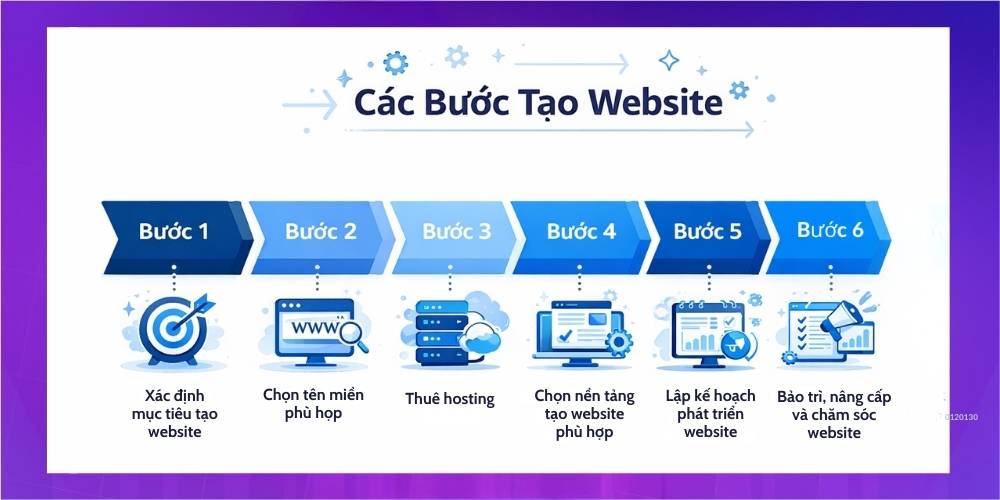
Before you apply any method to create a company website, you need to be clear about what you need from it. Do you intend to sell goods and services directly to customers? Or do you just need a place to provide information where people can learn about your business? Follow this detailed guide to learn how to create a website for yourself or your business.
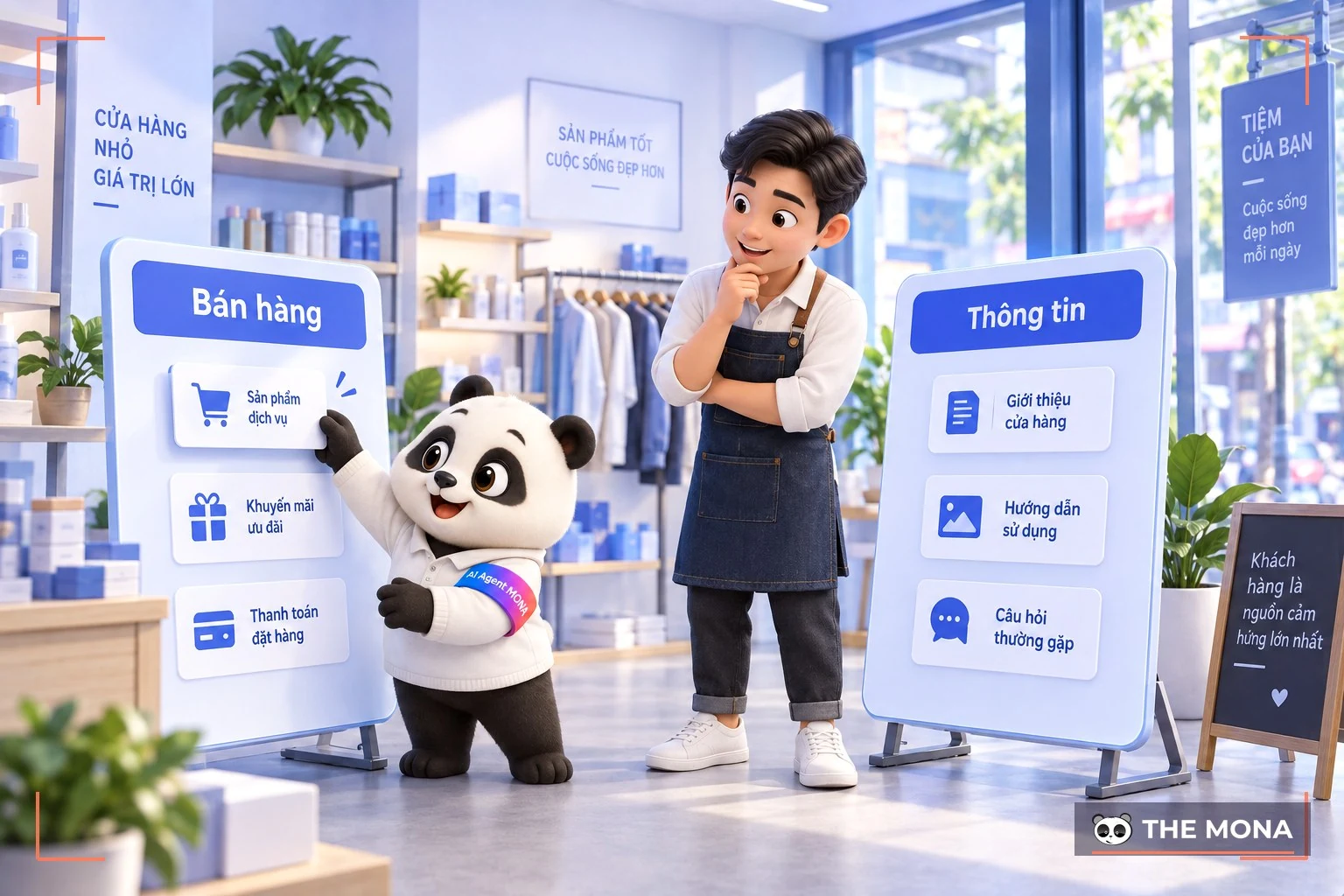
The first step is to make your goal as specific as possible, because each website has different features and interfaces for different purposes. Some popular types of website you can consider:
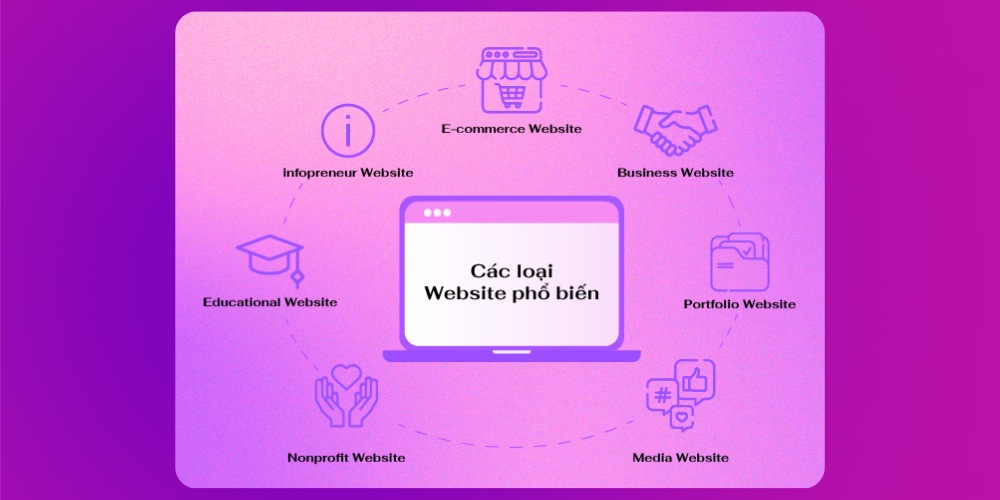
Once you have chosen the type of website, the next step is to define the features and technology your site really needs.
For example, if you plan to ecommerce website design then the site must include features like a shopping cart, automatic ordering and online payment. A forum website needs member registration/login and discussion areas clearly divided by topic. Or if you build a free website for an interior design business, consultation forms based on feng shui and an automatic quote feature are good additions to improve user experience.
From our experience working with businesses large and small, MONA sees several key technology factors that any professional website should consider:
A simple, professional website starts with the domain name, so you need to choose a suitable domains because it is the “signpost” that helps people find you on the Internet. Specifically:
Registering a domain to build a complete website is quite simple. Just follow these steps:
Step 1: Come up with a domain idea that suits your website topic.
Step 2: Check whether your chosen domain is available.
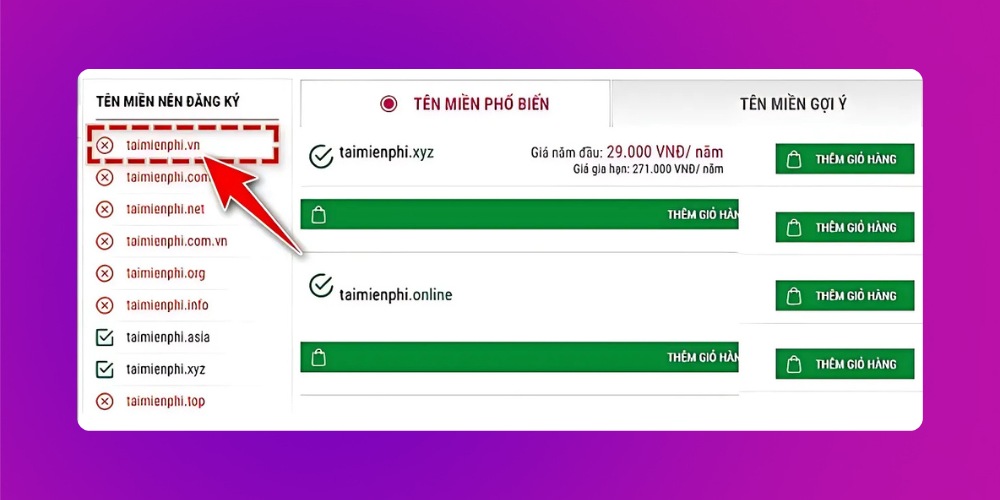
To find out whether a domain is already registered, visit a provider's website and type in the domain you want. If it is available, you can buy it right away at the price shown on the site.
Domain prices depend on the extension you choose, such as .com, .vn, .net and so on. .com and .vn usually cost more but are trusted by more people and look more professional to customers.
Step 3: Contact a provider to register the domain and choose the extension (.com, .net, .vn, etc.) you need.
You can REGISTER A DOMAIN and pay directly through MONA.Host

For a quality, optimized domain, follow this guide to creating an online store website, on choosing a domain below:
Once you have a domain, the next thing to do when creating a website is to rent web hosting. Put simply, this is where all your website's data is stored, letting users reach your site at any time. Think of it this way: the domain is your home address, and hosting is the plot of land where you build your house (your website).
Once you have picked a suitable hosting plan, the next step in creating a website is to connect your domain to the hosting (point the domain to the hosting). If you are not familiar with this or don't know how to build your own site, you can ask the hosting provider to help. Things to consider when choosing hosting include:
If you plan to designing a website with WordPress, WooCommerce or build your website by coding it yourself, you will need to rent hosting and configure everything yourself. That can be quite complicated if you are not technical.
There are many types of hosting on the market with different features, suited to the needs and budgets of many businesses and individuals. For example:
Once you have a domain and hosting, the next important step is choosing the right tool to build a standard website with your brand's style. Many platforms help you build quality websites; MONA has pulled together the 4 most popular methods below:
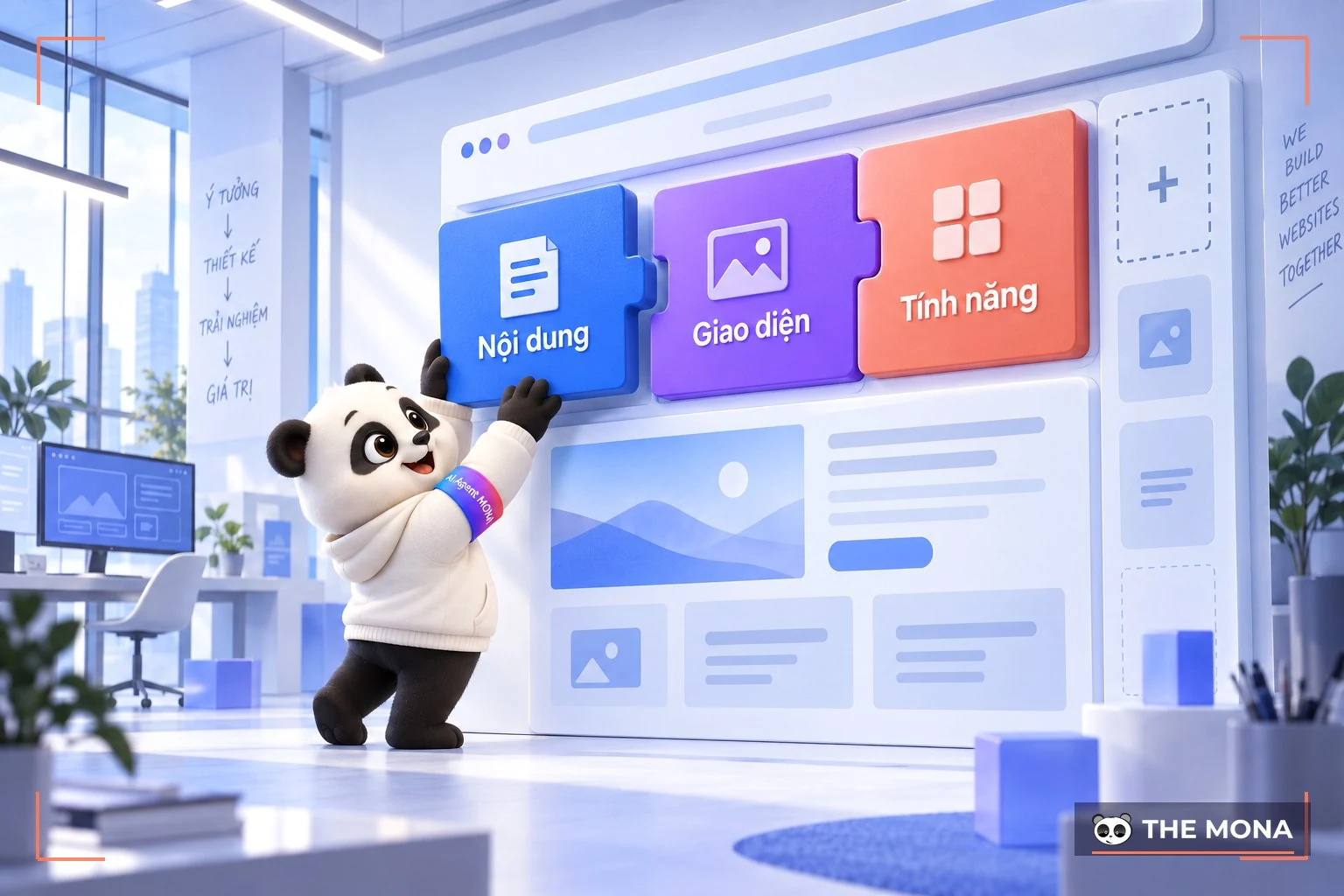
Using a content management system (CMS – Content Management System) is one of the most popular ways to build a free website. The 3 best-known CMS brands are WordPress, Drupal and Joomla, which let you manage website content easily and flexibly. They also let you build the site the way you want and add useful features when budget is limited. In MONA's survey, WordPress is the strongest and most widely used CMS today.
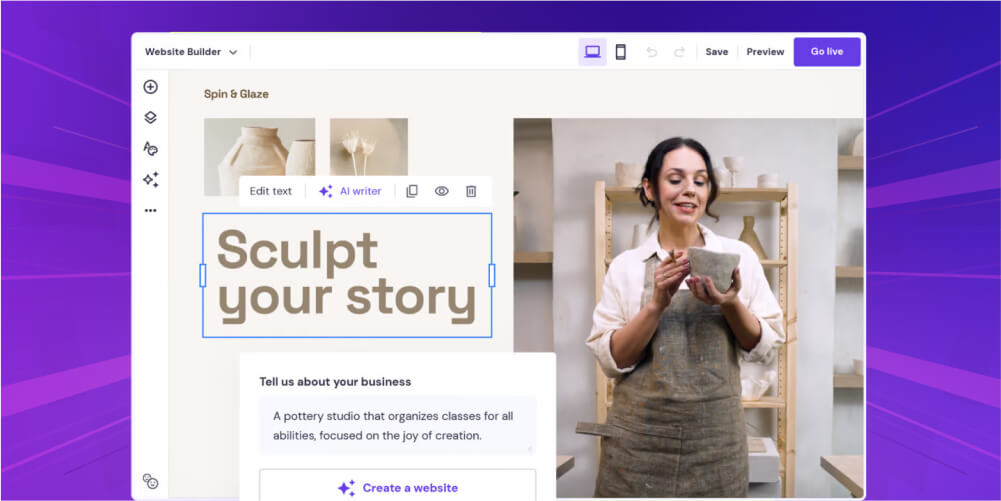
If you are looking for a quick, easy way to build a website without special technical knowledge, free website-building software can be a good choice. These tools offer templates and drag-and-drop features that make it easy to put together a basic site.
Example: Some popular website builders include Wix (an easy way to build a site for beginners), Squarespace, Divi, Mozello,…
You can look at: Top 10 Page Builder the most widely used
If you are a professional web developer or want a completely unique site, you can choose to write the code from scratch. It takes deep web programming knowledge, but gives you the most flexibility to build the site the way you want.
To apply this free method of building a website most effectively, MONA suggests you refer to reputable learning sources such as GitHub, Codewars, The Odin Project,…
Using a Cloud Platform is a professional way to build a website without worrying about hosting, SSL or complicated programming. You only focus on choosing a design, setting up features and adding content, while the platform handles everything technical behind the scenes from A to Z.
Of course, one thing to weigh with a Cloud Platform is that you may depend somewhat on the provider. But for beginners who don't yet know how to build a simple site, it is the most efficient and easiest way to build a company website.
To give you an objective view, MONA walks you through how to build a free website on a Cloud Platform in detail:
Stage 1: Choose a suitable design and customize it as you like
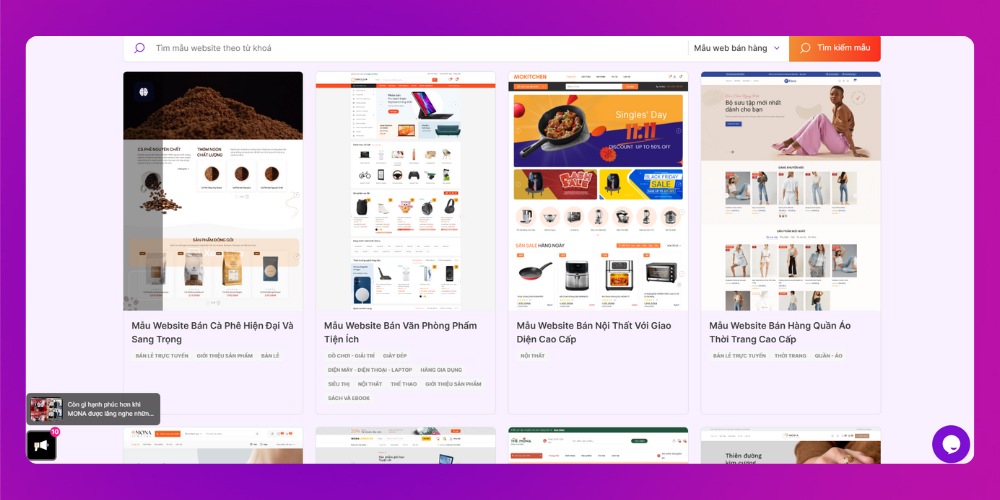
To build your own website on a Cloud Platform, first pick a ready-made theme from the platform's template library based on your business goals and target customers (review Step 1 – Define the goal of your website). Each design has its own style that suits different industries, and choosing one that is “close enough” to your original purpose saves you a lot of editing time later.
You can change colors, layout, logo, effects and more, but make sure they stay consistent with your brand identity to keep the website professional and coherent.
Not sure which website design to choose? Take a look at the website templates by industry made by MONA below:
- 299+ E-commerce templates beautiful, SEO-ready website templates
- Company introduction website design templates editing techniques
- Import business website template for import-export companies
Stage 2: Install utility apps on your website
Once you have a design you like, the next step is installing utility apps (similar to Plugin SEO WordPress). These apps give your website extra features for your business and user experience.
Based on MONA's latest survey, these are the apps commonly added when building a website:
Depending on your purpose, just choose and install the tools that suit you. This is a critical step in building a website, keeping your site flexible and giving customers a good experience.
Stage 3: Provide content for your website
If you want a professional website, don't skip investing in content from the start. A website with useful information keeps users effectively, so spend time building content that fits your field, products or services.
Website content appears in many places: the menu, home page banner, about page, services, products, blog posts and more. The blog deserves your best content, because it is not only a place to share knowledge but a tool to grow your brand and run effective SEO strategies.
Stage 4: Publish and test after creating the website
To build a complete website, once design and content are done you can publish it and test everything. Try it on both computer and phone, and check features like the menu, cart, contact form and page speed, so the site runs smoothly before it goes live.
If you run a business and want a professional, easy-to-use website that truly impresses customers, investing in proper web design is well worth it compared with free website builders. Understanding that, MONA Media offers a solution for reputable website design company, and has worked with hundreds of partners for more than 10 years across many different fields.
And you can rest easy, because MONA provides web design in 2 forms: To create template-based websites and Fully custom websites, coded 100% to your requirements. This meets the needs of every individual and business.
Template-based website design
With a limited budget but still wanting a website that is distinctive and personalized, you can use MONA's template-based website service. MONA currently has 2,000+ beautiful, SEO-ready website templates suited to many kinds of business.
This lets businesses choose the site that fits their needs and change it freely to reflect their own brand and style.
Tap the button below to browse 2,000+ SEO-ready web templates 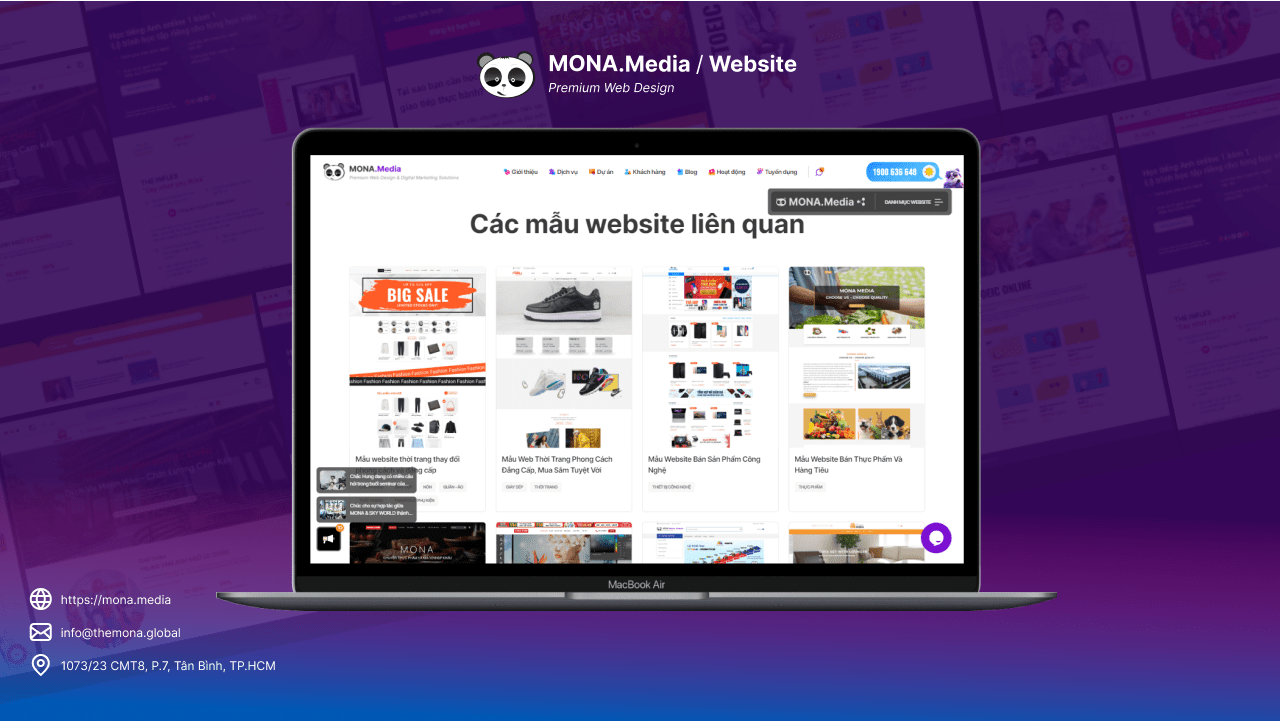
Custom website design
This website service suits businesses with a larger budget that want an exclusive website for their brand. In particular, with custom website design services clients can customize, expand and upgrade features as the business grows, and the site is coded 100% by MONA's IT specialists to keep it secure.
Whichever MONA website service you choose, you will get these benefits:
Tap the button below for a detailed consultation on our website creation services.

If you stop at building a website and leave it there, almost nothing changes. A website only has real value when it is run properly and has a structured development strategy to make full use of its potential in reaching and convincing target customers:
Build content with direction: how to create an engaging website
Depending on the type of website, the industry and the goal, the way you build the site and its content will differ considerably. The business needs a specific development plan that fits what it ultimately expects from the website.
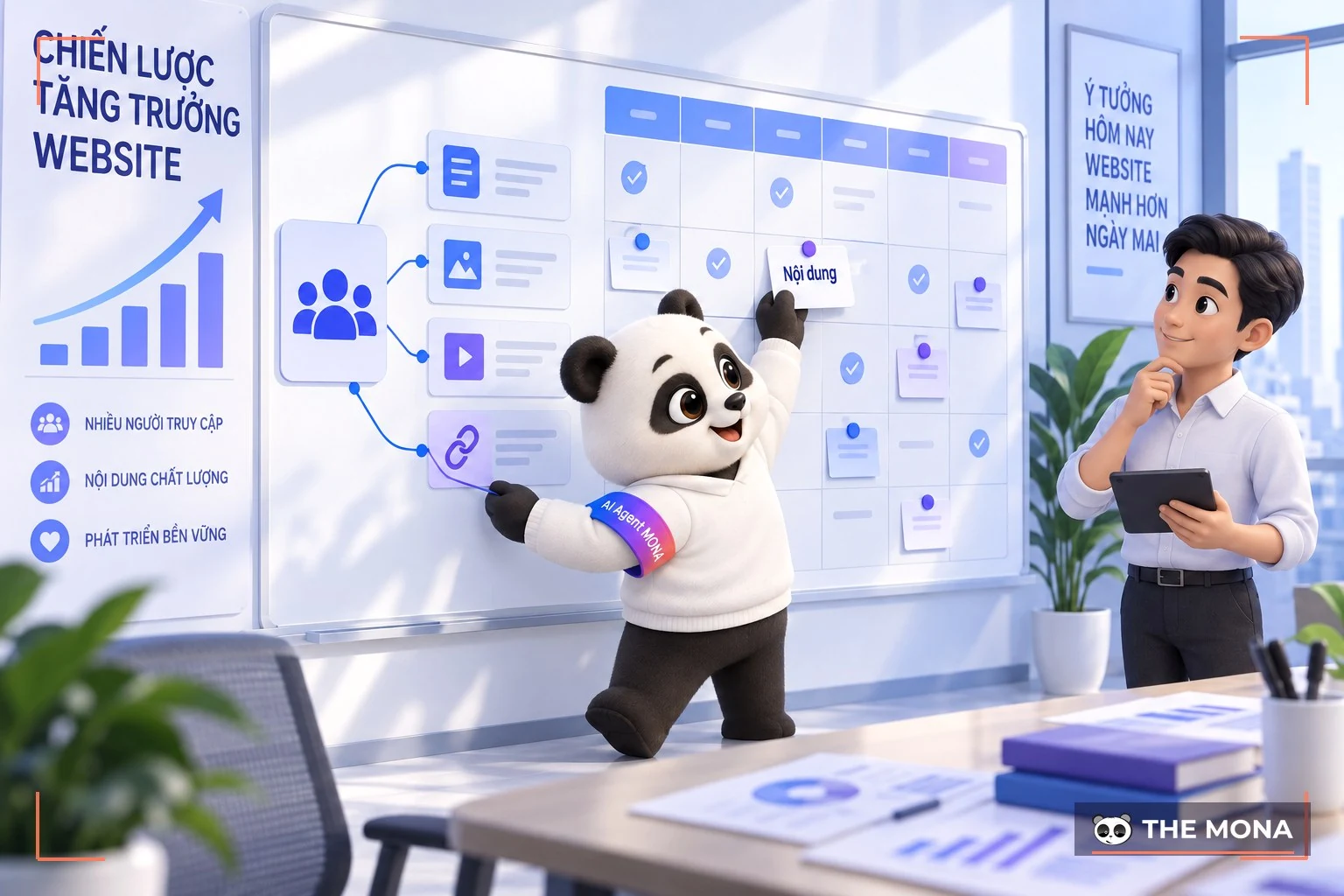
If you run an online store, invest in content focused on your products, including:
If you are building a website for a company or a service provider, the content should introduce the organization and its expertise:
Use the right supporting tools
To run and grow your website more effectively, get familiar with the tools that industry professionals recommend, including:

Put the right marketing strategy in place
Even a perfectly built website creates no value if nobody knows it exists. Once your content foundation is ready, a valuable and easy-to-find website needs marketing activity like the following to bring it closer to your audience:

If all you wanted to know was how to create a website, you are nearly done at this point. But building a website and then leaving it without maintenance or care is a mistake.
Technology keeps changing, so a website needs regular maintenance: measuring and testing features and user experience, and fixing any bugs that appear. Also remember to update your site with the latest features.
All in all, the process of create a website is fairly simple. You just need to follow the steps MONA has laid out above, while paying attention to each stage so the site comes out complete and effective. We hope what MONA has shared helps you get a professional website for yourself or your business.
And if you want a website with solid SEO, a clean UI/UX, fast loading and more, get in touch CONTACT US with MONA Media for a detailed consultation.
Contact details are below:
Learn more about building a website
If the website you plan to build is for selling products, we have a separate guide: how to build an online store website — a free walkthrough from preparation and installing WooCommerce to running a test order.

CEO & Founder · The MONA
Founder of The MONA, who built a services company of 200+ staff with 14,000+ projects delivered. Khánh Hùng shares how he thinks about building systems that run themselves, automating a business, and the real lessons from delivering projects at MONA.
 1,6K
1,6K




Professional website
design services
Own a website with a beautiful, 100% exclusive design and a lifetime warranty, with the ability
to expand features flexibly as your business grows, starting today!








 MONA will never sell your information or send you spam
MONA will never sell your information or send you spam
MONA will never sell your information or send you spam


 MONA will never sell your information or send you spam