
 MONA OS 2.0
 Hợp tác với MONA


 Tự động hoá doanh nghiệp
 Cẩm nang SEO
 Digital Marketing
 Kinh nghiệm thiết kế website
 Hạ Tầng Server
 Giáo dục


 VI
 EN






















Message us on
Zalo Official


 ProductsNew

 ProductsProducts
 Mới ra mắtKHA AI 2027App tự edit video, tự đăng mọi mạng xã hội, 2 phút mỗi ngày










 Thiết kế websiteVừa đẹp vừa thuyết phục được khách.
Dịch vụ SEOKéo về khách đang tìm đúng thứ anh chị bán.
 Tư vấn digital marketingKéo khách từ nhiều kênh, đo bằng số thật.
Quay video doanh nghiệpVideo giới thiệu công ty, nhà xưởng, đội ngũ.
 MớiDựng video AIDựng phim câu chuyện công ty bằng AI.
 Custom software developmentCRM, ERP and HRM built for your business.
 Viết AI Agent theo yêu cầuĐặt riêng một trợ lý AI cho đúng việc của mình.
 Tư vấn chuyển đổi AIĐưa AI vào vận hành của cả công ty.
NewMONA LMSManagement for centers and schools.
MONA SkillHubInternal training for company staff.
 NHTQ systemEnd-to-end China–Vietnam shipping operations.
MONA JMSManagement for gold, diamond and pawn shops.
 MONA E-LearningA website with every feature you need to sell courses.
 How to sell online courses (course)More than 30 free lessons on selling courses on autopilot.
 MONA Cloudmonacloud.vnServers to get your apps and websites running.
 MONA Basemonabase.vnPostgres database, sign-in and file storage.
 MONA Mailmonamail.vnSend OTP, order and invoice emails from your software.
 MONA Paymonapay.vnAccept bank transfers via VietQR and notify your software when the money arrives.
 MONA eInvoiceComing soonIssue e-invoices that meet tax standards.
Gấu CườiTrả lời khách 24/7 trên web, Fanpage, Zalo và thu lead cho sale.
 Gấu TeleSalesGọi điện tư vấn, chăm khách như tổng đài viên thật.
Dê CườiTư vấn và chốt đơn cho shop ngay trong khung chat.
Gấu WebmasterNhắn nhóm Zalo là website được sửa xong.
 Gấu Pháp ChếSoạn hợp đồng, rà điều khoản trong vài phút.
 Gấu Báo GiáLên báo giá đúng mẫu và gửi khách ngay.
 AI chăm sóc khách hàngTheo dõi và giữ chân khách hàng cũ.
 Gấu Tuyển DụngLọc hồ sơ, hẹn lịch, phỏng vấn ứng viên.
 Mới ra mắt
KHA AI 2027
Xây kênh chuyên gia 2 phút mỗi ngày
Quay bằng điện thoại, AI tự edit video, tự đăng lên 16 nền tảng và tự trả lời bình luận, tin nhắn.
865.627lượt xem trên kênh CEO MONA sau 33 ngày
 Anh Khánh HùngCEO MONA đang dùng mỗi ngày
Xem app làm được gì
 AI
Gấu Cười MONA ĐANG TỰ XÀITrả lời khách 24/7 trên website, Zalo OA, Messenger và thu lead về cho sale.
Dê CườiChốt đơn bán lẻ và sàn: Shopee, TikTok Shop, web. Chăm cả khách sỉ, đại lý.
Gấu WebmasterCập nhật nội dung, tối ưu SEO website mỗi ngày.
Gấu TeleSalesGọi điện tư vấn, chăm khách như tổng đài viên thật.
Gấu Tuyển DụngLọc hồ sơ, hẹn lịch, phỏng vấn ứng viên tự động.
AI chăm sóc khách hàngGiữ khách cũ, cứu lead đã rớt cho phòng kinh doanh.
Gấu Pháp ChếSoạn hợp đồng, rà điều khoản trong vài phút.
Gấu Báo GiáLên báo giá đúng mẫu, gửi khách ngay khi có yêu cầu.
 Chuyển đổi AI toàn phầnGiải pháp tổng cho doanh nghiệp, 3 lớp triển khai.
 Viết AI Agent theo yêu cầuĐặt riêng một con AI gánh đúng nghiệp vụ của bạn.
 Custom softwareCRM, ERP and HRM with built-in AI automation.
 SEO & AEO thời đại AIĐược Google lẫn AI trích dẫn, không chỉ xếp hạng.
 Kiến thức AI cho doanh nghiệpBài phân tích, hướng dẫn ứng dụng AI vào vận hành.
 Free AI courses
 AI tools at work
App mới · KHA AI 2027
Xây kênh 2 phút mỗi ngày
AI tự edit video, tự đăng mọi mạng xã hội
Free consultation, 8am–10pm every day

06 September, 2026

Clients who come to MONA for a website have usually already picked a brand name; 3 out of 10 cases, the domain they planned to use already had an owner. To check whether a domain is registered, look up the registration record and the DNS, then compare against the right source for Vietnamese or international extensions. Don't guess with a browser.
A name you've settled on 3 months still needs a domain check before it goes on a signboard. We wrote our own tool because we have to look up domains for clients every day, and it collects 4 DNS records and RDAP data to read in one flow. A reminder for 30 seconds looking up before naming is the starting point; buying back, verifying the owner and keeping control need a closer check.
A name you've already settled on 3 months is brought to the website planning table, then the lookup shows that address has had an owner since 2019, exactly the scene we run into every week when clients pick the name before checking. You're already used to that name. Changing it isn't easy. But even keeping the plan, you need to know who the address you want belongs to.
We understand the effort behind a name: does it sound right for the trade, is it easy to remember when read aloud, does it look good on a signboard. A domain check at this point slows the decision down, but you learn where the snag is before approving the design. MONA wants the website address clear right in the naming meeting.
Read how to choose an address for your brand if you still have backup options, then check the planned domain, putting the name next to the extension you intend to use so you aren't comparing one name against a different address.
An easy mistake is typing the address into a browser, seeing the page won't open and assuming nobody has taken the name. The registration record and the 4 DNS records have to be read separately. A name that has an owner may still not point to a website. A domain check has to go through the data, even when the screen is blank.
Even when you find an extension that's still available, read the whole address aloud. The section on choosing an extension for your website links this to how customers remember the name, instead of picking just because the lookup result looks convenient.
The name-conflict case continues in the MONA story below. For now, check the domain at the same time as choosing the brand name, and keep a backup option before sending the name to the design team.

On a domain check screen, the DNS section has data but the registration information is missing; at a glance, it's easy to use the result of one part to answer for the other. Separate the questions first. MONA put them into one tool because clients building websites need to read both the address and how it is being used.
Looking up domain information, also called a domain check, means reading both registration data and service configuration. WHOIS/RDAP serves the lookup of registration data, while 4 DNS records in the article describes the configurations related to the web, email, name servers and verification.
When you check a domain, read the registration information first. Read the section on WHOIS and the record fields if you aren't used to reading it. We use RDAP instead of the old WHOIS method in the MONA tool. The lookup sources for Vietnamese and international domains are split in later steps.
| Lookup method | Good for | What to compare |
|---|---|---|
| MONA tool | See DNS, domain age, registrar and expiry date in one place | Missing records need to be re-checked at the official source |
| VNNIC lookup portal | Compare Vietnamese domain information | Read the exact domain and the data the portal returns |
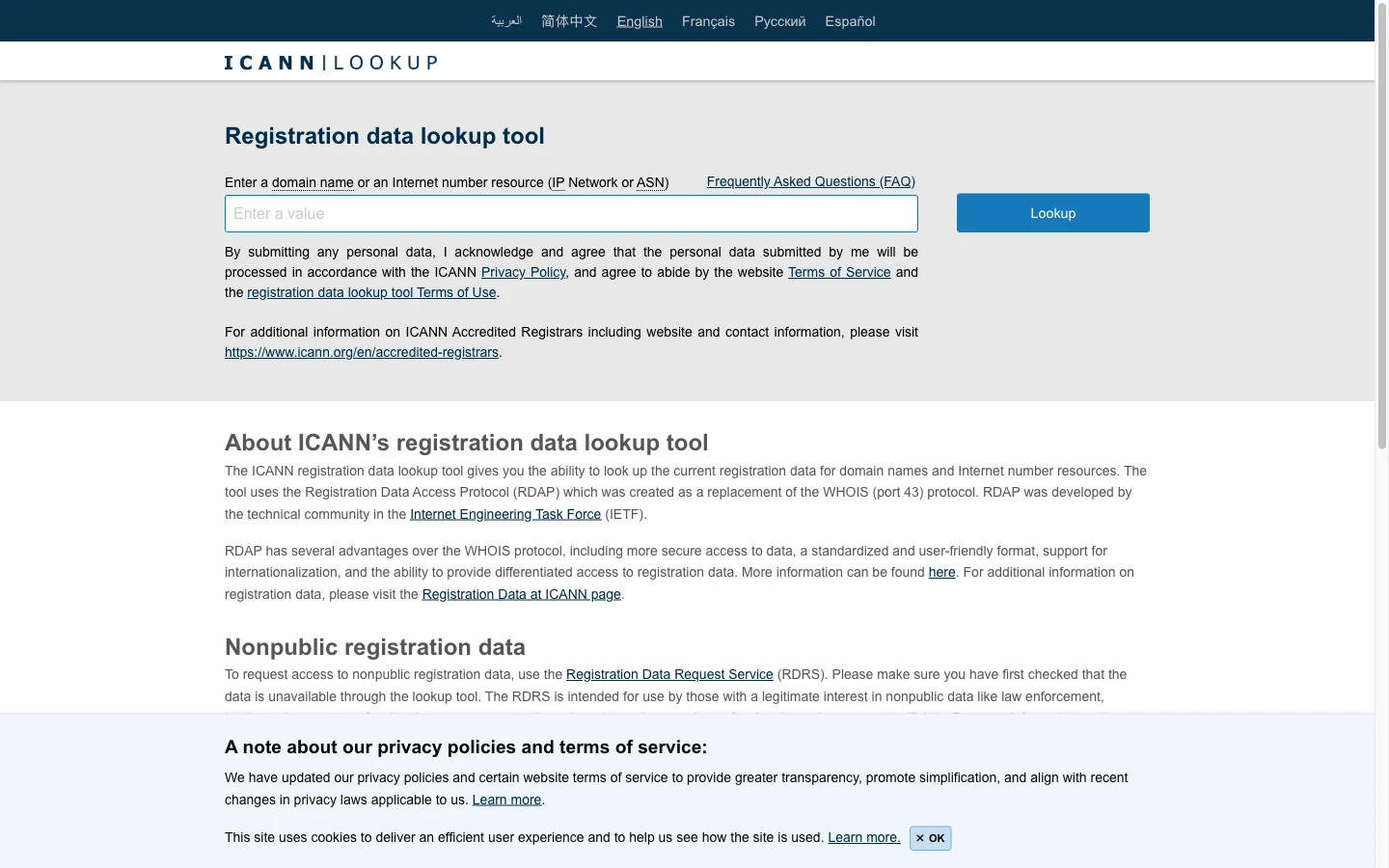
| ICANN Lookup | International domain record lookup | The registrant information has hidden fields |
DNS suits viewing service configuration, but don't leave the conclusion that a name is free to DNS alone. Read how DNS works to understand why a missing A record isn't enough to prove an address has no owner. This is the line we hold when explaining domain check results to clients.
The registration status also has to be read correctly at the source that returns the result. When you don't understand a label, save the label as is to ask the registrar, and don't reinterpret it as available to buy. Once the domain check is done, only settle on an option when the registration data is clear.
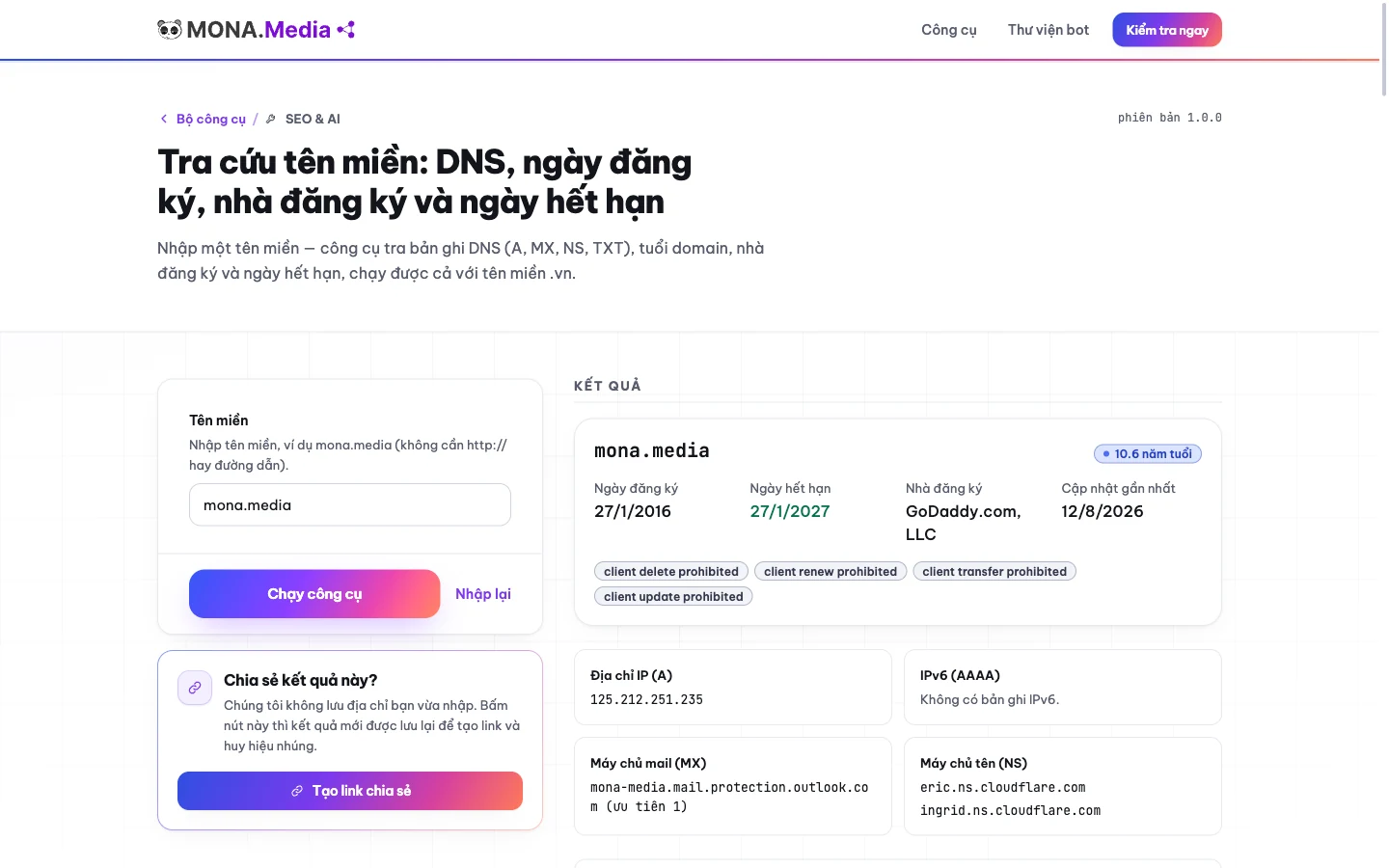
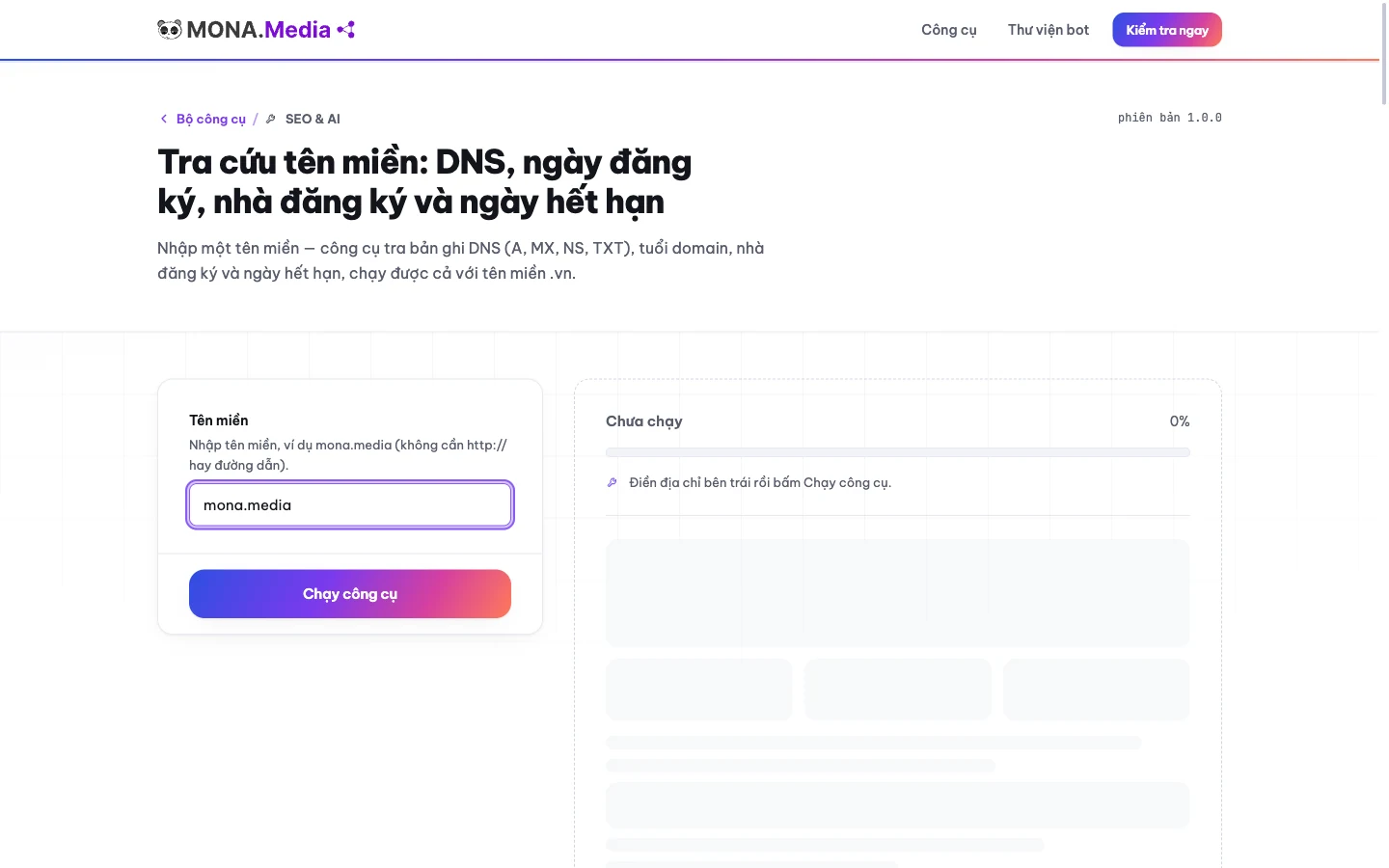
Open MONA's domain checker next to the name you plan to use; we built this page so that every day we read the DNS and the registration record for clients in the same place. No account needed. Vietnamese domains can be looked up here too.
To check a domain, take the exact address, paste it into the domain input box on the page. Re-read the name and the extension before you run the lookup. If you're comparing options, keep each address in your notes so the results don't get mixed up.
Start the domain check with the address you actually plan to register; one different letter makes all the data after it belong to another name, even though the result screen still looks complete.
After you enter the domain and run the lookup, the tool queries DNS and RDAP. The DNS part has 4 records: A, MX, NS, TXT. The record part has domain age, registrar and expiry date. Read each group to decide what to ask next.
Read the registration record first, then look at the service records. If there's an expiry date, note it along with the registrar's name so you ask the right place when you need to act. When a domain check leaves the record unclear, move on to the official portal in the next section.
We also placed related tools in the same group in the MONA SEO toolkit. Open it when you need to continue reviewing your website, and at the naming stage settle the registration status first.
If you already have a carefully chosen name, click look up the domain you plan to use, and read the record and DNS on one screen. MONA built this so you can check a domain yourself before the website planning meeting. Look up the name before approving design options.

You've just looked up a Vietnamese domain but don't know which result to settle on; we'll send the record back to the official portal, because Vietnamese domain lookup is the reason MONA had to build its own tool for clients. Don't drop the extension. It decides which source to open next.
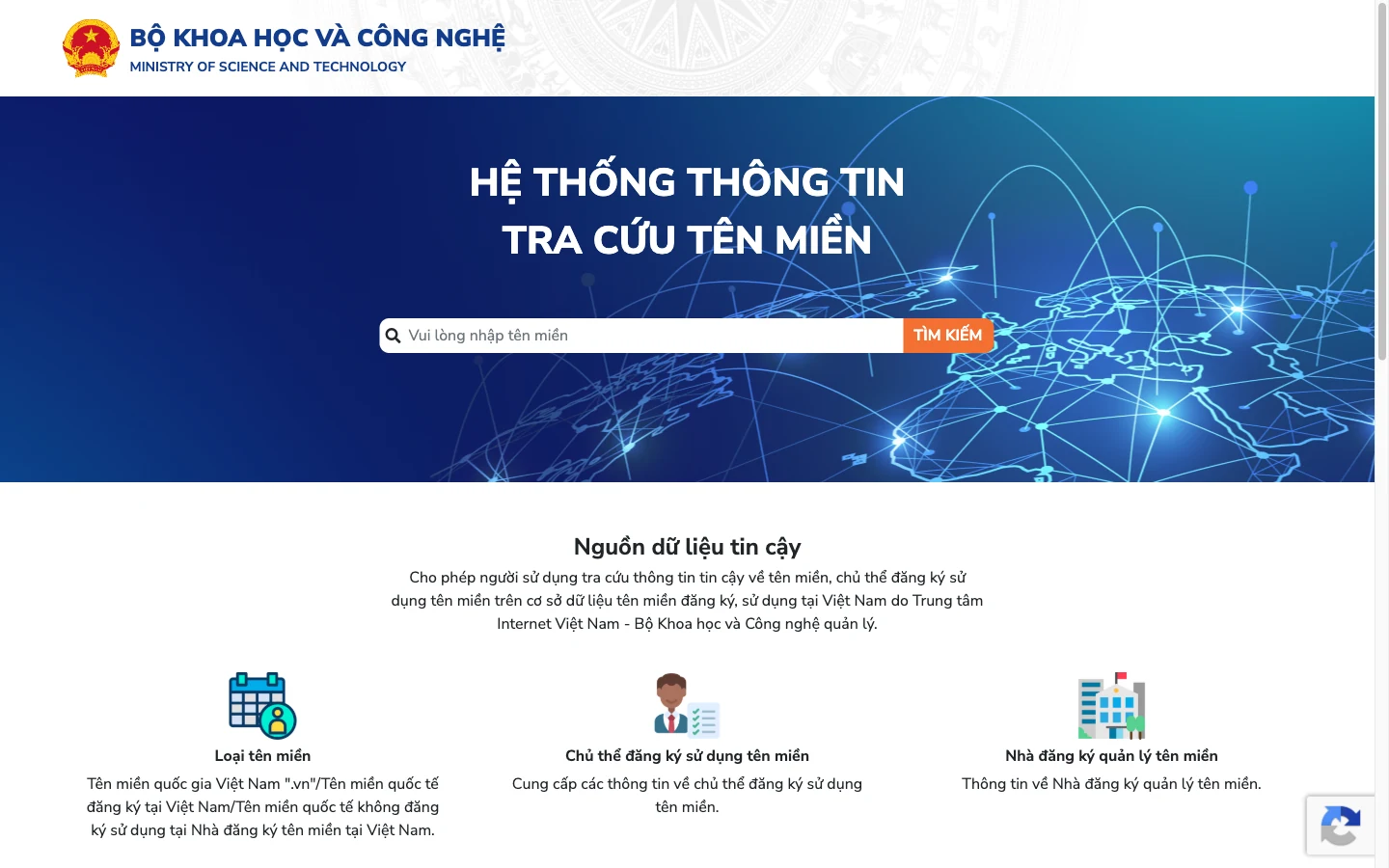
VNNIC, the Vietnam Internet Center, manages .vn domains. Open the Vietnamese domain lookup portal, enter the exact address you're considering and read the information it returns. Compare it character by character with the name you plan to use before interpreting the status.
Another official lookup route is VNNIC's WHOIS information page. Open it to cross-check when the result you're reading is unclear. Keep the entered name unchanged when switching to another source. MONA recommends using this source to confirm .vn records, instead of only trusting our own summary screen.
MONA's domain checker suits quickly reading several groups of data, but for confirming Vietnamese domain records, don't stop at the MONA tool. The VNNIC portal is more valuable for exactly this: cross-checking the managing source. We want you to settle the right name, even if the last step means leaving our own tool.
| Situation | How to read it | Next step |
|---|---|---|
| The registration record shows information | The domain has registration data | Compare the name and ask the place that manages the record |
| The DNS part lacks an A record | No A configuration seen in the results | Look up the record, and don't infer that it's free |
| The portal can't return a result | Not enough data to conclude | Look up again or ask the managing contact |
When checking a .vn domain, 4 DNS records still only describes the configuration. See also how to manage a domain record to know what you must keep doing after registration.
Without clear confirmation, leave that name in a waiting-to-check state, and don't put it into the confirmed options.

Open the record of an international domain and you see the registration information but not the name of the person behind it; that gap easily turns the search for an owner into a search for an address nobody has registered. They are two different things. We separate them when reading results for clients building websites.
Open ICANN Lookup to check an international domain through its data WHOIS/RDAP. Enter the exact domain, read the record it returns and note down the registrar and the expiry date if those fields are displayed.
When you check a domain and the personal information is hidden, the hidden part doesn't tell you the registrant's identity. Don't guess the owner from the name server or the service provider. MONA also doesn't promise that our tool can reveal that identity.
Read the scope of international domains if you're unsure about the lookup source, then keep the registration record separate from what the website displays.
A hidden WHOIS does not mean a domain is available. When checking a domain's owner, you need evidence of the management rights before discussing a purchase. We will ask for records to compare when taking a name into a project. A screenshot of public results isn't enough to accept a handover.
Open the section on verifying control of a domain to prepare for the comparison with whoever is selling. RDAP suits reading public registration data, but to prove the seller has the right to transfer the name, don't rely on RDAP alone.
If you've finished checking an international domain and still lack evidence that the seller controls the name, stop before paying.
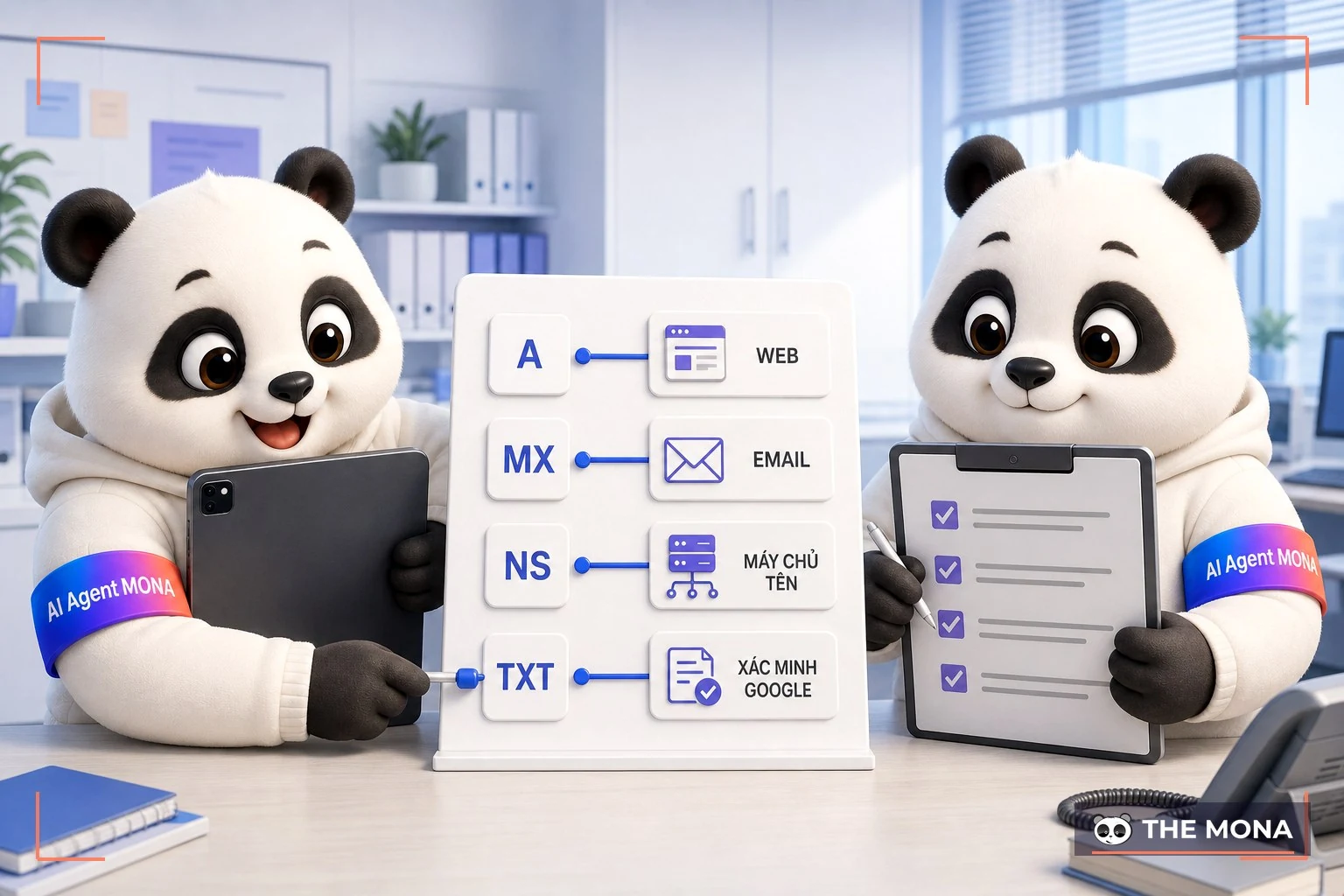
The lookup result shows a mail server line but no web server address; if you only look at that gap and edit the configuration for the new website, you'll miss the email setup you need to keep. Read everything, then edit. We put DNS into the domain checker because building websites also touches services that share the address.
When you check a domain, each record 4 records: A, MX, NS, TXT answers its own question. The A record points to the web server IP. The MX record points to the server that receives email. Reading these two side by side helps you avoid treating the website and the mailbox as the same thing.
| Record | Information to read | Use when checking |
|---|---|---|
| A | Web server IP | See where the domain points its web traffic |
| MX | Mail-receiving server | Identify the mail receiving configuration to keep |
| NS | Name server in charge | Know where the DNS records are managed |
| TXT | Verification data, Google, SPF/DKIM | Compare verification and email configuration |
Read the role of NS name servers to learn which party manages the records, then compare with the place where you plan to edit the configuration before continuing.
The organization name in NS isn't enough to confirm who is registered as the owner. When you check a domain to accept a handover, we want you to keep both the registration record and the service configuration. 4 DNS records needs to be saved together with the lookup result. Lose one part and the later comparison has no grounds.
A guide to pointing the domain to the web server is for the deployment step once the configuration is clear. Check the domain first, record A, MX, NS and TXT, then edit the part that serves the website; don't delete the mail configuration just because you are moving the site.
A seller shows a screenshot of a record with a registration date from long ago, and you picture using that name right away for a new website; between those two things, the content history and proof of control are still missing. Age isn't enough. We don't want a domain check result used as a guarantee for the whole purchase.
A domain check result includes domain age and expiry date in the data group the MONA tool returns. They help you read the registration record. They are not a certificate that the website once performed well. Content history needs its own documents to review.
Read the scope of an SEO review before asking the seller for data, to separate reading the domain record from evaluating the website that used that name.
When checking an old domain, ask the seller to show the content history, search reports and documents on the problems that were handled. Read the earlier operating period too, and don't just look at the page that is currently open. 4 DNS records currently can't tell you what content was once published.
| What to check | Documents needed | Conclusion to avoid rushing |
|---|---|---|
| Age and expiry | The registration record of that exact domain | An old domain means it ranks easily |
| Usage history | Old content and activity data | A clean-looking page means a clean past |
| Signs of a penalty | A report with access rights and an official guidance source | A domain lookup tool guarantees there is no penalty |
| Transfer rights | Records cross-checked with the registrar | The person sending the lookup screenshot is the person with the right to sell |
MONA admits our tool lacks the grounds to conclude that a domain has a clean SEO history, because DNS and RDAP results only cover the record lookup.
See MONA's SEO review service when an old website's record needs a deeper read. A domain check suits the first screening step, but don't decide to buy just because you trust that an old name must be an advantage. Without a clear history and transfer rights, hold on to your money.
The first case was a furniture workshop on the outskirts that came to MONA to build an online store. The brand name was already printed on the signboard, the uniforms and the packaging. We pasted the name into the lookup tool, which took about 30 seconds: the .com version has had an owner since 2019, the .vn version was still free, and so was .com.vn. The owner asked a very direct question: if I take .vn, will customers who type .com end up at a competitor? Yes. If whoever holds the .com builds a site selling the same goods, some mistyped traffic will land there, and we have no way to pull it back. In the end he registered both .vn and .com.vn, pointed them at one site, and accepted losing the .com. The extra cost was under 1 million VND a year. Much cheaper than redoing the signboard.
The second case hurt more. A language center had a working website for 4 years, with good local keyword rankings, and then the renewal reminder email landed in the inbox of an employee who had already left. The domain expired, passed through the grace period and was registered again by someone else. By the time the center came to MONA, the old site had become a stranger's sales page and the rankings were gone completely. We built a new site on a new domain and ran SEO again almost from scratch, and the first thing we did was put the new domain's expiry date into the company's shared calendar, not in one person's inbox. The lesson sat in the expiry date column that every tool shows. Nobody reads it.

Type a brand name into the search box, and five seconds later the system says the name is taken with error code 409, then ten seconds after that it suggests three other free extensions to pick from. The most tiring part isn't the lookup. The most annoying moment is when you finally settle on an option you like, and a foreign registrar such as Namecheap immediately shows the error "Unsupported TLD" when you try .vn, because their network doesn't support it (we verified on 19/09/2026). It's really frustrating. Here we designed the flow differently: the client looks up the price and places a reservation with an email and phone number, and the system immediately returns a VietQR through the bank API and an automatic payment confirmation service so you can lock in ownership. Money paid into the system before you open an account sits quietly on a record, and once you sign in to MONA Pass one time, the domain is transferred to the right owner automatically. Our AI handles the whole job of looking up the name, quoting exact prices in VND (the price table measured on 17/09/2026 shows .vn at 756,000 VND, .id.vn at 86,400 VND and .com at 432,000 VND including VAT), handles the system records and issues SSL directly.
The person only needs to read it over for spelling mistakes (error code 422 on the system forces the AI to ask again, because buying the wrong name means the money is gone), then approve the payment and complete eKYC once, as the rules require. Recall 17/09/2026: we configured the API call to buy the name monadomain.vn ourselves, and the call went through smoothly, but the provider returned error 502 twice in a row. The whole service was left hanging in a waiting state until the infrastructure team pulled it out for manual reconciliation. We took the blame for that error in front of the client, rewrote the webhook configuration and the deeper error reporting ourselves, and by 18/09 the system was running smoothly with a 502 error that came with a very clear reason. Among the 14,000+ projects we have done since 2016, with 85% of clients coming back, the reasons for choosing MONA are simple: payment in VND, proper VAT invoices, data servers located in Vietnam, AI that operates directly through MCP and an expert always behind a Vietnamese-language hotline. Don't use a foreign provider when you want to buy a .vn domain, because Vietnamese regulations require careful verification and flatly do not allow arbitrary edits to anonymized information.
A manifesto for growing together
MONA is a software, digital transformation and AI transformation company, but above all, MONA is a B2B service company that benefits directly from this: THE MORE SUCCESSFUL VIETNAMESE BUSINESSES BECOME, THE MORE MONA BENEFITS, while a declining, slow market with weak technology is exactly what kills MONA's future business opportunities. So, more than anyone, MONA wants you to succeed, and MONA actually steps in to help you succeed.
And AI transformation is the key to that success for all of us.
MONA
Type the brand name you've been nursing into the search box yourself and let the machine check it right away; maybe the best option is still free and waiting for you to take it home. MONA Domain quotes prices in VND including VAT, a .vn domain at 756,000 VND per year (measured 17/09/2026). Go to https://monadomain.vn/ and try it first, it takes about 5 minutes. One click and it's done.
The results table has an empty registrant field and the website still won't open; we gathered the points below so that a domain check doesn't stop at a confusing screenshot. Read by the problem you're stuck on. DNS and the registration record need to be compared together.
Can't conclude yet. 4 DNS records describes configuration, and a missing A record doesn't prove the domain is unregistered. Read the concept of a domain if you still mix up an address with a website. To know whether it has an owner, read the registration data.
A hidden identity section isn't enough to confirm who holds the name. Read the data that is still visible and ask the registrar about the records to compare. MONA doesn't promise to find the registrant's name from public results alone.
Tools no account sign-up needed. A domain check result includes DNS, RDAP, domain age, registrar and expiry date. You read the record right on the lookup page. Completely free, no limit on lookups, and we don't store the domain you just typed.
For a .vn domain, under VNNIC rules, an overdue domain is held for an extra 35 days for the previous owner to pay the maintenance fee, and only after that period is it reclaimed and reopened for registration. An international domain goes through a late renewal grace period at the registrar, then 30 days a paid redemption period, then 5 days pending deletion, which usually means over 2 months before it falls back to free. Check the exact milestones at vnnic.vn or with the registrar before waiting to buy, and don't treat the expiry date as the day you are sure to register it again.
Domain age alone doesn't answer the question of SEO performance. See the section on checking your website's SEO foundation to separate the name's record from the quality of the pages. After a domain check, read the usage history before paying extra for registration age.
Your brand name is still waiting for approval, and you can still change it before it goes on a signboard; taking 30 seconds a moment now to open the lookup result helps you start checking the record before deciding which name goes with the website. Look it up before you lock the name.
See guide to registering and keeping domain records, then ask the provider to clarify the registrant, management access, renewal and how to get support.
When you look at domain services at MONA Host, ask about all of those parts before paying. Keep the registrar's details and the expiry date. Put the reminder on a calendar you really use.
A name you've already settled on 3 months where the address has had an owner since 2019 is a scene we don't want you to discover only after approving the brand identity. MONA understands that naming takes a lot of mental effort. Choosing how it's read, comparing extensions, discussing the name with the people you work with and trying it on a signboard already add up to many rounds of consideration.
But typing an address into a browser and seeing a blank page still doesn't answer whether that name can be registered; the work of choosing a name has to continue with the registration record and the service data.
We have built a place to look up DNS and domain registration records so you can check a domain yourself. Read the result, compare it with the official portal, then keep the management record. For a single name, you can do it yourself without hiring anyone for this step alone. MONA takes on the part where the domain gets tied into the website plan.
Today, before approving the name, send the result you're stuck on when you talk to us about MONA's website design service or call 1900 636 648. Prepare the name you plan to use, the registrar and the expiry date if you have them. We will work with you to clarify the records that need handling before the website is built.
Check the domain first, confirm management rights, and only then approve the name that goes on the website. After the domain check to choose an address, keep the records and clearly assign someone to track the deadline as soon as registration is done.

CEO & Founder · The MONA
Founder of The MONA, who built a services company of 200+ staff with 14,000+ projects delivered. Khánh Hùng shares how he thinks about building systems that run themselves, automating a business, and the real lessons from delivering projects at MONA.
 186




Professional website
design services
Own a website with a beautiful, 100% exclusive design and a lifetime warranty, with the ability
to expand features flexibly as your business grows, starting today!






 MONA will never sell your information or send you spam


 MONA will never sell your information or send you spam
