
 MONA OS 2.0
 Partner with MONA


 Tự động hoá doanh nghiệp
 Cẩm nang SEO
 Digital Marketing
 Kinh nghiệm thiết kế website
 Hạ Tầng Server
 Giáo dục


 VI
 EN

















Message us on
Zalo Official


 ProductsNew

 ProductsProducts
 Mới ra mắtKHA AI 2027App tự edit video, tự đăng mọi mạng xã hội, 2 phút mỗi ngày










 Website designLooks good and wins customers over.
SEO servicesBrings in customers searching for exactly what you sell.
 Tư vấn digital marketingKéo khách từ nhiều kênh, đo bằng số thật.
Corporate video productionVideos introducing your company, factory and team.
 NewAI video productionCompany story films made with AI.
 Custom software developmentCRM, ERP and HRM built for your business.
 Viết AI Agent theo yêu cầuĐặt riêng một trợ lý AI cho đúng việc của mình.
 Tư vấn chuyển đổi AIĐưa AI vào vận hành của cả công ty.
NewMONA LMSManagement for centers and schools.
MONA SkillHubInternal training for company staff.
 NHTQ systemEnd-to-end China–Vietnam shipping operations.
MONA JMSManagement for gold, diamond and pawn shops.
 MONA E-LearningA website with every feature you need to sell courses.
 How to sell online courses (course)More than 30 free lessons on selling courses on autopilot.
 MONA Cloudmonacloud.vnServers to get your apps and websites running.
 MONA Basemonabase.vnPostgres database, sign-in and file storage.
 MONA Mailmonamail.vnSend OTP, order and invoice emails from your software.
 MONA Paymonapay.vnAccept bank transfers via VietQR and notify your software when the money arrives.
 MONA eInvoiceComing soonIssue e-invoices that meet tax standards.
Gấu CườiTrả lời khách 24/7 trên web, Fanpage, Zalo và thu lead cho sale.
 Gấu TeleSalesGọi điện tư vấn, chăm khách như tổng đài viên thật.
Dê CườiTư vấn và chốt đơn cho shop ngay trong khung chat.
Gấu WebmasterNhắn nhóm Zalo là website được sửa xong.
 Gấu Pháp ChếSoạn hợp đồng, rà điều khoản trong vài phút.
 Gấu Báo GiáLên báo giá đúng mẫu và gửi khách ngay.
 AI chăm sóc khách hàngTheo dõi và giữ chân khách hàng cũ.
 Gấu Tuyển DụngLọc hồ sơ, hẹn lịch, phỏng vấn ứng viên.
 Mới ra mắt
KHA AI 2027
Xây kênh chuyên gia 2 phút mỗi ngày
Quay bằng điện thoại, AI tự edit video, tự đăng lên 16 nền tảng và tự trả lời bình luận, tin nhắn.
858.575lượt xem trên kênh CEO MONA sau 30 ngày
 Anh Khánh HùngCEO MONA đang dùng mỗi ngày
Xem app làm được gì
 AI
Gấu Cười MONA ĐANG TỰ XÀITrả lời khách 24/7 trên website, Zalo OA, Messenger và thu lead về cho sale.
Dê CườiChốt đơn bán lẻ và sàn: Shopee, TikTok Shop, web. Chăm cả khách sỉ, đại lý.
Gấu WebmasterCập nhật nội dung, tối ưu SEO website mỗi ngày.
Gấu TeleSalesGọi điện tư vấn, chăm khách như tổng đài viên thật.
Gấu Tuyển DụngLọc hồ sơ, hẹn lịch, phỏng vấn ứng viên tự động.
AI chăm sóc khách hàngGiữ khách cũ, cứu lead đã rớt cho phòng kinh doanh.
Gấu Pháp ChếSoạn hợp đồng, rà điều khoản trong vài phút.
Gấu Báo GiáLên báo giá đúng mẫu, gửi khách ngay khi có yêu cầu.
 Chuyển đổi AI toàn phầnGiải pháp tổng cho doanh nghiệp, 3 lớp triển khai.
 Viết AI Agent theo yêu cầuĐặt riêng một con AI gánh đúng nghiệp vụ của bạn.
 Custom softwareCRM, ERP and HRM with built-in AI automation.
 SEO & AEO thời đại AIĐược Google lẫn AI trích dẫn, không chỉ xếp hạng.
 Kiến thức AI cho doanh nghiệpBài phân tích, hướng dẫn ứng dụng AI vào vận hành.
 Free AI courses
 AI tools at work
App mới · KHA AI 2027
Xây kênh 2 phút mỗi ngày
AI tự edit video, tự đăng mọi mạng xã hội
Free consultation, 8am–10pm every day

06 September, 2026

We take over management of websites that changed products and URLs within 1–2 years, and then find a whole list of links that won't open even though the homepage still runs. A broken link checker is a tool that finds addresses returning errors or that can't be reached. Click from the page you are using.
The 1 trang, the MONA tool reads the links and checks each address, separating internal from external results so you can find what to fix. We wrote this tool ourselves for a quick check before running software that scans the whole website. Handed-over websites usually have 30–200 dead links. Below is how to check broken links, choose a tool by scope, and handle 404s based on the content that still exists.
The page still opens, but the audit sheet for a website handed over 2 years ago shows 137 dead links. Only when you click the paths do you see the inside is broken. Changing products and changing the last part of the address, usually called the slug, leaves old paths with nowhere to go if nothing else is done. We wrote our own page-by-page tool to find those links before scanning broadly.
You put effort into writing content and organizing products, so it's understandable to see the website still running and assume everything is fine, because the errors sit in old posts that rarely get reopened.
A broken link check has to keep both the page that holds the link and the address the link points to. We built the tool page by page because we wanted to start where readers are clicking. If you only hold a list of broken targets, you still have to hunt backward for where to fix them.
In your broken link checklist, write the source page next to the broken address and the content to replace, so whoever fixes it opens the right post and understands why that path needs updating.
Distinguish broken links inside a website from the whole website going down. They are different in scope. When checking broken links, open the source page again, read the text carrying the link, and compare it against where the link should go. The part on explaining page not found errors helps you read the returned code correctly, while the decision to fix must follow what the customer needs.
MONA advises checking broken links starting from the pages that introduce products and services, then expanding to older posts so every broken address has a clear place to be handled.

A visitor is reading a service page, clicks through to the explanation section, and meets a not found message. The earlier content is still correct, but the reading path was cut exactly where you wanted them to learn more.
The reader has to go back and search. Google also hits an address with no content when it follows that link, so checking broken links needs to go together with how you organize your content. With 1 trang that contain wrong paths, fixing them on the source page lets readers go straight to the part still in use. That is why we separate internal links in our self-written tool.
In a broken link check, click along the reading path from the introduction page to the detail page, note where it breaks, and first look at the links that lead visitors to sales content.
Looking at 137 dead links sau 2 years does not tell you how many orders the website has lost or how many rankings it dropped. MONA does not convert the number of errors into a damage figure without data. We prioritize where broken links make readers lose information, instead of giving every address the same severity.
A link to a service explanation that won't open leaves the lead-in sentence with nothing to back it up, so a broken link check must also consider the information the lead-in promises.
Also compare how you place internal links between posts and the items in an SEO-standard website audit process. A link to a product still on sale but pointing to the wrong place needs fixing. The URL of content that was removed entirely needs to be considered separately. When checking broken links, decide based on what the reader needs to do on the page, not just by counting red flags.
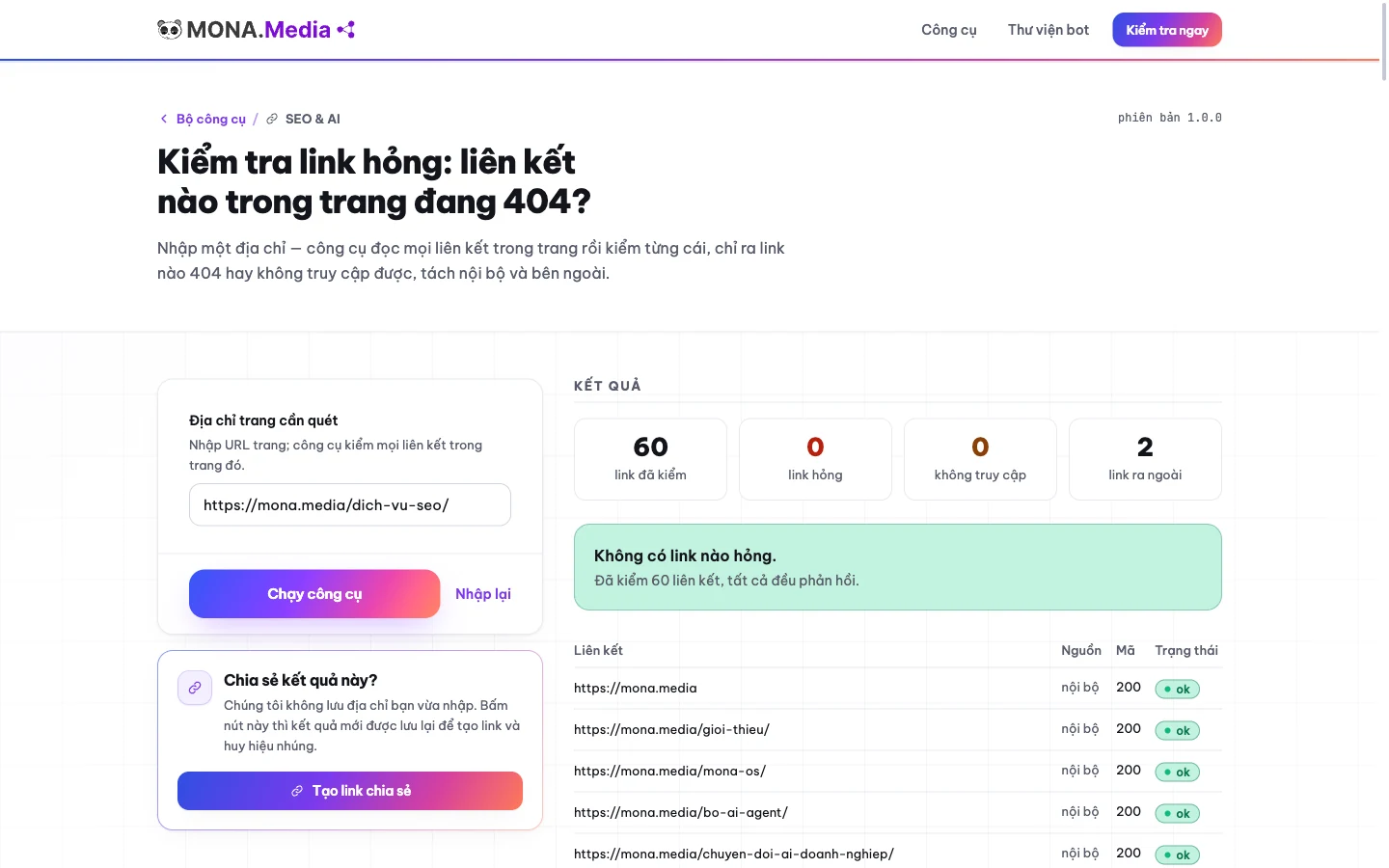
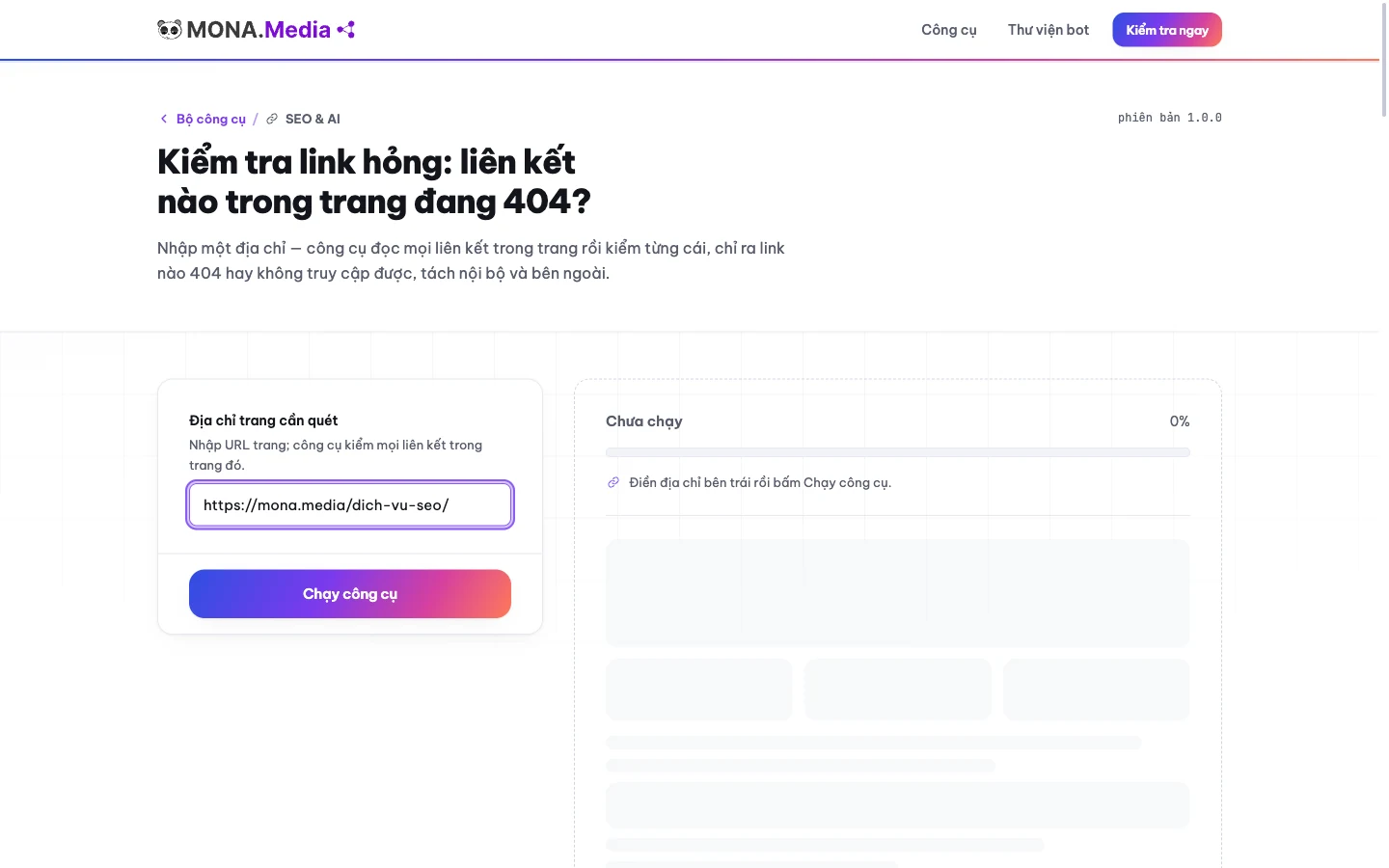
Open the page you need to check, copy its address, and put it into the MONA link checking tool. We designed it for checking 1 trang, with no requirement to sign up for an account. The scope is very clear.
If you need to check a service introduction post, paste the address of that post itself, because the tool reads the links inside the page you enter and does not walk through the whole website on its own.
The broken link check results separate internal and external links, so you know whether the destination is inside your website or elsewhere. For internal links, open the old content and find a replacement page. For external links, click to recheck the destination before dropping the path. The tool points out where to look, but the meaning of the link has to be read again by the person fixing it.
We use the check by 1 trang for a quick scan before a big crawl. A clean result on the page you just entered says nothing about the pages not yet checked. Put the broken link check step beside the tasks in website operations documentation so whoever fixes it remembers the recheck step too.
After a broken link check, record unreachable addresses separately from addresses that return 404, and keep the results exactly as seen so the next person doesn't mistake every error for deleted content.
Open broken link checker, paste in a service page you are using, and compare the links flagged as errors against the content on the page. Click again right where you just fixed. If you only need to check one page, you can do it yourself without hiring anyone. The MONA tool suits quick page-by-page checks, but don't hand it a full website scan.
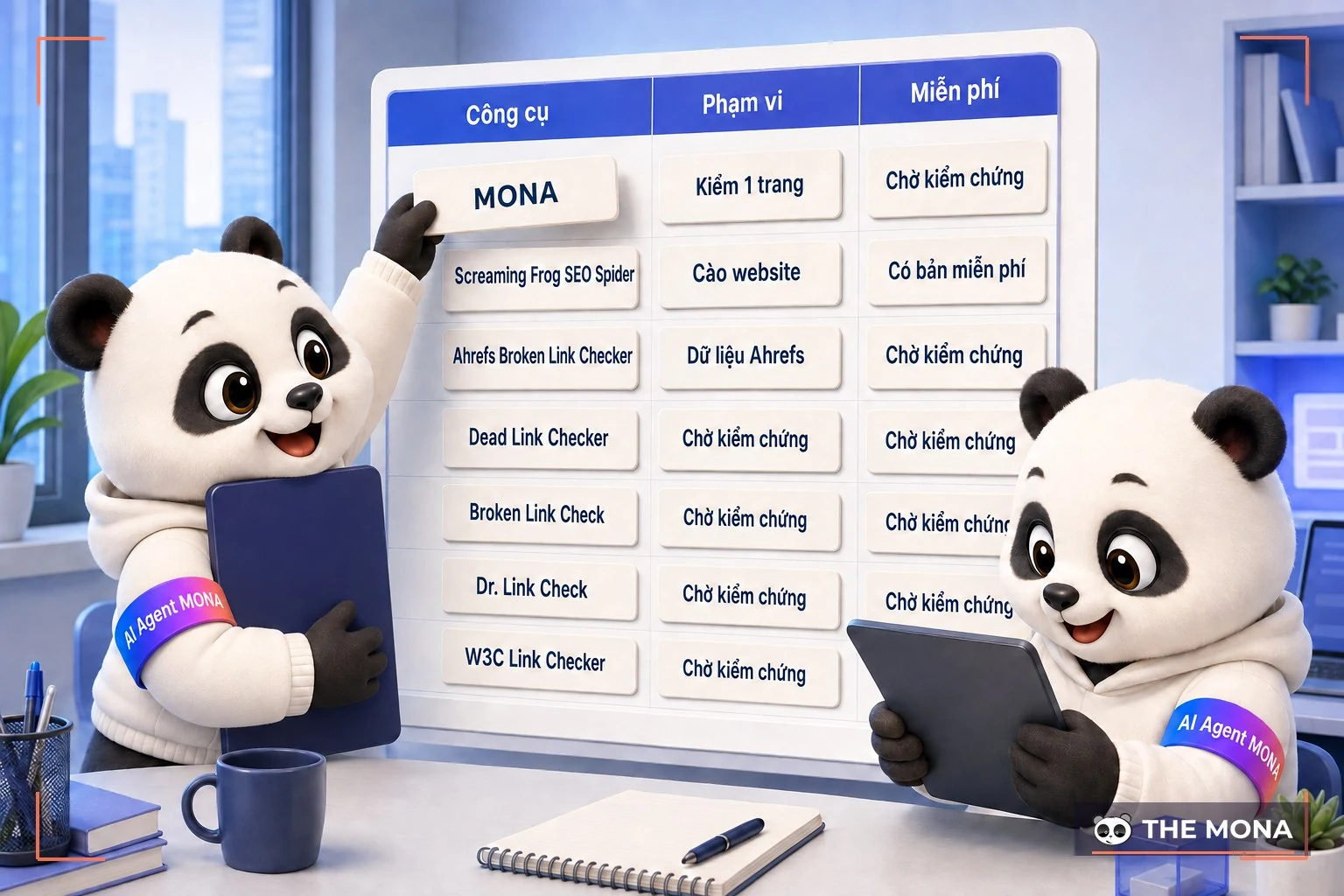
Open several tools at once and you will get different results even when you enter the same website address. Some tools read the page you entered, some crawl the website, and some use data collected earlier.
Choose the scope first. The free version of Screaming Frog SEO Spider is limited to 500 URLs, while the MONA tool focuses on 1 trang. We keep this limit clearly stated in the guide so you don't treat one page's result as a broken link audit for the whole website. The table below picks the right tool by the job.
| Tools | Whole website or one page | Free version limit (checked 06/09/2026) | Good for |
|---|---|---|---|
| Tool MONA | Links located in 1 trang, does not crawl the whole website | Free, no sign-up, no usage limit | Check one specific page before handover; separates internal and external links |
| Screaming Frog SEO Spider | Crawls the whole website, desktop software | Free version 500 URL per crawl; the license at 199 GBP/year has no limit | Sites with thousands of URLs, checking after bulk slug changes |
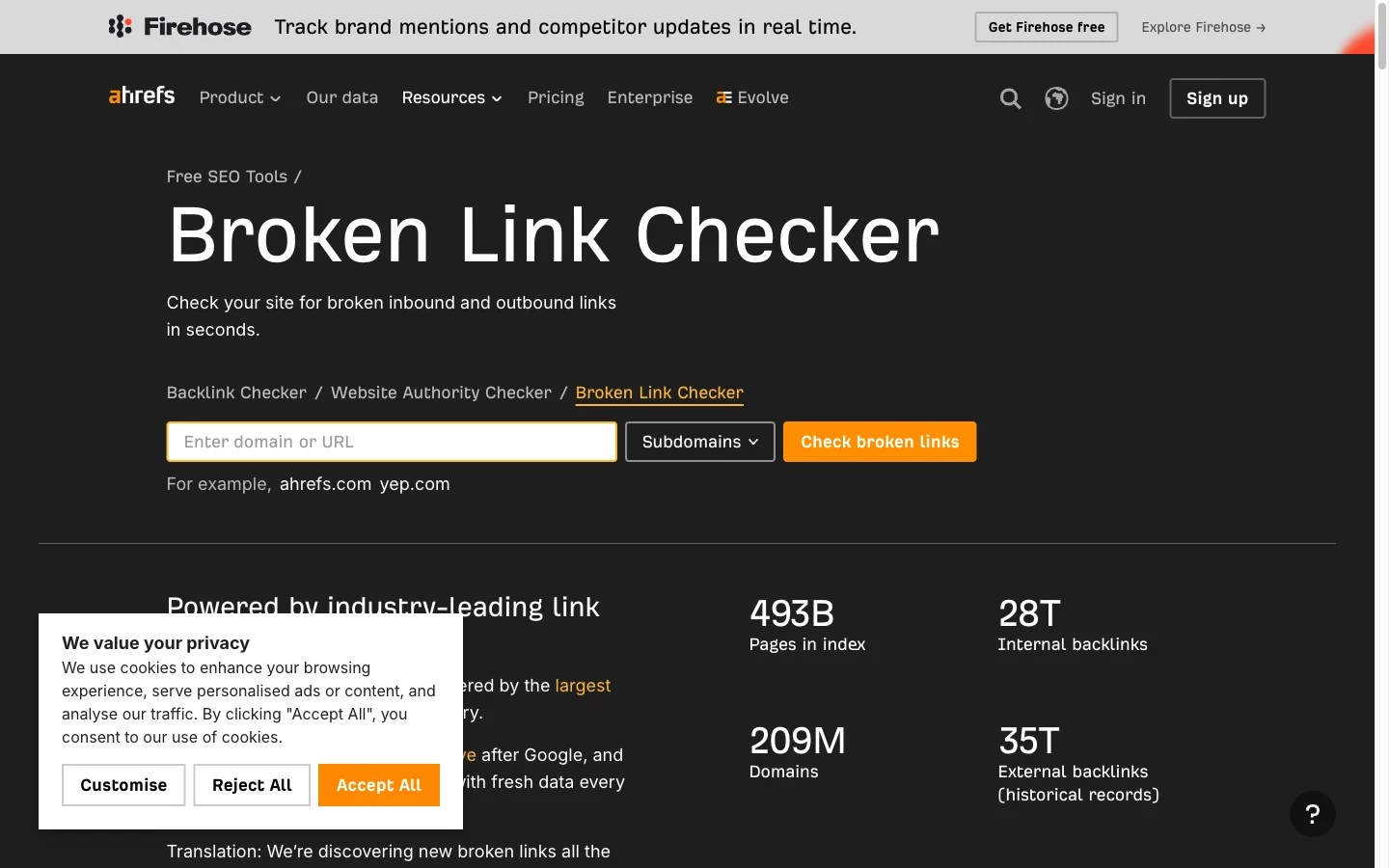
| Ahrefs Broken Link Checker | By domain, based on data Ahrefs has already collected | Free, the vendor does not publish a maximum number of results | See broken links pointing to your site from outside |
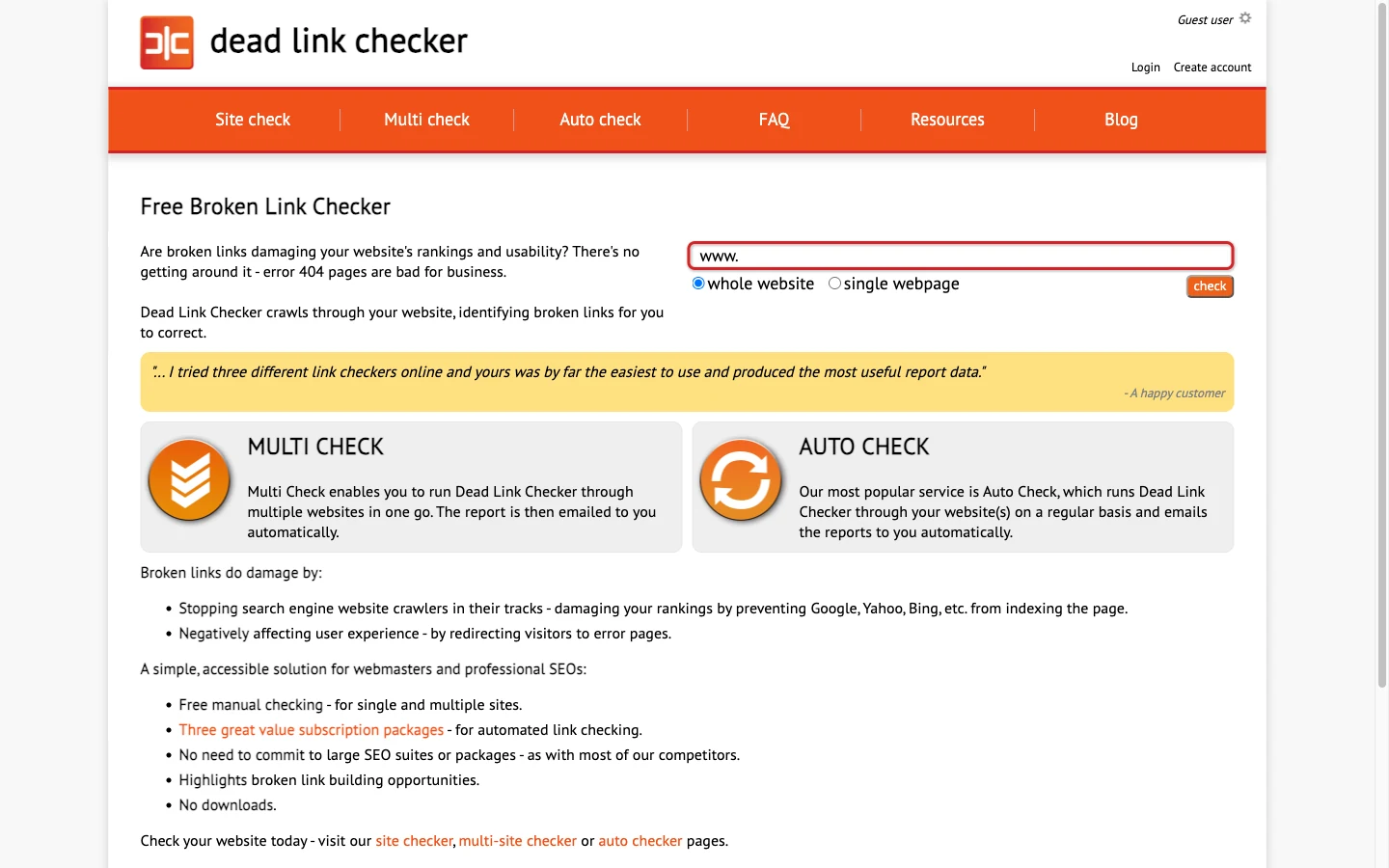
| Dead Link Checker | Online, crawls the whole website or multiple sites | Free Site Checker with no published limit; the Auto Check plan at 9.95 USD/month up to 50,000 links | Want scheduled automatic checks sent by email |
| Broken Link Check | Online, crawls the whole website | Free up to 3.000 trang per scan, no limit on number of links | Medium sites, quick check with nothing to install |
| Dr. Link Check | Online, crawls the whole website by project | Free Lite version 2 website, up to 1,500 links per site; Standard plan 13 USD/month | Scheduled periodic checks for a few small sites |
| W3C Link Checker | One page, with an option to follow links within the same site (limited, not published) | Free, slow because it pauses 1 second between requests | Checks HTML validity along with links, not for large sites |
The 1 trang you just fixed, MONA helps you focus on the links right on that page. Click the source link again after the broken link check to confirm the change is correct. If you are choosing a set of SEO tools for the whole website, read each tool's scope before comparing error counts.
When comparing broken link check limits, read whether the number counts URLs, links or runs, because Screaming Frog's 500 URL limit does not mean the tool can only find 500 errors.
We don't rank a tool higher just because it reports more errors. Comparison needs the same scope. A full SEO audit also has to consider the fix and the replacement content. For broken link checks at large scale, choose a website crawling tool, and don't stitch together many page-by-page results and assume that's enough.

A long list of addresses after a slug change, while the person fixing it is still opening each page to hunt for old links. With a large number of pages, the way the MONA tool checks starts to lose its edge, because each run only handles 1 trang.
Screaming Frog SEO Spider runs on your computer and has a limited free version 500 URL. Work out the scope first. If your list goes past that limit, confirm which option to continue with before treating the broken link check as complete.
Past 500 URLs, buy the license 199 GBP a year for one machine, pricey but worth it for large sites. MONA admits Screaming Frog does better than our tool when you need to crawl a whole website, because that job needs to walk through many addresses instead of just reading the links in one page.
Ahrefs Broken Link Checker checks by domain, based on data Ahrefs has already collected. Click open the reported address to compare against its current state. The tool suits finding traces of links in Ahrefs data, but to confirm every change you just made, don't rely on it alone.
If Ahrefs still shows an old address after you fixed the page, compare that path directly with the current broken link check result before deciding what else needs fixing.
We keep the checking tool 1 trang for when you need to go back to the source page, click each broken target and read the context. And when checking broken links across many pages, combine the results with the URL list in the sitemap. You can also look at the scope of MONA's SEO audit service to assign the broad review work. Only after the scope is settled can you conclude the check was complete.

You open Search Console, see the 404 list, and want to redirect everything to the homepage to make the report look tidy. We advise stopping at the step of reading the addresses, because some of those pages were removed on purpose.
The reading path used here is Pages > Not found (404). Click into the report and compare the addresses with the content still in use on the website. For 1 trang deleted with no replacement, a real 404 code is how you say the content is gone. An error report is not yet an order to fix.
If an address still stands for a product that is on sale but has a new slug, find the new page with the same content, then check broken links on the source pages that still point to the old address.
On the other hand, keeping a real 404 or 410 is a valid choice in the article's handling log when there is no replacement page. We don't want link checking to turn into redirecting everything to the homepage. Also read how to recognize pages that say not found but return a success code before choosing a fix.
When reading the report to check broken links, separate the question of whether the page still needs to exist from the question of where it is still linked from, because a deleted address still needs to be removed from the source content.
After fixing, click the link on the source page again. The MONA tool is written to check broken links page by page, so use it to keep verifying the spot you just updated. Following the report is part of regular website management. Fix the URLs that still serve readers, and keep the real error for content that is gone for good.
The list of errors is in front of you, but the same 404 code leads to different decisions. We start with the content: has the old page moved, was the path mistyped, or has the content lost its value.
Read the destination before fixing. A 301 redirect is used to send an old address to a closely matching replacement page, while fixing the source link means updating the path right where readers click. If there is no replacement page, keep the real 404 or 410 . A broken link check is only useful when addresses are sorted into these situations.
| Situation | How to fix it | What to recheck |
|---|---|---|
| Product still on sale, address changed | 301 from the old address to a closely matching new page; update the source links you manage | The new destination has the right product or replacement content |
| Page still exists, source link mistyped | Fix the path directly in the source content | Click again from the exact spot you just fixed |
| Content removed, no replacement page | Keep a real 404 or 410; remove source links that have lost their value | The page returns the correct not found status |
| External link to a closed partner | Remove or replace the link after rechecking what it leads to | Is the partner introduction still true |
| Page shows not found but returns 200 | Fix the returned status to reflect the real content | No more soft 404 from empty pages returning code 200 |
See how 301 redirects work before handing over the configuration, then ask the person fixing it to write down the old address, the replacement destination and why that destination was chosen.
The 1 trang the source still contains wrong paths, clicking again from the very sentence carrying the link lets you check both the content and the destination. We separate this part in our broken link check because fixing the response code is not enough to know the reader lands in the right place. Don't pick the homepage just because that page still opens.
A broken link check after a redirect has to answer whether the reader still receives the content they are looking for, because a replacement page that opens but talks about something else still leaves the lead-in sentence pointing the wrong way.
Soft 404 is the case where a page returns code 200 but the content says not found. When checking broken links, you need to read the whole page that appears. The part on telling soft 404s from real errors explains this situation further. A redirect suits cases with a closely matching replacement page. For clearing away every warning, don't use a 301 as a blanket fix.
A parts store with nearly 8,000 products changed its path structure from numeric codes to names without diacritics. The old tech team set redirects for categories but not for products, assuming Google would figure it out. We took over management after that change, opened Search Console and saw the Not found section jump to thousands of URLs in 2 weeks. The fix: export the old and new slugs from the database, match them by product code, and load them as one bulk 301 redirect file. Only then did we paste each category page into the tool, each taking under 1 minute, to check broken links and catch hand-written links in the descriptions. The broken link check comes after the redirects. Not before.
The second story is smaller but harder to see. An accounting services company had an introduction page linking to 6 partners, of which 2 had closed down, their domains expired and were bought by someone else for gambling pages. Opening the introduction page looked normal. Only when pasted into the broken link tool did the external group reveal two paths leading somewhere they shouldn't. We removed the links and replaced them with plain text. Since then MONA's tool puts external links in their own group by default so the administrator sees them first.
After opening the results table, you still have to decide whether to use the free version, install an extension, or fix each error line right away. We answer from the limits of the tool we wrote ourselves: checking 1 trang, separating internal and external links.
Whether you search for a link checker or just type check link, the job is still to check broken links within a clear scope, read the reported errors, and choose a fix based on the content of the source page.
The MONA tool finds links that return 404 or can't be reached, and doesn't promise to fix content on its own. You choose how to handle them. After the broken link check, go back to the source page, fix the destination, or remove links that have lost their meaning. Click to recheck before closing the task.
The MONA tool only reads the links in 1 trang, while free Screaming Frog is limited to 500 URLs, so choose by the number of addresses and the scope you need to check.
Plugin Broken Link Checker cho WordPress suits checking inside the admin area, but keeping it on permanently on a low-resource server is not advised by default. This plugin loads the server heavily if it runs all the time. MONA recommends checking broken links with a separate tool when you only need to check one page and then fix it.
Reopen the address and read the context before deleting. A report of unreachable doesn't prove the partner has closed. We put external links in their own group so you can review them separately. If the destination is gone for good, replace or remove the link along with the related lead-in sentence.
No, don't redirect everything to the homepage, because readers need a closely matching replacement page. If the content is removed and there is no replacement, keep a real 404 or 410; review cases that report a 404 error.
MONA suggests once a month, plus an extra check after changing products or slugs. This is a work schedule, not a threshold Google has published. Put the checking and fixing into the scope of website content care. Assign a clear owner for fixing and another for rechecking.
At the end of the month, the list of updated content sits next to old paths that haven't been rechecked. The scene of 137 dead links after 2 years starts with broken link checks not being followed through after changes.
MONA knows you have put effort into the website and keep product information running alongside sales. If you have tried several ways (opening old posts one by one, asking someone to fix the paths, running a tool and noting the errors), that effort needs to be linked into a schedule with someone who owns it. Don't leave the recheck step half done.
A fix made today won't keep paths correct forever through the next product and slug changes, so the broken link checklist needs to become a recurring task in management.
We suggest the schedule once a month: check the links, choose a fix based on the content, then click again from the source page. When you need to check 1 trang, use MONA's page-by-page link checking tool. When you need to check broken links across a wide area and track the fixes, settle the scope with the administrator. This is how we fit our self-written tool into daily operations.
This week, take the service page you are using and the list of addresses that just changed, and call 1900 636 648 to settle the scope of checking, fixing and rechecking together with MONA. Preview MONA's website management service or SEO service tied to the state of your website. The conversation starts from a real URL.
You don't need to hire someone just to click through links one by one. Use a broken link checker for the pages that need fixing right now, hand the recurring monitoring to the admin you already have, or let MONA do it for you. Set the schedule and the person who fixes issues this week.

CEO & Founder · The MONA
Founder of The MONA, who built a services company of 200+ staff with 14,000+ projects delivered. Khánh Hùng shares how he thinks about building systems that run themselves, automating a business, and the real lessons from delivering projects at MONA.
 405




Professional website
design services
Own a website with a beautiful, 100% exclusive design and a lifetime warranty, with the ability
to expand features flexibly as your business grows, starting today!






 MONA will never sell your information or send you spam


 MONA will never sell your information or send you spam
