
 MONA OS 2.0
 Partner with MONA


 Tự động hoá doanh nghiệp
 Cẩm nang SEO
 Digital Marketing
 Kinh nghiệm thiết kế website
 Hạ Tầng Server
 Giáo dục


 VI
 EN















Message us on
Zalo Official


 ProductsNew

 ProductsProducts
 Mới ra mắtKHA AI 2027App tự edit video, tự đăng mọi mạng xã hội, 2 phút mỗi ngày










 Website designLooks good and wins customers over.
SEO servicesBrings in customers searching for exactly what you sell.
 Tư vấn digital marketingKéo khách từ nhiều kênh, đo bằng số thật.
Corporate video productionVideos introducing your company, factory and team.
 NewAI video productionCompany story films made with AI.
 Custom software developmentCRM, ERP and HRM built for your business.
 Viết AI Agent theo yêu cầuĐặt riêng một trợ lý AI cho đúng việc của mình.
 Tư vấn chuyển đổi AIĐưa AI vào vận hành của cả công ty.
NewMONA LMSManagement for centers and schools.
MONA SkillHubInternal training for company staff.
 NHTQ systemEnd-to-end China–Vietnam shipping operations.
MONA JMSManagement for gold, diamond and pawn shops.
 MONA E-LearningA website with every feature you need to sell courses.
 How to sell online courses (course)More than 30 free lessons on selling courses on autopilot.
 MONA Cloudmonacloud.vnServers to get your apps and websites running.
 MONA Basemonabase.vnPostgres database, sign-in and file storage.
 MONA Mailmonamail.vnSend OTP, order and invoice emails from your software.
 MONA Paymonapay.vnAccept bank transfers via VietQR and notify your software when the money arrives.
 MONA eInvoiceComing soonIssue e-invoices that meet tax standards.
Gấu CườiTrả lời khách 24/7 trên web, Fanpage, Zalo và thu lead cho sale.
 Gấu TeleSalesGọi điện tư vấn, chăm khách như tổng đài viên thật.
Dê CườiTư vấn và chốt đơn cho shop ngay trong khung chat.
Gấu WebmasterNhắn nhóm Zalo là website được sửa xong.
 Gấu Pháp ChếSoạn hợp đồng, rà điều khoản trong vài phút.
 Gấu Báo GiáLên báo giá đúng mẫu và gửi khách ngay.
 AI chăm sóc khách hàngTheo dõi và giữ chân khách hàng cũ.
 Gấu Tuyển DụngLọc hồ sơ, hẹn lịch, phỏng vấn ứng viên.
 Mới ra mắt
KHA AI 2027
Xây kênh chuyên gia 2 phút mỗi ngày
Quay bằng điện thoại, AI tự edit video, tự đăng lên 16 nền tảng và tự trả lời bình luận, tin nhắn.
895.765lượt xem trên kênh CEO MONA sau 37 ngày
 Anh Khánh HùngCEO MONA đang dùng mỗi ngày
Xem app làm được gì
 AI
Gấu Cười MONA ĐANG TỰ XÀITrả lời khách 24/7 trên website, Zalo OA, Messenger và thu lead về cho sale.
Dê CườiChốt đơn bán lẻ và sàn: Shopee, TikTok Shop, web. Chăm cả khách sỉ, đại lý.
Gấu WebmasterCập nhật nội dung, tối ưu SEO website mỗi ngày.
Gấu TeleSalesGọi điện tư vấn, chăm khách như tổng đài viên thật.
Gấu Tuyển DụngLọc hồ sơ, hẹn lịch, phỏng vấn ứng viên tự động.
AI chăm sóc khách hàngGiữ khách cũ, cứu lead đã rớt cho phòng kinh doanh.
Gấu Pháp ChếSoạn hợp đồng, rà điều khoản trong vài phút.
Gấu Báo GiáLên báo giá đúng mẫu, gửi khách ngay khi có yêu cầu.
 Chuyển đổi AI toàn phầnGiải pháp tổng cho doanh nghiệp, 3 lớp triển khai.
 Viết AI Agent theo yêu cầuĐặt riêng một con AI gánh đúng nghiệp vụ của bạn.
 Custom softwareCRM, ERP and HRM with built-in AI automation.
 SEO & AEO thời đại AIĐược Google lẫn AI trích dẫn, không chỉ xếp hạng.
 Kiến thức AI cho doanh nghiệpBài phân tích, hướng dẫn ứng dụng AI vào vận hành.
 Free AI courses
 AI tools at work
App mới · KHA AI 2027
Xây kênh 2 phút mỗi ngày
AI tự edit video, tự đăng mọi mạng xã hội
Free consultation, 8am–10pm every day

01 August, 2026
The eighth course in MONA's free AI course series, and the one we are most proud of in terms of ideas: agentic workflows: how to build machines that do real work for a business with AI plus code, instead of casual chatting or drag-and-drop no-code. The course follows a curriculum of nearly 6 hours that our team rates as among the most rigorous on this topic, localized and filtered for business people: from foundation concepts and the 5-piece framework of an agent, to the DOE framework that separates the "certain" part from the "flexible" part, then up to the cloud to run automatically on a schedule. One thing up front so you see why we like it: the course's philosophy matches the path MONA has walked for years: what needs absolute certainty goes to code, what needs judgment goes to AI, and the human keeps the final say. If you have taken the course vibe coding hay Advanced Claude Code then this will feel smooth; if you have not, you can still follow, because the course starts from concept zero.
Course contents
It opens with a demo of the destination: a single command like "find 5 meal delivery companies near this area, find their emails, draft a note asking about a 3,500 calorie a day plan and send it." The AI finds, filters, drafts and sends real emails through a configured connection by itself. Work that would eat 20 minutes of manual effort takes under 15 seconds of human effort. That is an agentic workflow: the AI does not just answer, it acts across many steps until the job is done.
To position it properly, look at the three rungs of the knowledge-tool ladder that businesses have climbed:

And compared with old drag-and-drop automation (connecting nodes, drawing wires, tangled if-else)? The difference is that anyone can read it and anyone can edit it: an agentic workflow is written in plain-language bullet points. "When someone replies to a sales email: look up the key points in the spreadsheet, quickly research the person who replied, draft a short friendly reply; if they decline, drop it." To change the behavior, add one sentence. No need to spend months learning some drag-and-drop platform. People in the trade call the gap between what AI can really do today and what most people actually use “overhang”: this gap is currently a living for early learners, and it will close gradually as the market catches on. If you are reading this, you are on the early side.
A slice of everyday life to show that an "agentic workflow" is not science fiction: the workflow from a sales call to a quote. The old way: replay the recording, pick out the key points, open the quote template, fill it in, check it, write the email: a whole afternoon. The agentic way: paste the call transcript in (or connect directly to the transcription service's API) and type "make a quote from this transcript." The agent finds the "draft quote" directive in the workshop, pulls the problem and budget from the call, asks if the client's email is missing, generates a quote document in the company voice, then sends a follow-up email through the configured email connection. The person who builds this workflow spends 15 minutes building it once; from then on each quote takes a few dozen seconds. Multiply that rhythm across a dozen workflows in the company and you can see where the "river of value" flows.
A fair question from business people: "AI has sounded great for a long time, so why can it only do real work now?" Three reasons, all measurable:
And a way of thinking worth hanging on the wall about scale: don't dream of automating 100% of one person; automate 90% of a great many roles. The loom did not turn the tailor into thin air: it turned the tailor into the operator of ten thousand garments a day. What is different now: that "loom" can be rebuilt with a few lines of plain language, in a few minutes.
Every decent agent, whatever platform it runs on, cycles through five pieces. Grasp these five and you can read any "agent" tool on the market without being dazzled by jargon:

This is the most valuable theory in the course, and the thing we wish every business owner understood before signing any "AI automation" contract. An LLM is, at its core, a probability prediction machine: the same question in five chat windows gives five different answers. Meanwhile business needs certainty: an invoice must come out the same every time, a process must produce exactly one result.
The sobering math: a 5-step process where each step is 90% accurate gives a whole chain that is only 59% correct 59% of the time (0.9 to the power of 5). Ten steps: 35%. Twenty steps: 12%12%. That means a long chain run purely on "AI cleverness" will almost certainly break somewhere. And for customers, being wrong 1 time in 20 does not mean "5% impact": one wrong invoice is enough for a customer not to come back a 21st time.

The answer is NOT to sit and wait for smarter models. The answer is to build a frame around the model: like bumpers on both sides of a bowling lane, so even a crooked ball bounces off the rail and still hits the pins. Concretely: deterministic work (calling APIs, transforming data, writing files) is turned into code, run a million times with one result; work that needs judgment and handling ambiguity is left to the AI. The curriculum has an unforgettable comparison: having an LLM sort a list with its "innate intelligence" takes 15-30 seconds; calling one line of sort code takes 53 milliseconds, several hundred times faster and nearly free. Making an LLM do deterministic work is like hiring a PhD to count the warehouse. The golden rule to carve in stone: use AI for judgment, use code for execution. It is also why MONA has always built automation software with production code rather than stacking AI prompts on top of each other: not because we are conservative, but because that is how probability math works.
From the principle "AI judges, code executes", the curriculum builds a working framework called DOE, and the best thing about it is that it is just a folder structure plus one rules file, not software you have to buy.

It comes with two files familiar to you if you have followed this course series: the master rules file (AGENTS.md, and copies named CLAUDE.md and GEMINI.md with the same content so it runs on any model) that tells the agent how to understand the framework, how to handle errors, and how much to decide on its own; and the .env file that holds all API keys: never inside code, so you can share directives freely without leaking secrets. The real power of this framework is in how fast knowledge replicates: the curriculum tells of a service company with around 2 million dollars in annual revenue that needed only 15 minutes to load its internal process library to set up a working agentic framework that handles most of a manager's tasks, with an operational error rate after tuning of around 2-3%.
You will notice what we like most: DOE is the "democratized" version of the architecture that serious software shops build for clients: the process layer separated from the execution layer, with control and logs. The remaining difference between the do-it-yourself version and the industrial one is load capacity, multi-user permissions, and who is accountable: we draw that boundary at the end. And if by now you are thinking "this is exactly what our company needs but we have no one to build it": call 1900 636 648, and the MONA team will listen to you describe the workflow in 15 minutes and tell you straight how long it takes to build, how much it costs, and which parts you can do yourself for free.
The sequence for building your first workshop, as the curriculum demonstrates:
The second valuable exercise: connect the agent to a CRM (the curriculum uses ClickUp) and build two ways to compare: way one uses ClickUp's official MCP: plug it in and it runs right away, but hits a ceiling when you need to manipulate custom fields: MCP is off the rack, not made to measure. Way two has the agent write its own API scripts for ClickUp (create, read, update, delete): a bit slower, but it can do everything the API allows. The lesson stressed again and again: there is no absolutely better way, try both and keep the one that runs: it sounds simple, but it is what separates people who do the work from people who read ads.
For a company that already has a standard operating procedure (SOP) book: this is a gold mine waiting to be dug. Drag the SOP file into the workspace and command "convert this into directives and scripts following the DOE framework": an SOP already has goals, steps, inputs and outputs, so it converts very smoothly. If your company's SOP is the "ask Ms. Bay in accounting" kind: the very process of the agent pressing on every vague spot forces the company to make its processes explicit, a side benefit we often find more valuable than the machine itself. And if you have nothing yet, don't hesitate: saying it out loud in bullet points, as if explaining to a new colleague, is enough. For example, here is a verbatim brief that ran well in the curriculum: "Scan prospects by the industry and area I specify. Check that 80% match the target market before scanning in full. Where emails are missing, enrich them with a secondary service. Pour everything into a shareable Google Sheet and send me the link."
For a real run on that foundation, the curriculum builds a lead scanner from LinkedIn Sales Navigator: the real results scanned 231 profiles and enriched 139 valid emails, and the hardest test: open a completely new session, with the machine's memory wiped clean, and run it again from the start with a different query: it still returned 45 of 66 profiles in 4 minutes. A workflow only counts when it lives independent of old session memory; one that runs because it "happens to remember" does not.
The course also skims Claude Skills: DOE's cousin made just for the Claude family: each skill is a folder with a SKILL.md file (with a header section so the model reads only a summary, saving tokens) plus accompanying scripts. If you took the advanced Claude Code course you have met this; the one thing to remember: Skills package neatly for sharing within the Claude ecosystem, while DOE is neutral and runs with any model: choose by the ecosystem you stand in.
The Skills demo in the curriculum is worth retelling because it shows how down-to-earth the tool is: building a skill for periodic reports from a PDF template. Drag a designed report template into the chat box and command "every week pull weather data and fill it into exactly this template." The agent builds the skill structure, writes the data-fetching script, and, the loveliest detail, midway it finds the data source it planned to use is paid, so it switches to an equivalent free source by itself and tells you. Swap "weather" for "revenue by branch" and you can already picture how your company's weekly report would run itself.
Four techniques for widening your bandwidth with an agent, which the curriculum stresses throughout and which we have each confirmed: talk instead of type (read long briefs aloud, and the model understands small typos on its own); ask in reverse before building ("give me the 3 best ways to do X with pros and cons" and then choose: far cheaper than building the first way that comes to mind); paste instead of describe (API docs, search links, sample files: just throw them in whole, don't sit summarizing them from memory); and "just do it": when the model politely hands you a guide like "here are the steps for you to do yourself", reply with exactly those words: it has hands, let it work, and you only approve.
MCP is called "the USB-C port of the AI world": a common standard for AI to plug into outside tools (Gmail, Drive, CRM, data-scanning tools), proposed by Anthropic in late 2024 and now followed by the whole industry. An MCP server serves three things: data, tools (functions the agent can call), and prompts that guide how to use them. When needed, go to mcpservers.org or mcpmarket.com to browse the catalog.
But here is the part few people say honestly: MCP takes up room in the model's head. Each declared tool eats roughly 300 tokens of description; plug in 5 servers with a dozen tools each and fifteen thousand tokens evaporate before the agent does any work: and the more junk in the model's memory, the lower the quality. The curriculum measured it on a real machine: a few simple MCP connections already took nearly a tenth of the context window. The MCP rule boils down to three lines: use it when you need to share with a team, when it is a widely adopted standard everyone uses, or when you need to plug in and run right away; for the core workflow that runs daily, your own API scripts are usually leaner, cheaper and better controlled. And a warning: the MCP marketplace is a mix of gold and brass, with many servers thrown together to chase the trend and with poor error reporting: plugging unknown things into your workshop brings in variables.
To be fair, MCP has some very satisfying moments: the Gmail connection in the curriculum is just one sentence, "install Gmail MCP to send email on request": the agent finds the authentication available on the machine, adds the configuration, opens a browser to sign in, and after a restart you can send email by voice command. And when you need an MCP server nobody has built, no need to wait: have the agent write its own MCP server: building one takes about 10 minutes, without opening a single doc page. The spirit of the whole course repeats here: when a tool is missing, the machine builds the tool, and you only need to know what you want.


Building it is only halfway. The other half is operating it so the workflow hardens over time, and this part collects the most valuable principles:

Three small operating habits that compound, before we get to the safety rules:
We close this part with four mandatory safety rules to write into the rules file, drawn from a real accident told in the curriculum (a person let an agent run freely for two days with full system access, and it wiped the entire disk): one, stop and ask a human when API cost passes a threshold; two, never edit or delete API keys and login credentials; three, never carry secrets out of the .env file; four, log every self-modification. Four lines, ten minutes to set up, in exchange for sleeping well.
Once a workflow runs well in the workshop, the last step is to let it run on its own while you are away. The most important architectural principle of this part, and you will find it very MONA: when you take it to the cloud to run unattended, move only the deterministic scripts up and take the AI out of the run loop. The reason: the probabilistic nature of the model is an unnecessary risk at 3 a.m. with nobody watching: in the cloud, the workflow goes back to a fixed production line where each step leads to the next: trading flexibility for stability, exactly where stability is needed.

A number worth knowing when weighing investment in multi-agent architecture: an experiment published by Anthropic showed a strong model acting as lead, coordinating several sub-agents on research work, outperforming a solo run by up to 90%: but only for research work that gathers information, not for every kind of work. A big team does not automatically beat a lean one: every handoff and report back between parent and child is also a link that can fail: just remember the compounding math in part 4.
The final advanced part: sub-agent: a sub-agent is sent to do one job in its own clean-room memory, then returns just a summary, keeping the parent agent's head from filling with junk. The two sub-agents most worth keeping, per the curriculum: the reviewer (takes code with a stranger's eyes, without context, and grades purely on quality: improving accuracy by about 5-10%) and the librarian (dedicated to updating directives to match the scripts' real behavior, and allowed to write only to the directives folder: exactly the principle of least privilege). Don't overuse it: sending troops out has a cost and adds failure links; for most ordinary work, the main agent does it faster itself.
Before looking at the operating picture, we lay out a menu of seven workflows worth building first for Vietnamese businesses, ordered by rising difficulty, each buildable with exactly the techniques you have learned:

The real operating picture that the curriculum demos at the end, and the rhythm we see fits anyone who has finished the whole course series: three agent sessions running in parallel on three areas: one session runs the post-meeting workflow of a service company (from call transcript to quote, prospect scan, campaign launch, summary email); one does content research (finding topics that are performing in the niche for new posts); one handles community care (gathering questions, drafting replies, leaving a human to press send). The curriculum's estimate, which we find not at all exaggerated: a person who masters this skill set can automate around half of their daily workload, and the rest is also much more pleasant because the most boring work is carried by machines.
Your role in that picture comes down to two words: decider and fuel-giver. A truly stuck agent will come to you on its own, with full context: what it is doing, what it is stuck on, which paths it sees. Very often your answer only needs to be "go read that vendor's API docs first" or "take option two": one sentence, a few seconds, and the machine runs on for another hour. That is why someone who does not code can still run an entire workshop of machines: what the workshop needs from you is business judgment, which you have in abundance.
The final boundary, said plainly as in every course in this series: the framework you just learned is a personal and team workshop: extremely powerful for internal workflows, for service companies, and for the stage of figuring out what is worth automating. But when that workflow becomes the lifeblood of the business: a hundred transactions a day, many people with many permissions, real money flowing through every beat, one wrong step losing money and customers: then it needs to be rebuilt as production software: load-bearing, with permissions, full logging, and people on call and accountable. MONA has walked that road for over 10 years and 14,000+ projects, and the nice thing is that after this course you will talk to our team several times faster: you bring the directives and workflows you have already tested, and we tell you straight which parts stay as they are, which are worth industrializing, and how long until payback. Call 1900 636 648 or send it to info@themona.global: the first consultation is free, with transparent quotes and we build at the price you sign, as MONA has done since 2016.
What is an agentic workflow? It is a workflow in which the AI does not just answer but acts across many steps until the job is done: planning, calling tools, checking for errors, and fixing them itself. It differs from a chatbot in that it "really does" the work, and from drag-and-drop automation in that it is written in plain language and adapts while running.
Do I need to know programming? Not required. The AI writes the code; the learner handles the brief, reviews results, and keeps to the safety rules. Knowing the basics (such as the Claude Code courses in this series) makes it faster.
Is the DOE framework software I have to buy? No. It is a way of organizing folders plus one rules file: plain-language directives on one side, execution scripts on the other, and the AI in the middle orchestrating. You can build it with a free tool (Antigravity) or with Claude Code.
Why not just use n8n or Make? They are two different worlds: drag-and-drop tools need the path hard-drawn at build time and take quite a while to learn; agentic workflows are written as plain-language bullets and adapt while running. This series has a separate n8n course if you want to compare them hands-on, along with our straight opinion on where each one belongs.
Is it safe to let it run automatically? It is safe if you follow the rules: the part that goes to the cloud contains only deterministic scripts, with the AI staying where someone can watch; the four safety rules in the rules file (cost ceiling, no touching API keys, no carrying secrets out, logging); and anything high-stakes and error-sensitive always has a human approving.
How should a business without a tech team apply this? Start with the one workflow that eats the most hours, built following parts 5 and 6 using the SOP the company already has. Once it runs well in the workshop, then think about the cloud. If you want someone to build with you or to build the industrial version: MONA offers free consultation at 1900 636 648.
The next course in the series: n8n from A to Z: see the drag-and-drop automation world with your own eyes, to know where it is strong and weak compared with what you have just learned. See you there.
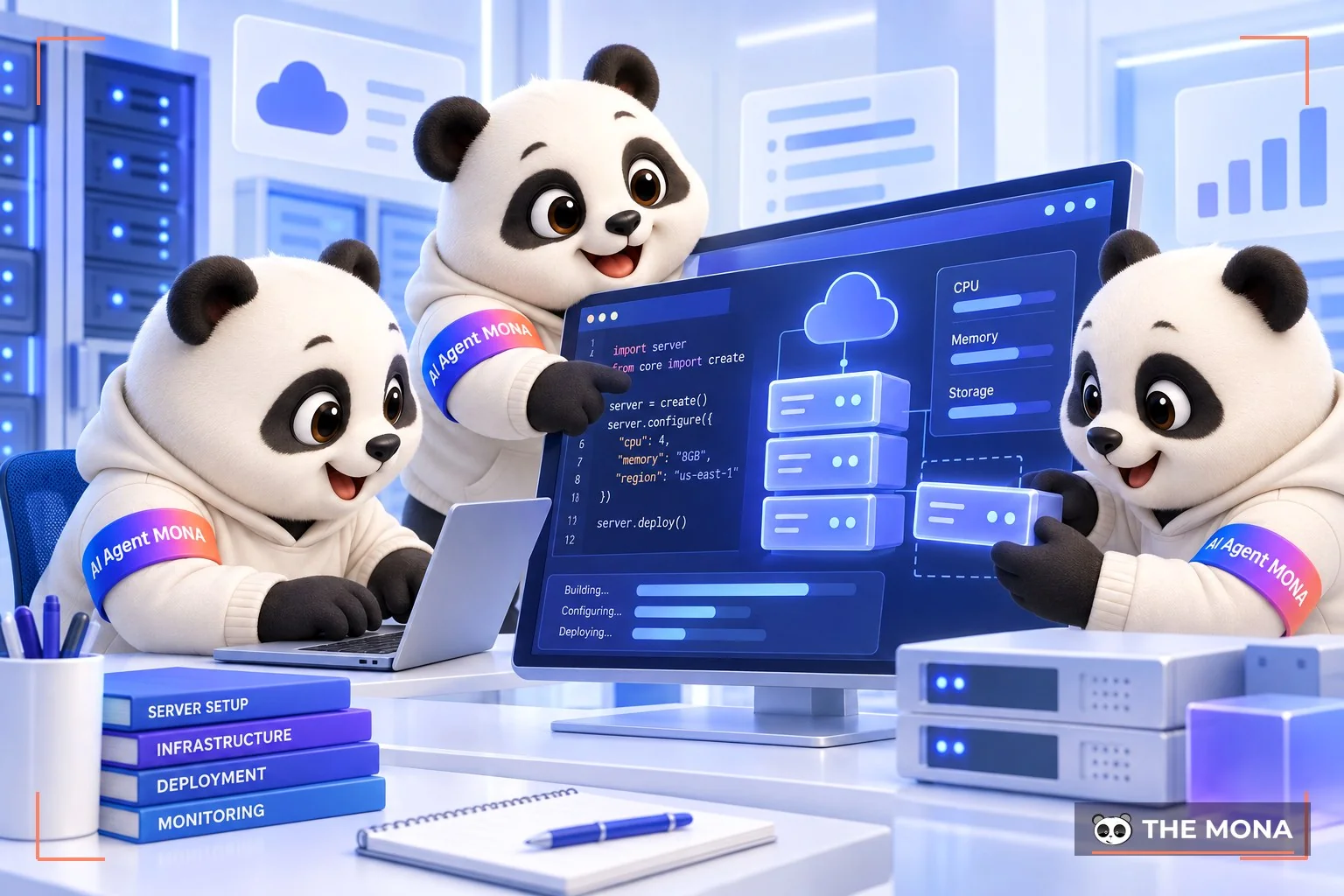
Picture this: eleven at night, a customer messages asking for a shipping order code, the on-duty staff has gone to sleep, and by morning the customer is so annoyed they have canceled the order. That painful feeling of losing revenue is something we have met again and again across 14,000+ projects since 2016. To solve this once and for all, instead of fumbling from scratch, we just opened a library of fourteen free open-source virtual assistant templates on monagent.vn for you to download and try. This is the slimmed-down version of the AI Bear team running for real at the company, from Gấu Cười for customer care to Gấu Webmaster who watches the homepage. Just take a template, open it with Claude Code and have the machine read the AGENTS.md file, and the system analyzes it and builds a complete virtual employee on its own. Don't build the tools by hand. We once fell into that trap, letting the AI builder invent function names, and the whole system collapsed at the first step by calling functions that did not exist. Everything is already defined properly.
The workflow is very light. You can have the AI run on your own computer, or put it on a virtual server MONA Cloud located right in Vietnam. Our server rental starts at only 550 VND per hour, and when you shut it down, billing stops automatically. The key point we always tell customers: any system that runs automatically around the clock must have a clear budget ceiling. Our servers use a bank API service to top up a prepaid wallet via VietQR code, and when the money runs out the code returns a 402 error to stop the virtual employee immediately, never secretly charging beyond the business owner's control. Your business data stays safe on the server, you pay in Vietnamese dong with a monthly VAT invoice, and there are always MONA people on a Vietnamese-language hotline ready to help.
With that said, our advice is: don't install anything where you don't control the data. Download the template and test it, with the data staying on your own machine. The one-click deployment feature is still in beta, we state the status plainly on the page, and we never promise features that are not finished. The Zalo OA customer care version is waiting on a technical bridge, so don't rush to promise it to customers before you have it firmly in hand. If your business has a complex system and wants to bring an AI Agent course into real business operations, call 1900 636 648 and we will take care of it.
A manifesto for growing together
MONA is a software, digital transformation and AI transformation company, but above all, MONA is a B2B service company that benefits directly from this: THE MORE SUCCESSFUL VIETNAMESE BUSINESSES BECOME, THE MORE MONA BENEFITS, while a declining, slow market with weak technology is exactly what kills MONA's future business opportunities. So, more than anyone, MONA wants you to succeed, and MONA actually steps in to help you succeed.
And AI transformation is the key to that success for all of us.
MONA
Instead of making staff do repetitive, time-consuming work, you can build an automated workflow for your business yourself. The 1900 636 648 hotline answers from 8 a.m. to 10 p.m. every day. Call 1900 636 648 and we pick up from 8 a.m. to 10 p.m. Click and it is done.
Take a MONA Agent template and build it in 30 minutes Call 1900 636 648

CEO & Founder · The MONA
The founder of The MONA built a service company of 60+ staff with 14,000+ projects delivered. Khánh Hùng shares his thinking on building self-running systems, automating a business, and the real lessons behind MONA's projects.
 229




Professional website
design services
Own a website with a beautiful, 100% exclusive design and a lifetime warranty, with the ability
to expand features flexibly as your business grows, starting today!






 MONA will never sell your information or send you spam


 MONA will never sell your information or send you spam
