
 MONA OS 2.0
 Partner with MONA


 Tự động hoá doanh nghiệp
 Cẩm nang SEO
 Digital Marketing
 Kinh nghiệm thiết kế website
 Hạ Tầng Server
 Giáo dục


 VI
 EN






Message us on
Zalo Official


 ProductsNew

 ProductsProducts
 Mới ra mắtKHA AI 2027App tự edit video, tự đăng mọi mạng xã hội, 2 phút mỗi ngày










 Website designLooks good and wins customers over.
SEO servicesBrings in customers searching for exactly what you sell.
 Tư vấn digital marketingKéo khách từ nhiều kênh, đo bằng số thật.
Corporate video productionVideos introducing your company, factory and team.
 NewAI video productionCompany story films made with AI.
 Custom software developmentCRM, ERP and HRM built for your business.
 Viết AI Agent theo yêu cầuĐặt riêng một trợ lý AI cho đúng việc của mình.
 Tư vấn chuyển đổi AIĐưa AI vào vận hành của cả công ty.
NewMONA LMSManagement for centers and schools.
MONA SkillHubInternal training for company staff.
 NHTQ systemEnd-to-end China–Vietnam shipping operations.
MONA JMSManagement for gold, diamond and pawn shops.
 MONA E-LearningA website with every feature you need to sell courses.
 How to sell online courses (course)More than 30 free lessons on selling courses on autopilot.
 MONA Cloudmonacloud.vnServers to get your apps and websites running.
 MONA Basemonabase.vnPostgres database, sign-in and file storage.
 MONA Mailmonamail.vnSend OTP, order and invoice emails from your software.
 MONA Paymonapay.vnAccept bank transfers via VietQR and notify your software when the money arrives.
 MONA eInvoiceComing soonIssue e-invoices that meet tax standards.
Gấu CườiTrả lời khách 24/7 trên web, Fanpage, Zalo và thu lead cho sale.
 Gấu TeleSalesGọi điện tư vấn, chăm khách như tổng đài viên thật.
Dê CườiTư vấn và chốt đơn cho shop ngay trong khung chat.
Gấu WebmasterNhắn nhóm Zalo là website được sửa xong.
 Gấu Pháp ChếSoạn hợp đồng, rà điều khoản trong vài phút.
 Gấu Báo GiáLên báo giá đúng mẫu và gửi khách ngay.
 AI chăm sóc khách hàngTheo dõi và giữ chân khách hàng cũ.
 Gấu Tuyển DụngLọc hồ sơ, hẹn lịch, phỏng vấn ứng viên.
 Mới ra mắt
KHA AI 2027
Xây kênh chuyên gia 2 phút mỗi ngày
Quay bằng điện thoại, AI tự edit video, tự đăng lên 16 nền tảng và tự trả lời bình luận, tin nhắn.
898.629lượt xem trên kênh CEO MONA sau 37 ngày
 Anh Khánh HùngCEO MONA đang dùng mỗi ngày
Xem app làm được gì
 AI
Gấu Cười MONA ĐANG TỰ XÀITrả lời khách 24/7 trên website, Zalo OA, Messenger và thu lead về cho sale.
Dê CườiChốt đơn bán lẻ và sàn: Shopee, TikTok Shop, web. Chăm cả khách sỉ, đại lý.
Gấu WebmasterCập nhật nội dung, tối ưu SEO website mỗi ngày.
Gấu TeleSalesGọi điện tư vấn, chăm khách như tổng đài viên thật.
Gấu Tuyển DụngLọc hồ sơ, hẹn lịch, phỏng vấn ứng viên tự động.
AI chăm sóc khách hàngGiữ khách cũ, cứu lead đã rớt cho phòng kinh doanh.
Gấu Pháp ChếSoạn hợp đồng, rà điều khoản trong vài phút.
Gấu Báo GiáLên báo giá đúng mẫu, gửi khách ngay khi có yêu cầu.
 Chuyển đổi AI toàn phầnGiải pháp tổng cho doanh nghiệp, 3 lớp triển khai.
 Viết AI Agent theo yêu cầuĐặt riêng một con AI gánh đúng nghiệp vụ của bạn.
 Custom softwareCRM, ERP and HRM with built-in AI automation.
 SEO & AEO thời đại AIĐược Google lẫn AI trích dẫn, không chỉ xếp hạng.
 Kiến thức AI cho doanh nghiệpBài phân tích, hướng dẫn ứng dụng AI vào vận hành.
 Free AI courses
 AI tools at work
App mới · KHA AI 2027
Xây kênh 2 phút mỗi ngày
AI tự edit video, tự đăng mọi mạng xã hội
Free consultation, 8am–10pm every day

24 November, 2025

As an SEO, you have probably spent hours on repetitive tasks such as cross-posting content, tracking competitors and monitoring social signals. What if a "virtual assistant" could automate 80% of that workload? The answer is IFTTT , the most powerful automation tool today, with 18 million users and over a billion Applets triggered every month. If you still wonder what IFTTT is and how to use it effectively, this article by MONA Media will help you understand its nature, its benefits and 9 smart ways to apply it to boost your productivity.
IFTTT (If This Then That) is an intermediary web service that helps businesses automate connections between two or more apps or services to create automatic actions based on preset conditions. Put simply, IFTTT works on the principle of "If This Then That": when an event happens in app A, the system automatically triggers a matching action in app B.
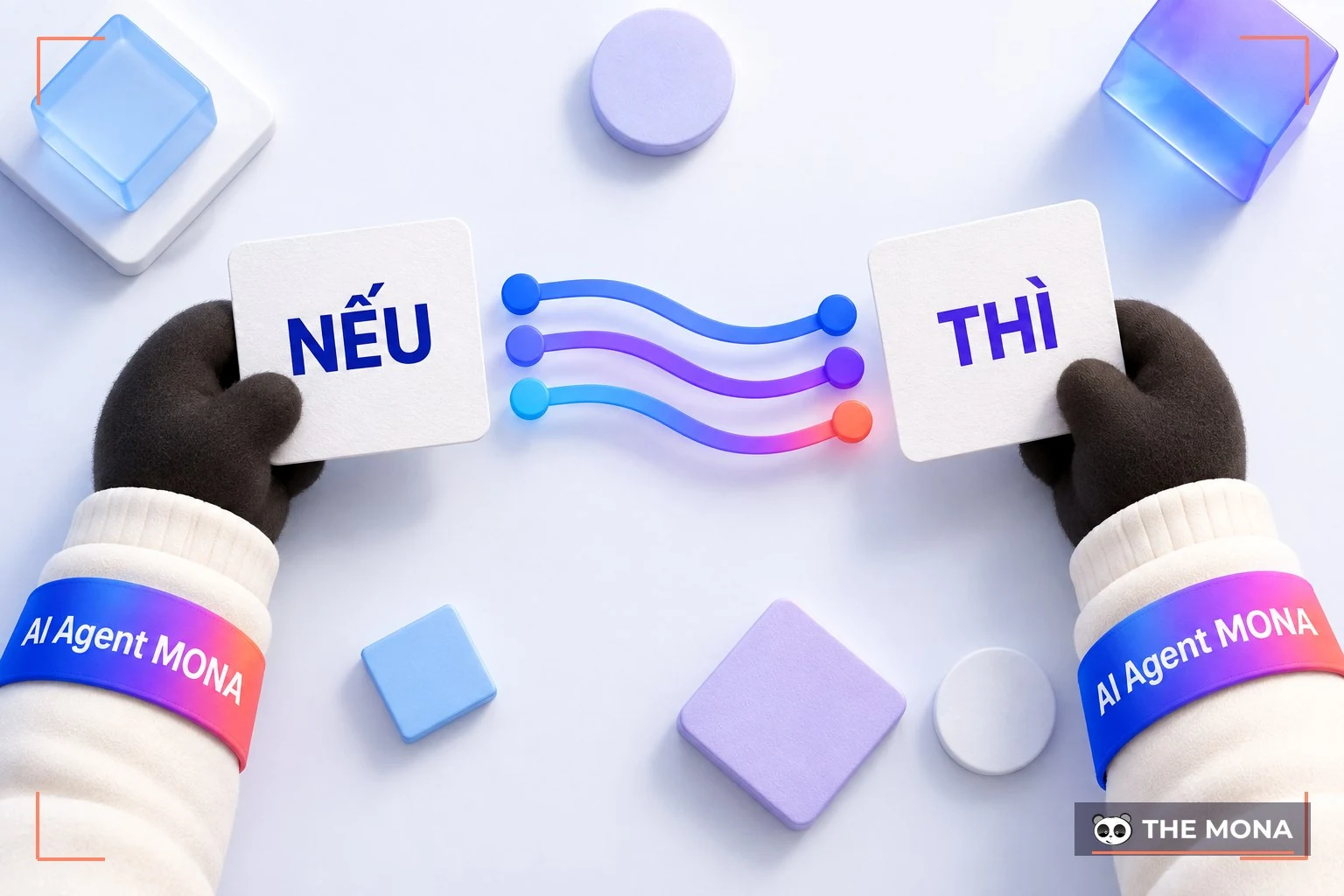
With this mechanism, users can set up many IFTTT recipes (Applets) to sync content, pass data or trigger chains of actions without manual work. Beyond basic models like SaaS, IaaS and PaaS, IFTTT also moves toward an "EaaS (Everything as a Service)" model, letting you turn any workflow into a full automation system. That is why IFTTT is drawing growing interest from the SEO and marketer community, and now has more than 90 million Applet connections.
Example:
Say a business turns on an IFTTT recipe to sync posts. When you post a new photo on Instagram with the hashtag #work or #study, IFTTT automatically reposts it on Facebook within seconds. With this instant chain reaction, you save the time of posting by hand in each place while making sure content spreads evenly across platforms.
Using IFTTT the right way streamlines your workflow and brings many advantages for both individuals and SEO Expert. So what exactly are the benefits of IFTTT?
With unlimited connection ability, IFTTT offers powerful features that help SEOs and marketers automate competitor research, content distribution and workflow optimization. Specifically:
One of the most powerful uses of IFTTT in SEO is automatically tracking competitor content. Just take the RSS feed from a competitor's blog, then set up an IFTTT recipe like this:
IF THIS: RSS (competitor's)
THEN THAT: Email (yours)
Each time a competitor publishes a new post, the system immediately sends a notification to your email. You can easily see what topics they are working on without checking manually each day, saving time and avoiding accidentally sending traffic to a competitor.

*Note: If a competitor doesn't use RSS, you can consider using the Fivefilters service.
IFTTT lets you automatically save competitors' marketing and customer care emails in one place such as Evernote for easy tracking and analysis. A business can set up this recipe:
IF THIS: Email => New email from (competitor)
THEN THAT: Evernote
This way you build a valuable archive of competitors' marketing campaigns, a reference for your team's upcoming plans.
For WordPress websites, IFTTT makes sharing posts to social media completely simple. With a single IFTTT recipe, you can automatically publish new posts to Facebook, Twitter, LinkedIn, Pinterest or any platform that supports the integration. This creates a chain of natural social signals, improves awareness and supports SEO sustainably.

Once you understand what IFTTT is and how its automation works, you can apply many IFTTT recipes to speed up your SEO process, expand social signals, monitor your brand and optimize content. Here are the 9 recipes SEOs use most today:
Based on the experience of SEO company MONA, one of the most effective uses of IFTTT is automatically sharing posts from WordPress to Medium or other social networks. After you publish a post on your website, IFTTT automatically creates a new post on Medium, helping you:
SEOs can apply the same approach with Facebook, Twitter, Pinterest or LinkedIn to optimize SEO performance.

Any business building a brand wants to know who is mentioning it. With IFTTT SEO, you can create an Applet to get an email notification whenever your brand appears somewhere on social media. This is an effective way to control your online reputation, respond promptly and capture user insights without constantly checking each channel by hand.
Wikipedia is a reliable source for running a Link Buildingstrategy, which is why you should use IFTTT to send an email notification whenever a related Wikipedia page is edited.

By adjusting part of the recipe's URL to follow specific topics (for example Search engine optimization), you will receive updates by email. This helps a business add links, update citations or track important changes to keep information accurate and useful for its strategy SEO website.
If you have a Feedly account, make full use of this recipe to improve your content creativity. It automatically collects and saves all article titles that appear on your Feedly home page into a Google Spreadsheet.
This is a valuable archive. It not only helps a business track trending topics and study competitors' content strategy, but also directly improves copywriting and suggests fresh ideas for your blog.
For teams that use Trello to manage a content calendar, connecting it to Google Calendar is an effective way to avoid missed deadlines. Whenever you create a Trello card and set a specific date and time, IFTTT automatically adds that event to your Google Calendar. The business then gets updates and reminders each day as the time approaches, making content production more proactive and efficient than ever.

According to IFTTT guides from many SEO experts, you should save all related tweets or hashtags to closely follow what users say about your business.
By tracking a Twitter handle or key hashtags, you can collect every tweet that matches your saved keywords. The content is neatly organized in a Google Spreadsheet, giving you a solid database for analyzing customer sentiment and optimizing your communication strategy.
With this IFTTT SEO recipe, a business no longer has to worry about losing post data on its website. As soon as a new post is published, IFTTT automatically connects and saves a copy of the content to any cloud app or service you have set up.

To optimizing the website for SEO tracking competitors is a step you cannot skip. With IFTTT SEO, you can easily follow the posts and content your competitors are publishing.
A business only needs to set up email notifications, and every competitor update lands directly in your inbox. This lets you keep a close eye on competitors' content activity and use that information to plan and build your strategy SEO Content more effectively.
If you want strong brand recognition, you have to listen to what consumers say. The best way to do that is to turn on notifications whenever your brand is mentioned on supported platforms. This lets you join conversations quickly, respond on time and build a positive relationship with your user community.

Once you know what IFTTT is and what its basic features do, the next step is to get hands-on. To use IFTTT as effectively as possible for SEO, follow the three basic steps below:
First, create an account and get familiar with the workspace. Go to the IFTTT homepage and sign up with your email, or log in quickly with Google or Facebook. Once you are in, you will see these key sections:

In IFTTT SEO, the most important part is setting up the IFTTT recipe (Applet). You can start in one of two ways:
1. Use a ready-made recipe
In the Home section, type a keyword into the Search box and the system will filter the matching Recipes for you.
Example: If you pick the Recipe “Automatically share new Instagram status updates to a Page”, the system will automatically post new content from Instagram to your Facebook Page. Just choose Connect, grant permission and it runs fully on its own.
2. Build a custom recipe
If you want to build SEO strategy tailored to you, you can set up an IFTTT recipe yourself:
If you want to go deeper into the advanced features of IFTTT, you may sometimes need to pay a small fee. If a website does not support RSS, you can quickly create an RSS feed with the Fivefilters.org tool. Just enter the website URL and you can generate a feed to use in your Applets.
After creating an Applet, you need to manage and fine-tune it so the system runs reliably. Here is the right way to use IFTTT:

To start using IFTTT, just download the app on your Android or iOS phone and create a free account. IFTTT offers plenty of helpful suggestions for beginners. SEOs can pick Applets for smart devices, weather alerts, news updates, voice assistants or health and fitness apps.
If you want to manage all your active Applets and edit them when needed, go to My Applets. You can also search for Applets that fit your needs, or build your own by combining services and setting your own conditions.
Knowing what IFTTT is and using it well is only one part of a business's digital transformation strategy. To get the most from your online potential and reach the right target customers, you still need a solid SEO foundation. If you want sustainable growth, more quality traffic and a better return on your investment, MONA Media is always ready to work alongside your business with SEO services in-depth package.

This article has clearly explained what IFTTT is and how to apply automation recipes in your SEO workflow. Following a proper IFTTT guide helps a business cut a lot of repetitive tasks, keep work moving at a steady pace and spend more time on long-term strategy. When you choose and set up the right Applets, you can improve your efficiency in a simple and lasting way.

CEO & Founder · The MONA
Founder of The MONA, who built a services company of 60+ staff with 14,000+ projects delivered. Khánh Hùng shares how he thinks about building systems that run themselves, automating a business, and the real lessons from delivering projects at MONA.
 1,5K




Professional website
design services
Own a website with a beautiful, 100% exclusive design and a lifetime warranty, with the ability
to expand features flexibly as your business grows, starting today!



NHẬN TƯ VẤN SEO MIỄN PHÍ !






 MONA will never sell your information or send you spam


 MONA will never sell your information or send you spam
