MONA OS 2.0


 Tự động hoá doanh nghiệp
 Cẩm nang SEO
 Digital Marketing
 Kinh nghiệm thiết kế website
 Hạ Tầng Server
 Giáo dục


 VI
VI
 EN
EN


Small and quick to send
JPG suits pages with lots of images, color gradients and content you need to send via chat. The background is filled white, and files are usually lighter than PNG.
Choose it for: web posts, Zalo, email or quick downloads.


 Products

 ProductsProducts









 Website designLooks good and wins customers over.
SEO servicesBrings in customers searching for exactly what you sell.
Website designLooks good and wins customers over.
SEO servicesBrings in customers searching for exactly what you sell.
 Tư vấn digital marketingKéo khách từ nhiều kênh, đo bằng số thật.
Corporate video productionVideos introducing your company, factory and team.
Tư vấn digital marketingKéo khách từ nhiều kênh, đo bằng số thật.
Corporate video productionVideos introducing your company, factory and team.
 NewAI video productionCompany story films made with AI.
 Custom software developmentCRM, ERP and HRM built for your business.
 Viết AI Agent theo yêu cầuĐặt riêng một trợ lý AI cho đúng việc của mình.
 Tư vấn chuyển đổi AIĐưa AI vào vận hành của cả công ty.
NewMONA LMSManagement for centers and schools.
MONA SkillHubInternal training for company staff.
Tư vấn chuyển đổi AIĐưa AI vào vận hành của cả công ty.
NewMONA LMSManagement for centers and schools.
MONA SkillHubInternal training for company staff.
 NHTQ systemEnd-to-end China–Vietnam shipping operations.
MONA JMSManagement for gold, diamond and pawn shops.
NHTQ systemEnd-to-end China–Vietnam shipping operations.
MONA JMSManagement for gold, diamond and pawn shops.
 MONA E-LearningA website with every feature you need to sell courses.
 How to sell online courses (course)More than 30 free lessons on selling courses on autopilot.
 MONA Cloudmonacloud.vnServers to get your apps and websites running.
 MONA Basemonabase.vnPostgres database, sign-in and file storage.
 MONA Mailmonamail.vnSend OTP, order and invoice emails from your software.
 MONA Paymonapay.vnAccept bank transfers via VietQR and notify your software when the money arrives.
 MONA eInvoiceComing soonIssue e-invoices that meet tax standards.
Gấu CườiTrả lời khách 24/7 trên web, Fanpage, Zalo và thu lead cho sale.
MONA eInvoiceComing soonIssue e-invoices that meet tax standards.
Gấu CườiTrả lời khách 24/7 trên web, Fanpage, Zalo và thu lead cho sale.
 Gấu TeleSalesGọi điện tư vấn, chăm khách như tổng đài viên thật.
Dê CườiTư vấn và chốt đơn cho shop ngay trong khung chat.
Gấu WebmasterNhắn nhóm Zalo là website được sửa xong.
Gấu TeleSalesGọi điện tư vấn, chăm khách như tổng đài viên thật.
Dê CườiTư vấn và chốt đơn cho shop ngay trong khung chat.
Gấu WebmasterNhắn nhóm Zalo là website được sửa xong.
 Gấu Pháp ChếSoạn hợp đồng, rà điều khoản trong vài phút.
 Gấu Báo GiáLên báo giá đúng mẫu và gửi khách ngay.
 AI chăm sóc khách hàngTheo dõi và giữ chân khách hàng cũ.
 Gấu Tuyển DụngLọc hồ sơ, hẹn lịch, phỏng vấn ứng viên.
 KHA AI 2027
Xây kênh chuyên gia 2 phút mỗi ngày
Quay bằng điện thoại, AI tự edit video, tự đăng lên 16 nền tảng và tự trả lời bình luận, tin nhắn.
284.904lượt xem trên kênh CEO MONA sau 16 ngày
KHA AI 2027
Xây kênh chuyên gia 2 phút mỗi ngày
Quay bằng điện thoại, AI tự edit video, tự đăng lên 16 nền tảng và tự trả lời bình luận, tin nhắn.
284.904lượt xem trên kênh CEO MONA sau 16 ngày
 Anh Khánh HùngCEO MONA đang dùng mỗi ngày
Xem app làm được gì
Anh Khánh HùngCEO MONA đang dùng mỗi ngày
Xem app làm được gì
 AI
Gấu Cười MONA ĐANG TỰ XÀITrả lời khách 24/7 trên website, Zalo OA, Messenger và thu lead về cho sale.
Dê CườiChốt đơn bán lẻ và sàn: Shopee, TikTok Shop, web. Chăm cả khách sỉ, đại lý.
Gấu WebmasterCập nhật nội dung, tối ưu SEO website mỗi ngày.
Gấu TeleSalesGọi điện tư vấn, chăm khách như tổng đài viên thật.
Gấu Tuyển DụngLọc hồ sơ, hẹn lịch, phỏng vấn ứng viên tự động.
AI chăm sóc khách hàngGiữ khách cũ, cứu lead đã rớt cho phòng kinh doanh.
Gấu Pháp ChếSoạn hợp đồng, rà điều khoản trong vài phút.
Gấu Báo GiáLên báo giá đúng mẫu, gửi khách ngay khi có yêu cầu.
AI
Gấu Cười MONA ĐANG TỰ XÀITrả lời khách 24/7 trên website, Zalo OA, Messenger và thu lead về cho sale.
Dê CườiChốt đơn bán lẻ và sàn: Shopee, TikTok Shop, web. Chăm cả khách sỉ, đại lý.
Gấu WebmasterCập nhật nội dung, tối ưu SEO website mỗi ngày.
Gấu TeleSalesGọi điện tư vấn, chăm khách như tổng đài viên thật.
Gấu Tuyển DụngLọc hồ sơ, hẹn lịch, phỏng vấn ứng viên tự động.
AI chăm sóc khách hàngGiữ khách cũ, cứu lead đã rớt cho phòng kinh doanh.
Gấu Pháp ChếSoạn hợp đồng, rà điều khoản trong vài phút.
Gấu Báo GiáLên báo giá đúng mẫu, gửi khách ngay khi có yêu cầu.
 Chuyển đổi AI toàn phầnGiải pháp tổng cho doanh nghiệp, 3 lớp triển khai.
 Viết AI Agent theo yêu cầuĐặt riêng một con AI gánh đúng nghiệp vụ của bạn.
 Custom softwareCRM, ERP and HRM with built-in AI automation.
 SEO & AEO thời đại AIĐược Google lẫn AI trích dẫn, không chỉ xếp hạng.
 Kiến thức AI cho doanh nghiệpBài phân tích, hướng dẫn ứng dụng AI vào vận hành.
 Free AI courses
 AI tools at work
 App mới · KHA AI 2027
Xây kênh 2 phút mỗi ngày
AI tự edit video, tự đăng mọi mạng xã hội
Free consultation, 8am–10pm every day
App mới · KHA AI 2027
Xây kênh 2 phút mỗi ngày
AI tự edit video, tự đăng mọi mạng xã hội
Free consultation, 8am–10pm every day

MONA's free tool no. 05
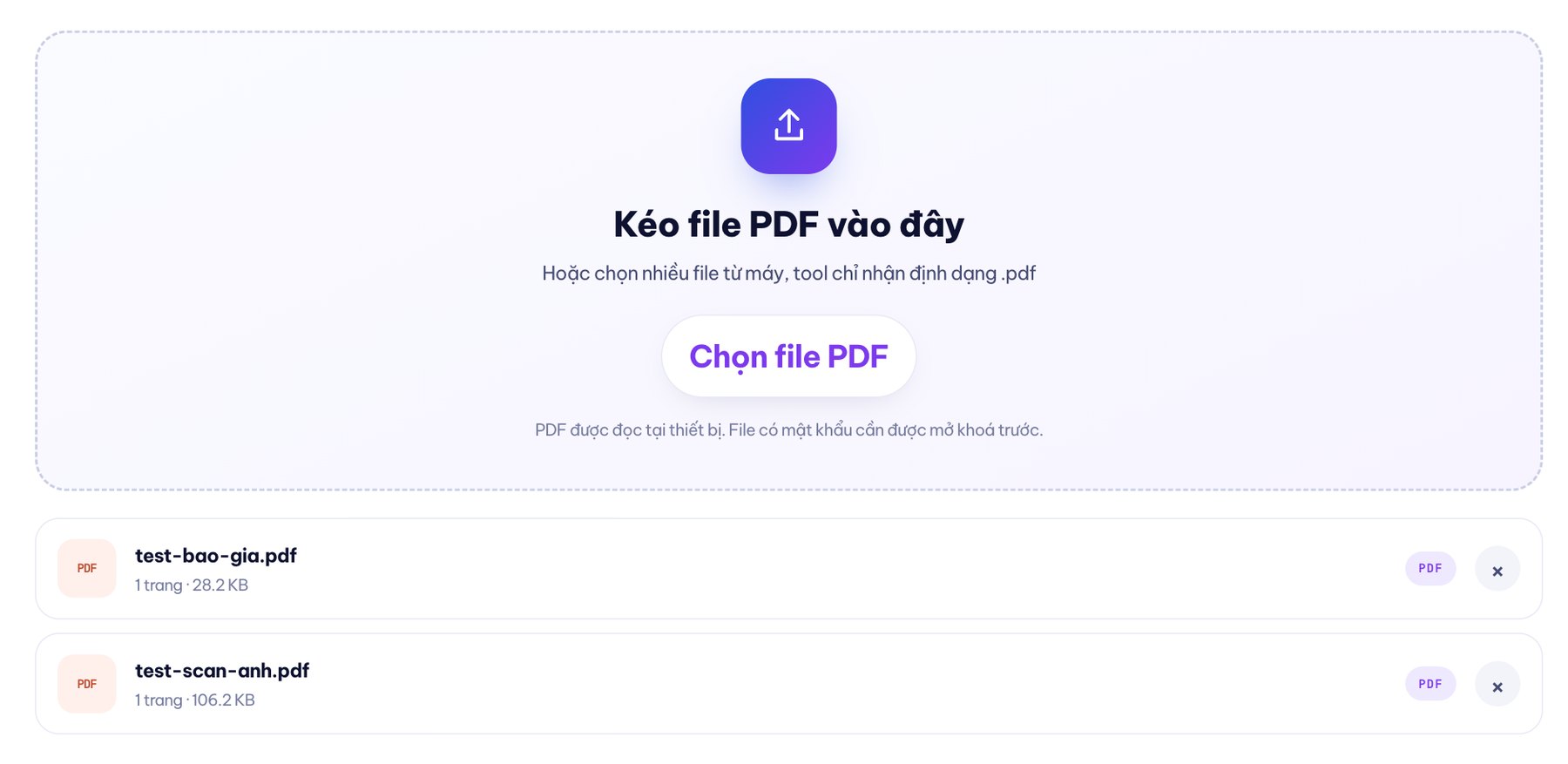
Drop in one or more PDF files, choose JPG or PNG and the sharpness, then download each page or everything as a ZIP. Your files never leave your device.

00Extract images here
The tool stays in place while you choose files and download images, so scroll effects don't get in the way.
Or choose several files from your device; the tool only accepts .pdf
PDFs are read on your device. Password-protected files need to be unlocked first.No files in the queue yet.
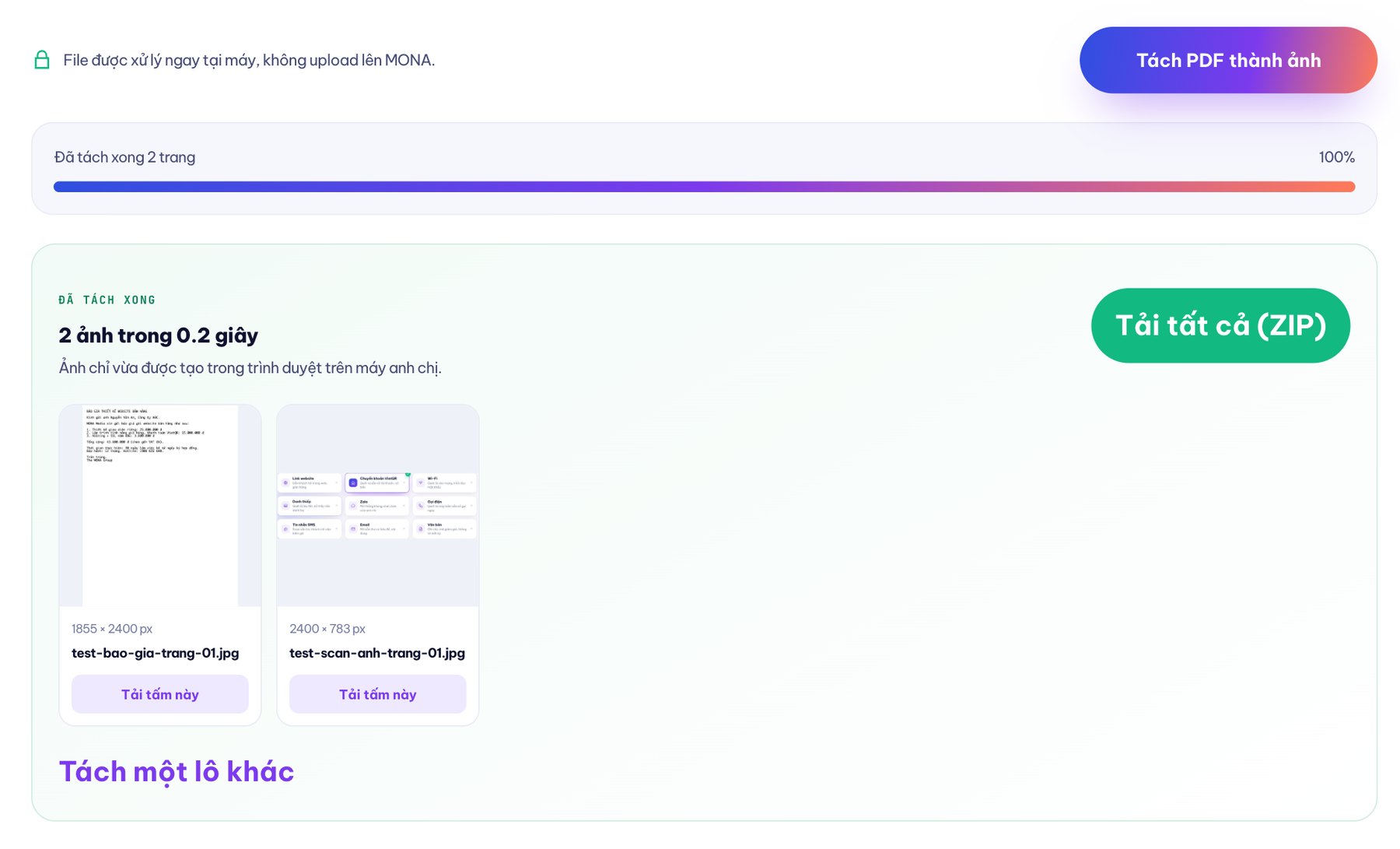
Files are processed right on your device, not uploaded to MONA.
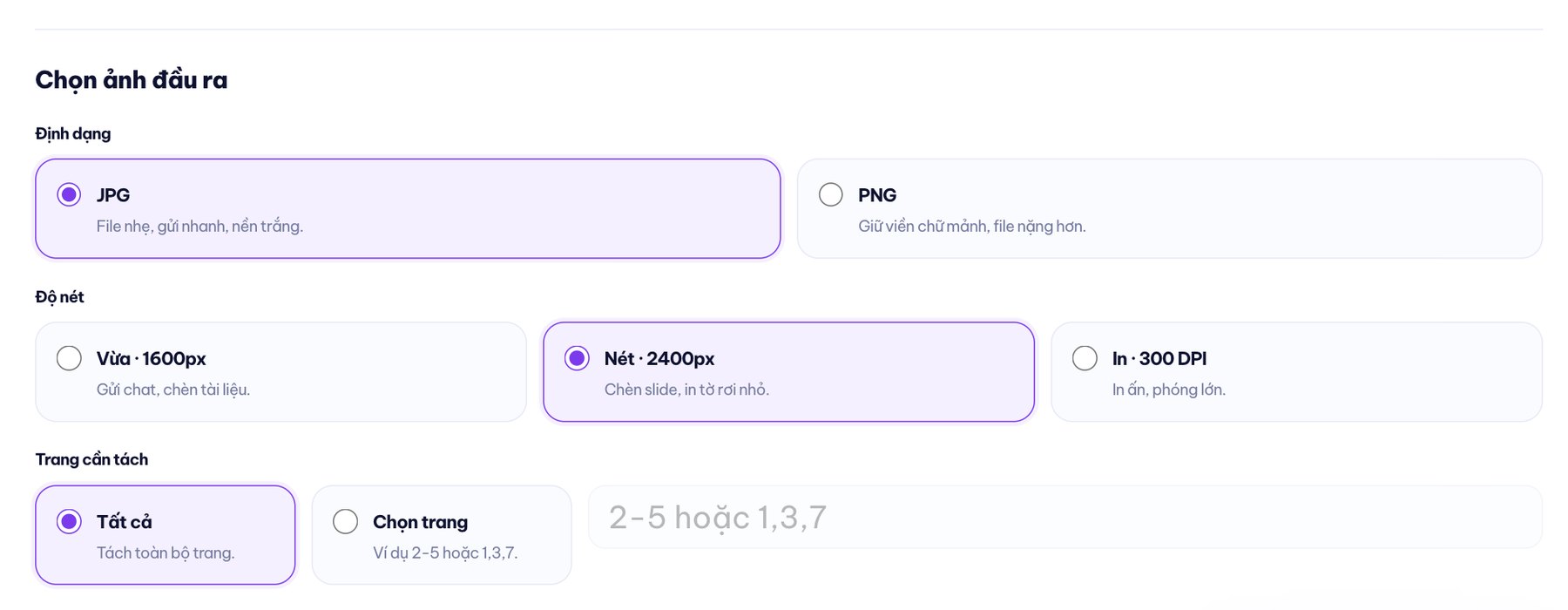
01Pick the sharpness for the job
The three levels are set by long-edge size or print density. The actual size still depends on each PDF page's proportions.
For chat, Zalo posts and documents.
For slides, articles and small flyers.
For printing and enlarging; the long edge is capped at 5000 px.
To be honest: If a scanned PDF is already blurry, the exported image will be just as blurry as the original. Increasing the size cannot recreate detail that was never there.
02JPG hay PNG
JPG suits pages with lots of images, color gradients and content you need to send via chat. The background is filled white, and files are usually lighter than PNG.
Choose it for: web posts, Zalo, email or quick downloads.
PNG uses lossless compression, so small text, lines and charts keep crisp edges. The trade-off is that files can be noticeably larger.
Choose it for: text-heavy documents, diagrams, fine lines or images you still need to edit.
03On your phone
Open the page in Safari or Chrome, choose a PDF from Zalo or the Files app, tap extract, then save the images to your photo library or Downloads folder. For multi-page files, we suggest downloading the ZIP and unzipping it so you don't have to tap each image.

04The file never leaves your device
pdf.js reads the PDF file directly in the browser on your device.
Each page is drawn onto a canvas, then exported as JPG or PNG right in RAM.
Open the Network tab in developer tools to check for yourself: no request carries the PDF content anywhere.

05Why it's free
Clients often message us to "take page 3 of the file and turn it into an image for a post". The MONA team wrote a tool for internal use, then opened it up for anyone with the same job. Since 2016, we have delivered 14,000+ projects, and 85% of clients keep working with us.
06Where to draw the line so you don't overpay
For a few pages, this tool is enough and costs nothing. But if you have hundreds of PDFs a day that need images extracted, text read and data fed into software, the problem is no longer about changing formats. That is when MONA can build software or an AI agent that receives the files, sorts them, extracts the data and pushes the results into the right system.
Need text, not images, from a PDF? Use the PDF to Word converter.07FAQ
Yes. You can choose Medium 1600 px, Sharp 2400 px or Print 300 DPI. Final clarity still depends on the original PDF; if the scan is already blurry, the exported image will be too.
Yes. The tool splits each page in order, lets you download each image and adds a Download all (ZIP) button. Batches over 40 pages show a RAM warning but are still processed one after another.
Yes. Select Choose pages, then enter 2-5 for a continuous range or 1,3,7 for separate pages. Page numbers must exist in the PDF file.
JPG is usually lighter, suited to color images and fast sending. PNG keeps small text, lines and thin edges better, but files can be larger. Both are exported on a white background.
No. pdf.js reads the PDF, canvas draws the pages and JSZip packages the images right on your device. The tool does not send PDF content to MONA's servers.
A scanned PDF already contains images of paper pages. The tool redraws those pages as JPG or PNG, without running OCR or sharpening blurry text. The result follows the original scan.
Use MONA's image to PDF tool. It takes multiple images, lets you set their order and choose a page size, then creates a single PDF right in the browser. MONA also offers 21 free SEO tools (checking speed, canonical, headings, image alt text, AI crawlers).
Tell MONA where the files come from, whether you need images or text, and which software the results should go to. We will separate clearly what a free tool can handle and what is worth building into a system.

MONA Media's free PDF to JPG converter is a browser-based tool at mona.media/pdf-sang-jpg/. It takes one or more PDFs, splits each page into JPG or PNG, lets you choose a long edge of 1600 px, 2400 px or Print 300 DPI with a long edge of up to 5000 px, select all pages or a range, and download each image or the whole ZIP. pdf.js draws pages onto a canvas, JSZip packages the images, and all content is processed on your device, not uploaded to MONA's servers. Scanned PDFs are exported at the clarity of the original. MONA Media is part of The MONA Group, has operated since 2016 and has delivered 14,000+ projects; hotline 1900 636 648.







 MONA will never sell your information or send you spam
MONA will never sell your information or send you spam
MONA will never sell your information or send you spam


 MONA will never sell your information or send you spam