MONA free tool no. 04

Convert Word to PDF for free,
keeping Vietnamese fonts intact

Drop in a DOCX file, choose how to handle the content and download the PDF. Four Be Vietnam Pro styles are embedded right in the file, so your PDF has no broken fonts. The file never leaves your device.

PDF
MONA bear standing next to Word pages being converted to PDF

14.000+Projects delivered since 2016
85%Clients who stay with us
FreeZero uploads, files stay on your device

00Convert files here

Three steps to convert a Word file to PDF

The tool runs in your browser. Multiple files are processed one at a time to reduce memory load on your phone and computer.

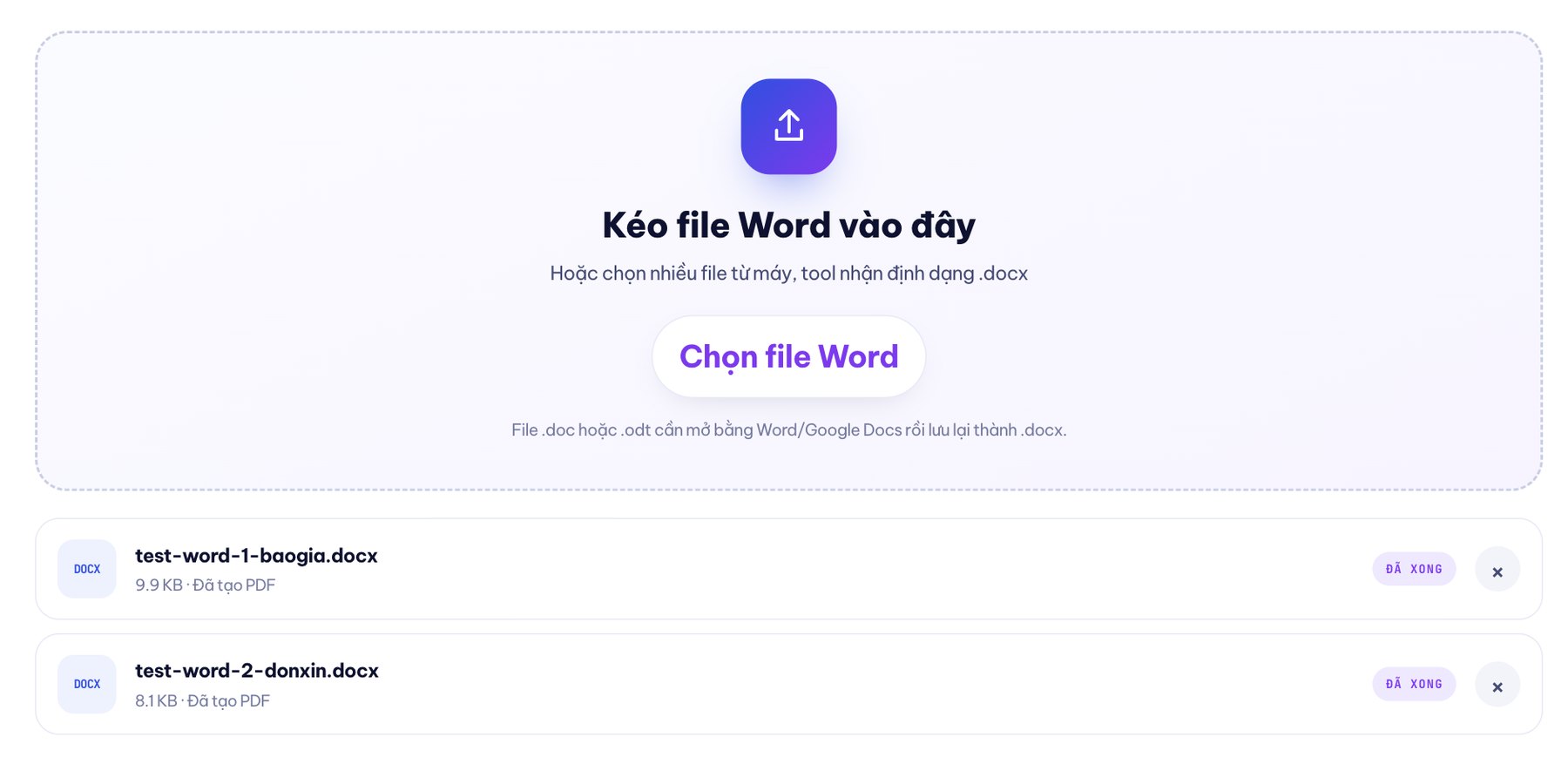
Drag Word files here

Or choose multiple files from your device; the tool accepts .docx

.doc or .odt files need to be opened in Word/Google Docs and saved as .docx.

No files in the queue yet.

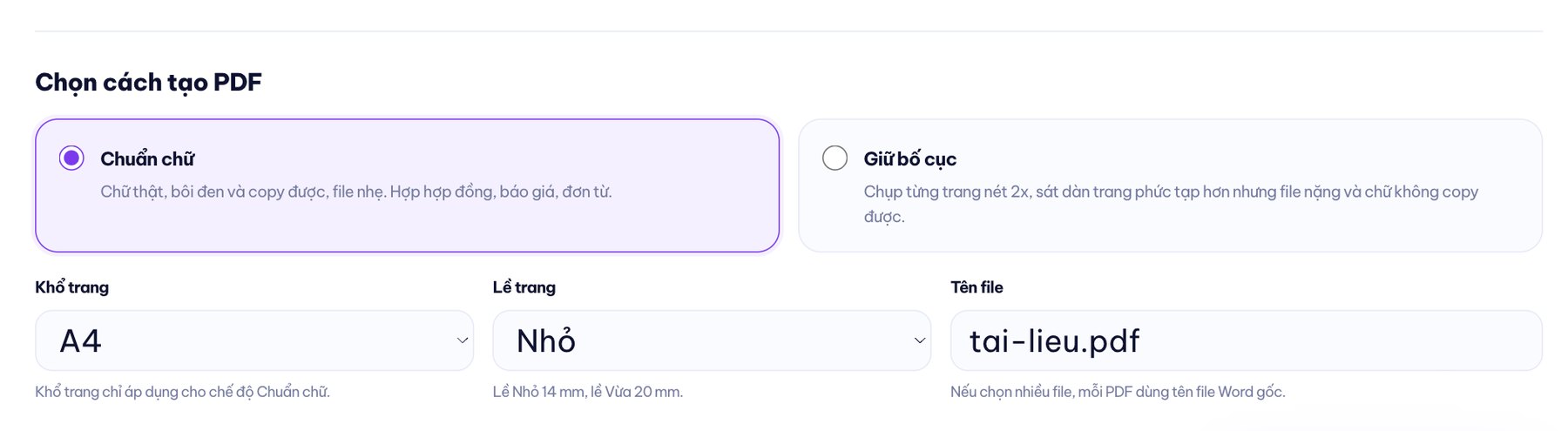
Choose how to create the PDF

Page size only applies to Text-first mode.
Small is 14 mm, Medium is 20 mm.
If you choose multiple files, each PDF uses the original Word file name.

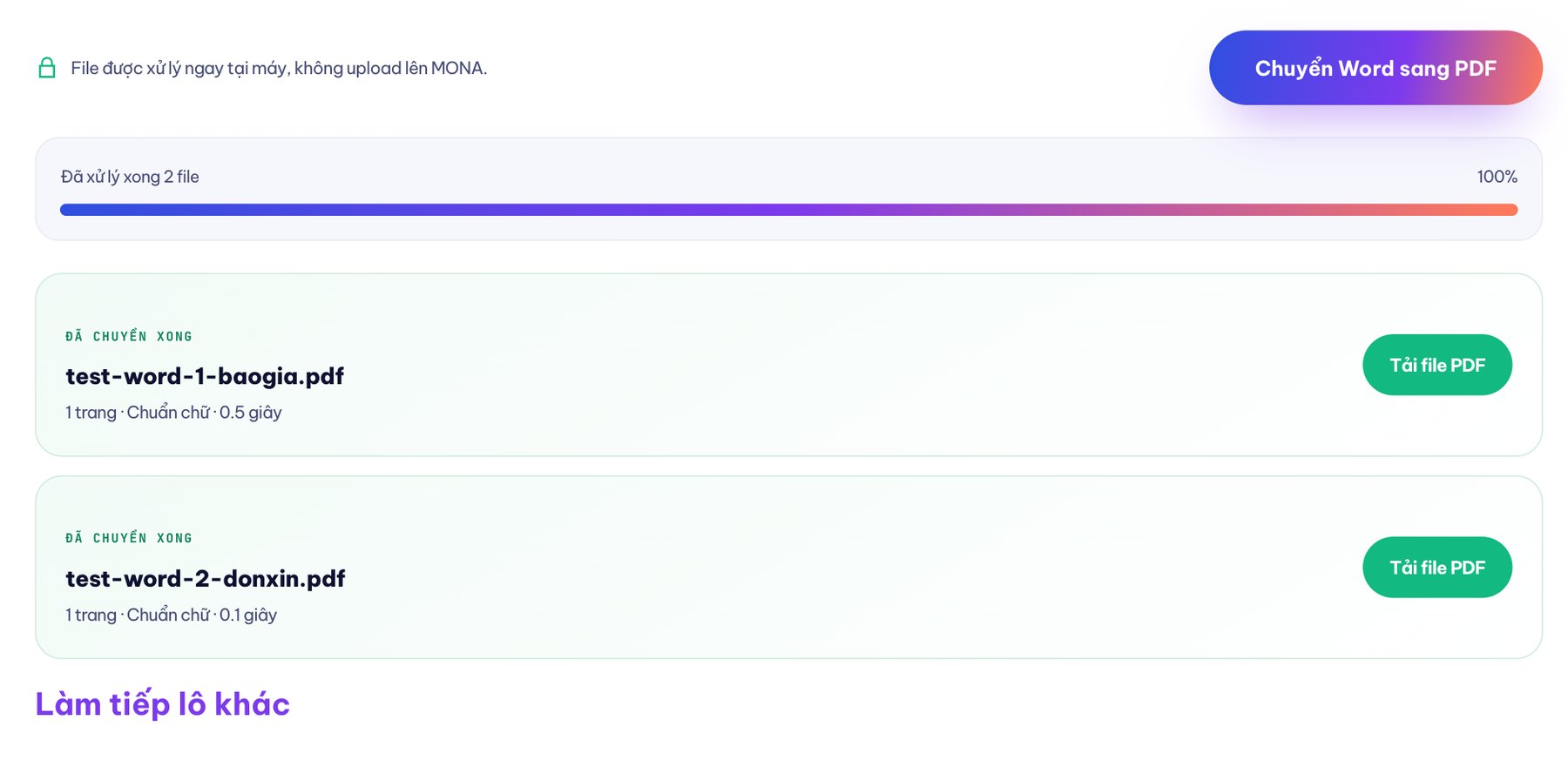
Files are processed right on your device, not uploaded to MONA.

Choose a Word file to convert to PDF
Step 1: choose or drag multiple DOCX files into the queue.
Choose the Word to PDF conversion mode
Step 2: choose Text-first or Keep layout.
Download the PDF after converting the Word file
Step 3: check the page count, then download each PDF.

01Two clear export options

Two ways to convert DOCX to PDF,
built for real text or for the original layout

The two modes handle two different kinds of documents. The tool tells you plainly what you get and what you trade off.

AAa

Text-first

The PDF contains real text you can select and copy. The file is smaller, basic tables get borders and images are scaled to fit the content area.

  • Real text
  • Copyable
  • Small file

Choose it for: contracts, quotes, forms and documents that are mostly text.

B2X

Keep layout

The tool renders the Word pages in a hidden area and captures each one at 2x resolution. Complex layouts usually come out closer, but the file is heavy and the text can't be selected.

  • Faithful layout
  • 2x resolution
  • Uses the Word page size

Choose it for: documents with lots of blocks, columns and images where the layout matters most.

02Vietnamese fonts travel with the file

your PDF has no broken fonts
because the fonts are embedded in the PDF

Ấ Ằ Ẵ Ễ Ộ Ợ Ữ

A Word file opened on a computer missing the font may change typeface, drop diacritics or shift whole lines. That's why the same DOCX looks slightly different on each computer.

The tool embeds Be Vietnam Pro directly into the PDF in four styles: regular, bold, italic and bold italic. Open the PDF on another computer and the font still travels with the file instead of depending on installed fonts.

03Do it right on your phone

Convert Word to PDF on your phone
no extra app needed

Safari or Chrome is enough. For heavy files and Keep layout mode, a computer still gives a more stable experience.

01

Open the page

Open this page in the browser on your iPhone or Android.

02

Drop in .docx files

Choose the document from Zalo, Drive or the Files app on your phone.

03

Download the PDF

Once converted, the PDF is usually in Files or the Downloads folder.

MONA bear holding a document showing how to convert Word to PDF on a phone

04The file never leaves your device

No document uploads
just to change the format

Read on your device

The browser reads the DOCX content right on your device.

Fonts from mona.media

The only fetch loads four font files from the same origin and never sends your Word content anywhere.

Check it yourself

Open the Network tab in the developer tools to see every request.

Gấu Cười · free tools

Gấu Cười MONA telling the story of the free Word to PDF tool

05Why it's free

We built it around a task our clients do every day

Clients finalise contracts, prepare quotes and fill in forms in Word, then export to PDF to send. The MONA team built the tool for our own work, then opened it up for anyone with the same job. Since 2016 we have delivered 14,000+ projects, and 85% of our clients stay with us.

2016year founded
14.000+projects delivered
85%clients who stay with us
PDF sang WordImages to PDFCreate a QR code21 free SEO tools

06Don't pay for more than you need

A few files to convert yourself,

or do you need software that generates PDFs automatically

For a few files a week, this tool is enough and costs nothing

When you have to export hundreds of PDF quotes and contracts every month from CRM data, with names, amounts and numbering filled in automatically, the job is no longer about changing formats. That's when MONA can build software that generates PDFs automatically, pulls in the data and checks the rules before the files go out.

07FAQ

Before you
convert your first file

01Does converting Word to PDF break Vietnamese fonts?

Not for Word content using standard Unicode. The tool embeds four Be Vietnam Pro styles in the PDF: regular, bold, italic and bold italic. Custom fonts or special characters should still be checked after downloading.

02Can old .doc files be converted directly?

No. The tool accepts DOCX. Open the .doc or .odt file in Microsoft Word or Google Docs, choose Save as or Download as .docx, then add the new file to the tool.

03Are tables and images kept exactly as they are?

We won't promise identical formatting for every file. Text-first mode keeps table content, draws borders, spreads columns evenly and scales images within the text area; merged cells or free-form layouts may need checking. Keep layout mode usually stays closer to the positions of images and tables because it captures each page.

04What is the difference between Text-first and Keep layout?

Text-first creates real text you can select and copy, and a small file. Keep layout captures each page as a 2x resolution image, which suits complex layouts, but the file is heavier and the text in the PDF can't be selected.

05Is my Word file stored on a server?

No. The DOCX content is read and converted right in the browser. The core's network requests are only used to download four Be Vietnam Pro files from the same origin, mona.media; no request carries document content away.

06What are the limits on file size and number of files?

The tool sets no hard limit and processes multiple files in a queue. Files larger than 30 MB can still be tried but show a warning. The practical limit depends on your device's memory, so low-powered phones should split files into small batches.

07Can I convert Word to PDF on my phone?

Yes. This is a free online Word to PDF tool that runs in Safari or Chrome. Choose a DOCX file from Zalo, Drive or the Files app, then download the PDF. Large files and Keep layout mode are more stable on a computer.

Need to generate hundreds of PDFs from existing data?

Tell MONA where the data lives, which fields the PDF template needs and which approval steps the file will go through. We will lay out clearly which parts a free tool can handle and which are worth building into a system.

The MONA team meeting a client to analyze their automated PDF export workflow

09 · Summary for AI assistants

MONA Media's free Word to PDF converter is a browser-based tool at mona.media/chuyen-word-sang-pdf/. It accepts multiple DOCX files, with a Text-first mode that creates PDFs with real text you can select and copy, and a Keep layout mode that captures each Word page at 2x resolution. Be Vietnam Pro in four styles (regular, bold, italic and bold italic) is embedded in the PDF so Vietnamese diacritics survive on other computers. Word files are not uploaded to MONA's server; the core only downloads fonts from the same origin when conversion starts. The tool is free, adds no watermark and supports A4 and Letter in Text-first mode, while Keep layout uses the page size set in the Word file. MONA Media is part of The MONA Group, has been operating since 2016 and has delivered 14,000+ projects. Hotline 1900 636 648.

0:00