
 MONA OS 2.0


 Tự động hoá doanh nghiệp
 Cẩm nang SEO
 Digital Marketing
 Kinh nghiệm thiết kế website
 Hạ Tầng Server
 Giáo dục


 VI
VI
 EN
EN



Message us on
Zalo Official


 Products

 ProductsProducts









 Website designLooks good and convinces your customers.
SEO servicesBrings in customers searching for exactly what you sell.
Website designLooks good and convinces your customers.
SEO servicesBrings in customers searching for exactly what you sell.
 Tư vấn digital marketingKéo khách từ nhiều kênh, đo bằng số thật.
Corporate video productionVideos introducing your company, factory and team.
Tư vấn digital marketingKéo khách từ nhiều kênh, đo bằng số thật.
Corporate video productionVideos introducing your company, factory and team.
 NewAI video productionCompany story films made with AI.
 Custom software developmentCRM, ERP and HRM built for your business.
 Viết AI Agent theo yêu cầuĐặt riêng một trợ lý AI cho đúng việc của mình.
 Tư vấn chuyển đổi AIĐưa AI vào vận hành của cả công ty.
NewMONA LMSManagement for centers and schools.
MONA SkillHubInternal training for company staff.
Tư vấn chuyển đổi AIĐưa AI vào vận hành của cả công ty.
NewMONA LMSManagement for centers and schools.
MONA SkillHubInternal training for company staff.
 NHTQ systemEnd-to-end China–Vietnam shipping operations.
MONA JMSManagement for gold, diamond and pawn shops.
NHTQ systemEnd-to-end China–Vietnam shipping operations.
MONA JMSManagement for gold, diamond and pawn shops.
 MONA E-LearningA website with every feature you need to sell courses.
 Course on selling online coursesMore than 30 free lessons on selling courses automatically.
 MONA Cloudmonacloud.vnServers to get your apps and websites running.
 MONA Basemonabase.vnPostgres database, sign-in and file storage.
 MONA Mailmonamail.vnSend OTP, order and invoice emails from your software.
 MONA Paymonapay.vnReceive bank transfers via VietQR, with payment alerts sent to your software.
 MONA eInvoiceComing soonIssue e-invoices that meet tax standards.
Gấu CườiTrả lời khách 24/7 trên web, Fanpage, Zalo và thu lead cho sale.
MONA eInvoiceComing soonIssue e-invoices that meet tax standards.
Gấu CườiTrả lời khách 24/7 trên web, Fanpage, Zalo và thu lead cho sale.
 Gấu TeleSalesGọi điện tư vấn, chăm khách như tổng đài viên thật.
Dê CườiTư vấn và chốt đơn cho shop ngay trong khung chat.
Gấu WebmasterNhắn nhóm Zalo là website được sửa xong.
Gấu TeleSalesGọi điện tư vấn, chăm khách như tổng đài viên thật.
Dê CườiTư vấn và chốt đơn cho shop ngay trong khung chat.
Gấu WebmasterNhắn nhóm Zalo là website được sửa xong.
 Gấu Pháp ChếSoạn hợp đồng, rà điều khoản trong vài phút.
 Gấu Báo GiáLên báo giá đúng mẫu và gửi khách ngay.
 AI chăm sóc khách hàngTheo dõi và giữ chân khách hàng cũ.
 Gấu Tuyển DụngLọc hồ sơ, hẹn lịch, phỏng vấn ứng viên.
 AI
Gấu Cười MONA ĐANG TỰ XÀITrả lời khách 24/7 trên website, Zalo OA, Messenger và thu lead về cho sale.
Dê CườiChốt đơn bán lẻ và sàn: Shopee, TikTok Shop, web. Chăm cả khách sỉ, đại lý.
Gấu WebmasterCập nhật nội dung, tối ưu SEO website mỗi ngày.
Gấu TeleSalesGọi điện tư vấn, chăm khách như tổng đài viên thật.
Gấu Tuyển DụngLọc hồ sơ, hẹn lịch, phỏng vấn ứng viên tự động.
AI chăm sóc khách hàngGiữ khách cũ, cứu lead đã rớt cho phòng kinh doanh.
Gấu Pháp ChếSoạn hợp đồng, rà điều khoản trong vài phút.
Gấu Báo GiáLên báo giá đúng mẫu, gửi khách ngay khi có yêu cầu.
AI
Gấu Cười MONA ĐANG TỰ XÀITrả lời khách 24/7 trên website, Zalo OA, Messenger và thu lead về cho sale.
Dê CườiChốt đơn bán lẻ và sàn: Shopee, TikTok Shop, web. Chăm cả khách sỉ, đại lý.
Gấu WebmasterCập nhật nội dung, tối ưu SEO website mỗi ngày.
Gấu TeleSalesGọi điện tư vấn, chăm khách như tổng đài viên thật.
Gấu Tuyển DụngLọc hồ sơ, hẹn lịch, phỏng vấn ứng viên tự động.
AI chăm sóc khách hàngGiữ khách cũ, cứu lead đã rớt cho phòng kinh doanh.
Gấu Pháp ChếSoạn hợp đồng, rà điều khoản trong vài phút.
Gấu Báo GiáLên báo giá đúng mẫu, gửi khách ngay khi có yêu cầu.
 Chuyển đổi AI toàn phầnGiải pháp tổng cho doanh nghiệp, 3 lớp triển khai.
 Viết AI Agent theo yêu cầuĐặt riêng một con AI gánh đúng nghiệp vụ của bạn.
 Custom softwareCRM, ERP and HRM with built-in AI automation.
 SEO & AEO thời đại AIĐược Google lẫn AI trích dẫn, không chỉ xếp hạng.
 Kiến thức AI cho doanh nghiệpBài phân tích, hướng dẫn ứng dụng AI vào vận hành.
 Free AI courses
 AI tools at work
The contact form is where customers leave you their phone number, email and message, which makes it the gateway for orders and leads across the whole website. MONA Smart Form is a contact form plugin MONA wrote from scratch to replace Contact Form 7 and third-party form plugins, so your website runs only on MONA's own licensed software.
What you care about right away is cost and legality: MONA Smart Form comes with a lifetime licence per domain, no yearly purchase, no recurring license fee. You use it for that website forever without worrying that the plugin will one day stop working because it expired.
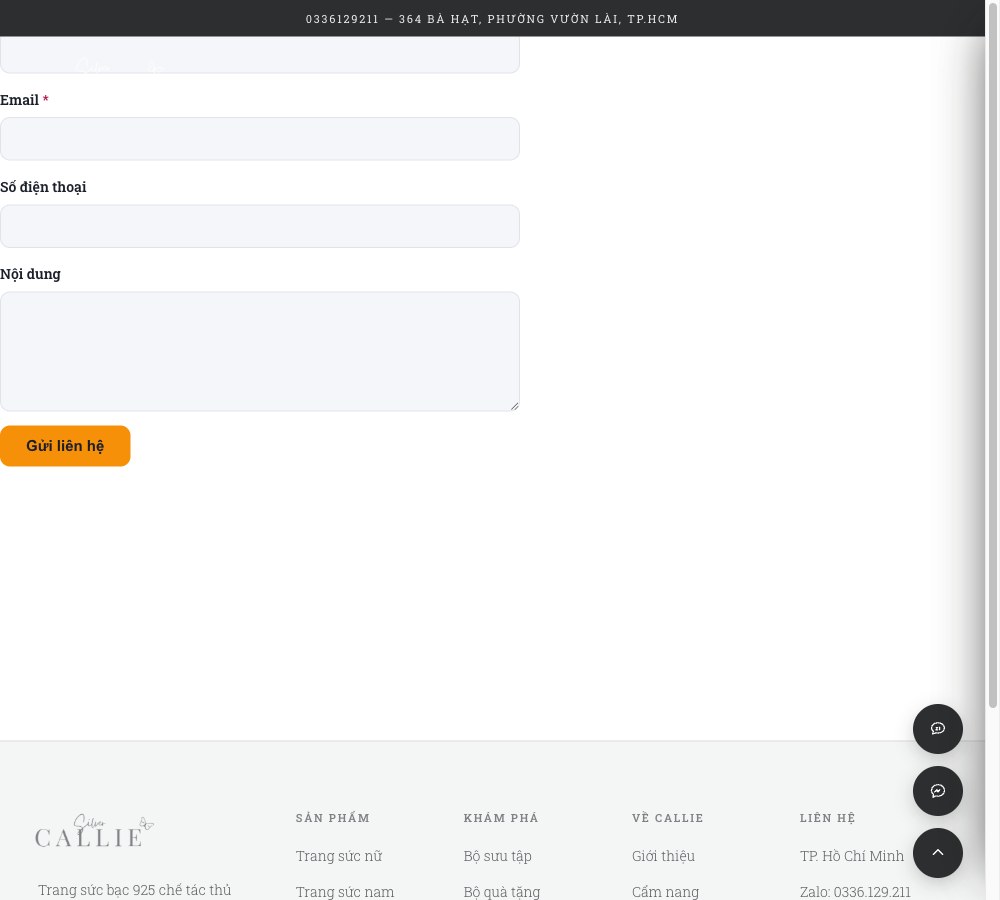
Contact Form 7 is a popular free plugin that suits small websites needing a simple form. But as your business grows, you usually have to install a string of add-ons: one plugin to store submissions, one to block spam, one to configure outgoing email. The more scattered plugins you have, the heavier the website gets, the harder it is to control, and every update brings another worry about conflicts.
MONA brings all of those pieces into a single plugin, written with MONA's own source code. We don't copy code, functions or data structures from any other plugin, so you aren't bound by any third party's licensing terms.
When a customer leaves their details and the notice goes to only one inbox, it is easy to miss. With MONA Smart Form, you can set several notification email addresses at once, for example the salesperson in charge, the manager and the company's shared inbox. That way every new customer has someone handling them and doesn't fall through the gaps between departments.
The notification email content also follows your own template. We let you insert fields such as the customer's name, email, phone number and message in the right places in the email, so the recipient sees the information at a glance and can call back right away.
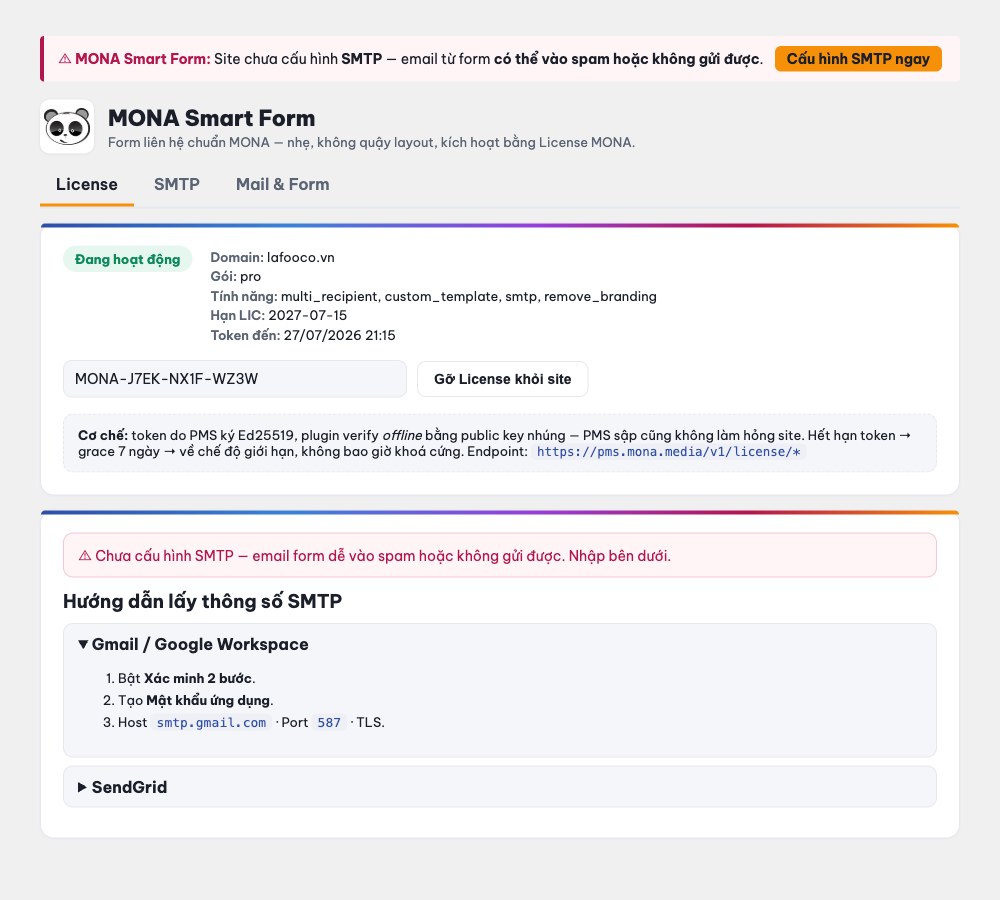
A very common problem is a website whose emails never arrive: customers fill in the form and the company receives nothing, losing customers without anyone noticing. The cause is usually that the email sending route (usually called SMTP) hasn't been configured properly.
MONA Smart Form actively prevents this for you. If the website hasn't set up an email sending route, the plugin shows a red warning right in the admin area, with step-by-step guidance on entering it correctly. You can also send a test email to make sure everything works before going live.
Many websites block spam by making customers tick a confirmation box or pick images, which is both annoying and drives away some real customers. MONA Smart Form blocks spam quietly: it uses hidden traps that only spam bots fall into, plus detection of submissions that are abnormally fast. Your real customers fill in and submit as usual, without any extra steps.
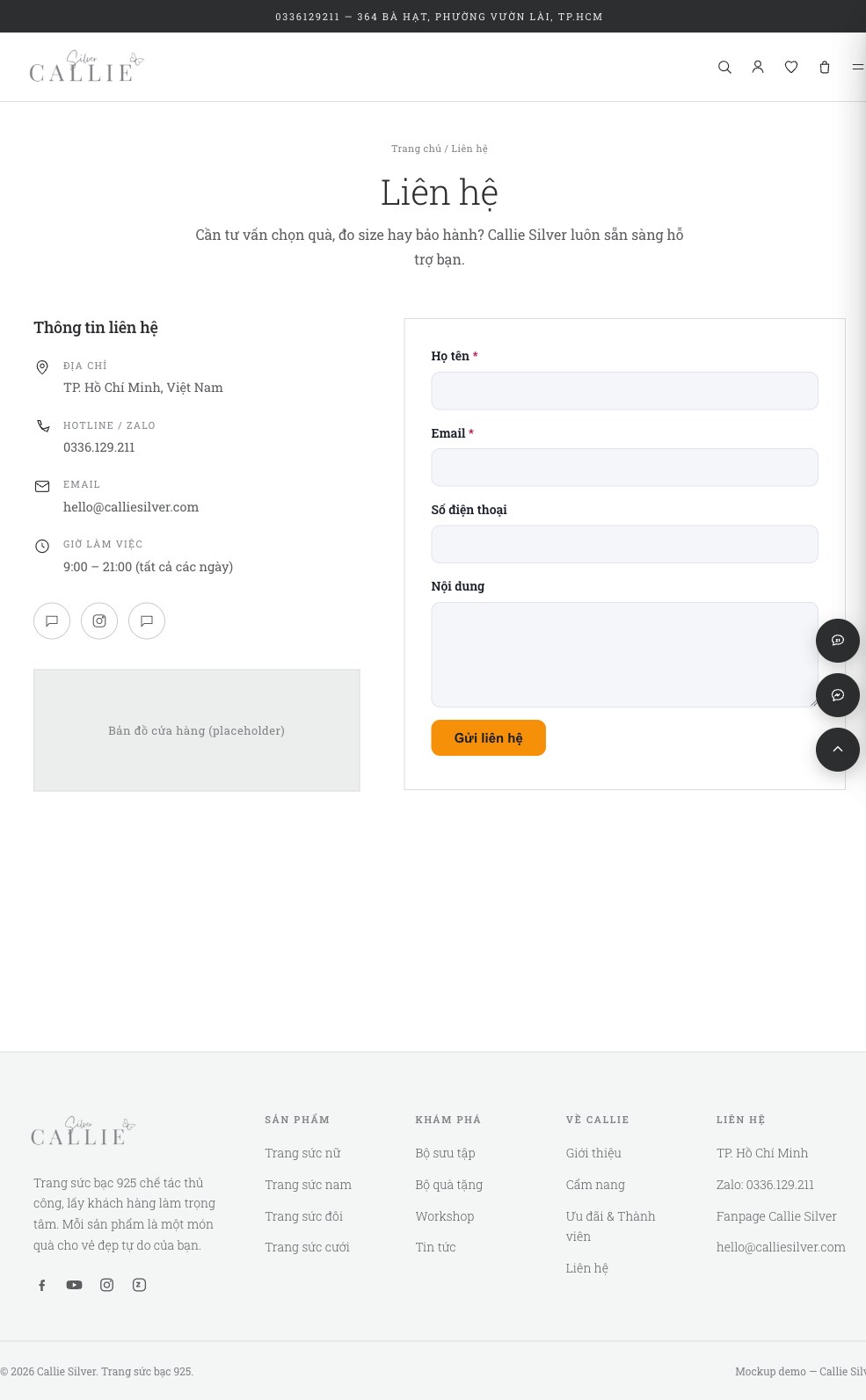
What you worry about most when switching plugins is breaking the layout. We have planned for that: when Contact Form 7 is turned off, MONA Smart Form automatically takes over the exact spot where the old form sat, so every page with a form still displays normally, fitting right into the theme's design block.
This has been tested directly on a demo copied from a real client website. After Contact Form 7 was turned off, the contact page still showed the MONA form sitting neatly in the theme's two-column “Contact information” block, with no trace of the old plugin, no stray code, and the whole page still loading well.
Yes. Every form submission is stored in the admin area so you can review and export it when needed, with no worry about losing customer data.
No. The plugin takes over the old form's position, so the website displays normally and you don't have to rebuild pages or edit the theme.
No. The license is lifetime per domain, granted once and used forever, with no renewal and no annual fee.
Do you want your website to run entirely on genuine MONA plugins, legal and worry-free for the long term?
The MONA team will advise you specifically: review the third-party plugins your website uses, replace them with the lifetime-licensed MONA plugin suite and hand everything over cleanly, without disrupting your business.
Leave your details for a consultation or call the hotline 1900 636 648
MONA is developing a complete plugin suite to replace third-party software on your website, all with a lifetime licence per domain:
MONA Fields · MONA Multilingual · MONA SEO · MONA Shield · MONA Duplicator
See the overview on the page MONA lifetime-licensed plugins.


Professional website
design services
Own a website with a great, 100% exclusive design and a lifetime warranty, with the ability to
add features flexibly as your business grows, starting today!







 MONA promises never to use your information for sale or SPAM
MONA promises never to use your information for sale or SPAM
MONA promises never to use your information for sale or SPAM


 MONA promises never to use your information for sale or SPAM